

Most oral surgeons lose 90 minutes every day to slow paperwork and separate software tools. Refer to our practice automation complete guide for a deep dive into eliminating these workflow inefficiencies. This lost time slows down growth for new practices before they can find enough patients.
Choosing the right technology platform from the start helps you avoid costly workflow bottlenecks and keeps your new practice efficient from day one.
When starting an oral surgery practice, your technology checklist must focus on a system that connects surgical records with office billing. According to AAOMS, a new practice needs a strong plan for equipment, staff, and business tasks. A unified platform stops your team from switching between different tools for scheduling, scans, and patient files. This setup cuts down on errors and saves surgeons up to 90 minutes of paperwork time each day. By picking software made for oral surgery, you avoid the flaws of basic dental tools that do not support complex cases. A solid tech base lets your team focus on care instead of fighting with digital files. This plan makes sure your new practice stays safe and profitable from the first day.
Setting up these tools takes careful work to avoid getting stuck with a messy system. You must check how each tool works for your clinical needs while keeping your money records right.
Building your oral surgery practice on the right software foundation from day one prevents costly workflow bottlenecks and data errors down the road.
The first step is choosing your software foundation: EMR, practice management, and billing, and here is how.
Starting an Oral Surgery Practice: What Software Foundation Does Your Practice Need?
An integrated OMS platform prevents workflow bottlenecks by connecting clinical, imaging, scheduling, and billing data in a single system. Choosing software specifically designed for oral surgery avoids the limitations of general dental tools and ensures your new practice operates efficiently from day one.
When you are starting an oral surgery practice, your choice of software is one of the most important decisions you will make. You need a system that handles clinical notes, patient scheduling, and oral surgery medical billing without creating extra work for your staff. Many new practices try to piece together different tools for each task, but this often leads to data errors and slow work. Using a single system helps your team stay on track from day one.
An all-in-one software platform keeps your clinical and office data in one place to ensure your team stays efficient from day one.
The risk of patchwork systems
Opening an oral surgery office is not the same as starting a general dental practice. You deal with surgical cases, anesthesia records, and medical insurance claims that need specialized tools. Many teams start with separate programs for their schedule, imaging, and billing. While these tools might seem cheap at first, they often cause long-term problems. Staff members must type the same patient info into many screens, which increases the risk of mistakes.
Data from DSN Software shows that patchwork systems create headaches because they do not share data well. When your imaging software does not talk to your chart, your flow slows down. A single system allows your schedule to link directly to your charts and billing. This reduces the time you spend on IT support and keeps your patient records accurate.
OMS-specific EMR and billing
Your Electronic Medical Record (EMR) should do more than just store notes. It must fit the way an oral surgeon works. For example, the MaxilloSoft platform was built by practicing oral surgeons to handle the unique needs of a surgical clinic. It includes a smart EMR that remembers your personal preferences for common cases. The system can fill in treatment plans based on how you usually work, which helps you stay focused on the patient.
Billing is another area where a general dental system might fail you. Oral surgery needs a mix of medical and dental insurance codes. You need a system that handles insurance checks and codes on its own. Using a platform that combines EMR and billing can save each surgeon 60 to 90 minutes per day. This extra time allows you to see more patients or finish your notes before you leave.
All-inclusive pricing and evaluation
As you look at different vendors, pay close attention to the total cost. Some companies charge extra fees for basic needs like e-prescribing, patient texting, or reports. These costs can add up quickly as your practice grows. Choosing a provider with all-inclusive pricing means you know exactly what you will pay each month. See our pricing guide for 2026 for detailed cost comparisons between vendors without any surprises on your bill.
Before you sign a contract, use an oral surgery software evaluation checklist to compare your options. Look for a foundation that offers a single source of truth for your entire team. A connected system is the best way to maintain high standards while you build your new practice.
What Hardware and Imaging Does Your New Oral Surgery Practice Need?
Role-based tablet setups and integrated imaging systems form the hardware backbone of a modern oral surgery practice. Surgeon, clinical, and admin staff each need device types matched to their workflows, while CBCT and 2D imaging must sync directly with your EMR for real-time surgical planning.
Choosing the right tools is a core part of starting an oral surgery practice because your hardware must work with your software to keep patients safe. You need a plan that links your tools to your records. Follow our OMS implementation checklist to ensure every device integrates before opening day. This helps your team move patients through their visits without a wait. It also makes sure your data is right and easy to find when you need it.
Role-based tablet setups
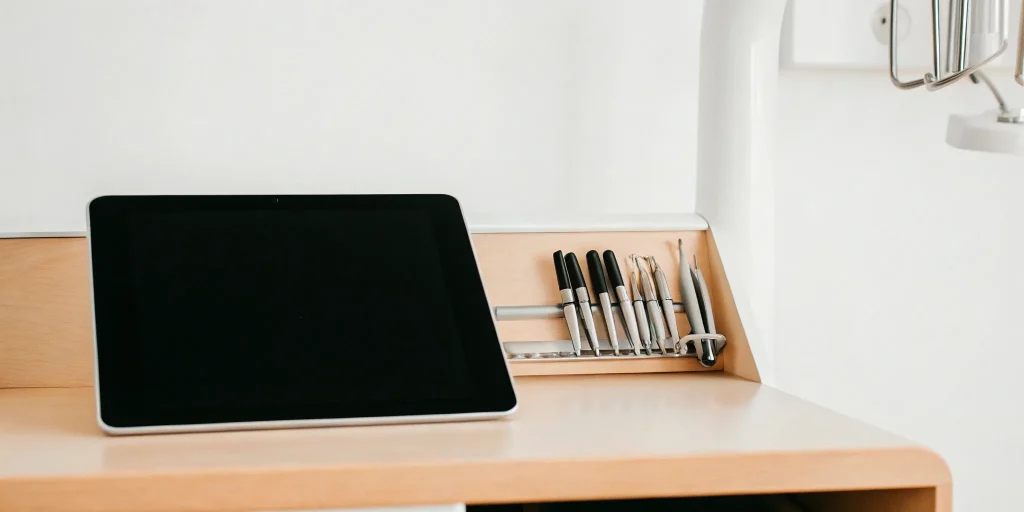
When you are starting an oral surgery practice, your staff needs tools that fit their jobs. Using pro tablets like iPads can help your team stay mobile. Read our time savings case study to see how one practice transformed workflows with the right hardware. Surgeons use their own tablets to look at case notes and high-quality images. They can also use them to send scripts to a shop. Clinical staff use their tablets to check patients in and take their vital signs. This means they do not have to walk to a desk to type in facts. Admin staff at the front desk use their devices for billing and schedules. This setup keeps each role on task and cuts the time spent on paperwork.
A good device plan also protects your data. Each tablet can have its own settings and access levels. This makes sure that staff only see the info they need. It keeps your office running well and helps you meet safety rules. Using tablets also makes your practice look modern to your patients. They will see that you use the latest tech to give them the best care.
Advanced imaging and monitor sync
Your imaging tools are the heart of your clinic. You will need 2D radiographs and 3D CBCT scans for most cases. These tools must link directly with your software. When you take a scan, it should show up in the patient record right away. This allows you to plan your surgeries with better data. You can write notes on scans and share them with other doctors in a safe way. This makes sure every person on the care team has the same facts.
Safety is the most important goal during surgery. You should use Criticare monitors to track vital signs like SpO2, EKG, and blood pressure. Modern software can capture this data automatically. It pulls the readings from the monitor and puts them into the digital chart. This allows your team to focus on the patient instead of writing down numbers. This type of linking is a key part of cloud vs. on-premise OMS software setups. It reduces the chance of human error during a case.
Surgical tools and maintenance
The AAOMS guidelines list several must-have items for new offices. You need surgical tools and sterilization units to keep your clinic safe. It is also vital to have maintenance contracts for all your big machines. These contracts make sure your tools stay in top shape. They also give you a way to fix things fast if they break down. This keeps your schedule on track and avoids lost time.
Buying your hardware and software as a bundle can save you a lot of trouble. If you buy each part from a different shop, they might not work well together. A bundle ensures that your tablets, monitors, and scanners all talk to each other. This reduces the risk of IT bugs and makes your office setup much easier. It also helps you manage your costs by giving you one bill for your core tech.
- Surgeon tablets for notes and image viewing.
- Clinical tablets for intake and vital signs.
- Admin tablets for billing and schedules.
- Vital sign monitors with auto-capture.
- 2D and 3D imaging units with direct sync.
- Sterilization and surgical tools.

What HIPAA and Compliance Requirements Does Your Oral Surgery Practice Need?
HIPAA compliance for a new oral surgery practice requires signed BAAs with every vendor, encrypted data storage and transmission, role-based access controls, and documented privacy policies. Meeting DEA electronic prescribing requirements and establishing audit trails protects your practice from fines and builds patient trust from day one.
When starting an oral surgery practice, your legal and safety steps are just as vital as your surgical tools. Federal and state laws set strict rules for how you must handle patient data and prescriptions. A strong compliance plan protects your new business from costly fines and keeps your patient trust high from day one. You should start with the AAOMS compliance checklist which covers key groups like the CDC, CMS, DEA, and OSHA.
Managing Patient Privacy and BAAs
The Health Insurance Portability and Accountability Act, or HIPAA, is the main law for patient privacy in the US. Under this law, you must sign a Business Associate Agreement, or BAA, with any vendor that handles your patient data. These papers show that both your practice and the software company will follow the law to keep data safe. Any oral surgery software you choose should be ready to sign these agreements right away.
Safe data handling also means using tools that encrypt information both when it sits on a server and when you send it. Your system needs to track who looks at a file and when. Consult our complete HIPAA compliance checklist for a step-by-step guide to meeting every requirement and when they do it. This is called an audit trail. Using role-based access ensures that staff only see the parts of a record they need for their specific job. These steps are part of the core HIPAA security rules for health care providers.
Digital Prescribing and DEA Rules
Prescribing controlled drugs is a big part of oral surgery care. The DEA now requires Electronic Prescribing of Controlled Substances, or EPCS, in most cases. To do this, your software must have a special DEA certificate. You will need to use two-factor authentication to sign these orders. This usually means a password plus a code from a phone or a token to prove it is really you. These rules help stop fraud and keep your DEA license safe. Review our digital consent forms guide for best practices in electronic authorization.
Your practice must also follow rules from other groups like the FDA for device safety and the EPA for waste. OIG rules for billing and FTC Red Flag Rules for identity theft are also on the list. Setting up these systems before you see your first patient prevents big risks later on. By using a system with built-in audit trails and backup tools, you meet many of these needs at once.

See how an integrated OMS platform can simplify your startup technology decisions.
How Do You Implement Software and Train Your Oral Surgery Staff?
A phased rollout with structured staff training ensures your software implementation succeeds. Focus on data migration, role-specific training sessions, and workflow testing before your go-live date. Practices that invest in proper onboarding see measurable gains in efficiency and patient throughput within the first quarter.
Planning your software setup is a key step. Discover how AI in oral surgery management is changing how practices handle scheduling and documentation when starting an oral surgery practice. A smooth launch depends on a clear path for moving data and training your staff. You can use an oral surgery software implementation guide to track every task before you open.
This planning includes setting up your records, rules, and codes to ensure your office runs well from day one. Planning now will prevent big issues later. It also helps you stay on track during the busy weeks before your first patient visit.
Training Your Startup Team
Your staff must feel ready to use your new tools. See how practice administrators drive successful technology adoption in OMS practices before the first patient arrives. Startup teams perform best when they use a single platform for tasks like booking and charting. Using one system helps your team automate tasks such as:
- Send pre-op forms: Deliver digital consent forms and medical history questionnaires before their appointment.
- Track post-op follow-up: Schedule automated reminders and follow-up calls for recovery monitoring.
- Verify insurance: Run eligibility checks and generate accurate fee estimates before each visit.
This speed led to a 100% rate of teams who stayed with the system across 27 practices during the MaxilloSoft beta test. When your team knows the tools, they can focus on care instead of data entry. A trained team is the base of a strong practice.
Improving Practice Work
The goal of a good setup is to see gains in both work and patient care. For example, Maryland Oral Surgery Associates saw a 29.5% rise in work after they switched to a better system. They also treated 60 more patients each month and cut data errors by 80%.
You can see how one practice saved 60 to 90 minutes per surgeon daily by fixing their workflows. These results show why choosing the right tools is a smart move for your new business. Higher work means your practice can grow and help more people.
Meeting Federal Rules
Setting up your practice also means meeting strict federal rules. Your startup must follow guidelines from the Centers for Medicare and Medicaid Services (CMS) to keep patient data safe. Following these rules protects your practice and ensures you are ready for a smooth go-live date.
Your setup plan should include regular checks to verify that all systems meet these safety goals. This focus on rules helps you build a solid base for your new office. It also builds trust with patients and staff from the start.
Preparing for your go-live date involves more than just turning on a computer. You must test your work and ensure your data is clean and right. A good setup means that every person knows their role and how to use the tools to do their job. By focusing on training, you prepare your practice for long-term growth.
Should You Choose Cloud or On-Premise Technology for Your Practice?
Cloud-based systems offer lower upfront costs, automatic updates, remote access, and vendor-managed security compared to on-premise solutions that require significant hardware investment and ongoing IT support. The total cost of ownership for cloud platforms typically includes all features in a predictable monthly fee.
Choosing where to host your software is a key step when starting an oral surgery practice. This choice sets your daily workflow and long-term tech costs. Today, most new surgeons move away from local servers. Cloud-based platforms are now a common choice for new oral surgery practices because they support remote access, automatic updates, and easier scalability without large capital outlays.
Cloud-based systems offer lower upfront costs and easier access for teams on the move.
Upfront costs and maintenance
Local servers need a big initial buy. You must pay for the hardware, setup, and safe storage space. These systems also need ongoing IT help to handle updates and backups. On-premise setups can cost between $32,000 and $93,000 each year in total IT infrastructure costs. This puts a heavy weight on a new practice budget.
Cloud systems remove these big costs. You pay a monthly fee that covers the software, updates, and secure storage. This MaxilloSoft all-inclusive pricing helps you plan your cash flow with no surprise fees. It also lets your team work from any device with a web link.
Data security and access
On-premise systems give you full control of your data on site. But this means you are also in charge of physical security and HIPAA rules. Many local setups are Windows-only, which limits which devices you can use. If a server fails, your practice may stop until an IT pro arrives to fix it.
Cloud platforms use remote data centers with elite security. They handle backups and guard against data loss. A cloud vs. on-premise OMS software choice often comes down to how you want to manage risks. For many, trusting a secure data center is safer than managing a server in a closet. To see how these options stack up, look at the table below:
| Feature | Cloud-Based | On-Premise |
|---|---|---|
| Upfront Cost. | Low monthly fee. | High server buy cost. |
| Annual IT Costs. | Included in fee. | $32K – $93K for infrastructure. |
| Software Updates. | Auto and instant. | Manual and often costly. |
| Remote Access. | Work from any location. | Limited or needs complex VPN |
| Device Support. | Web-based on most devices. | Often limited to Windows. |
Integration with existing tools
Your choice must also fit with the tools you already use. Many OMS practices still rely on older systems for some tasks. MaxilloSoft integrates with WinOMS as its system of record. This lets you have a bidirectional data sync for patient files and financial data. This means you can get cloud benefits while keeping a link to classic tools. Choosing the right path helps your new practice stay fast and ready to grow.
Frequently Asked Questions
What technology does an oral surgeon need to start a practice?
You will need a platform that handles both clinical and office tasks in one spot. This includes tools for patient charts, insurance checks, and medical billing. You also need hardware like surgical tablets and imaging systems for x-rays and scans. Using a single system helps your team work faster and keeps your records in good shape. This setup cuts the need for extra IT help in your new clinic.
How much does it cost to start an oral surgery practice?
Starting a new practice can cost from about five hundred thousand to over one million dollars. Your total spending depends on your office size and the tools you buy. You will need to pay for a lease and surgical tools like scanners and anesthesia monitors. Many new owners get a loan to help with these high startup costs. You should plan for these bills before you open your doors to patients.
What software modules does an oral surgery practice need?
Your clinic needs a specialty system with tools for clinical charts, anesthesia records, and scheduling. It must also handle both medical and dental insurance plans to ensure you get paid on time. You should find a platform that includes e-prescribing and a portal for your patients to use. These modules help you run a smooth office while keeping your data safe and organized. This setup is key to growing your new surgical practice.
What are the HIPAA requirements for a new oral surgery practice?
A new practice must keep patient data safe with locked systems and clear access rules. You need to sign a Business Associate Agreement with every vendor that sees patient info. Your staff also needs training on how to handle private records. Meeting these rules helps you avoid big fines and keeps your clinic in good standing. You can find a full list of needs on the AAOMS website for new clinics.
How do I choose between cloud and on-premise software for my oral surgery practice?
Cloud software is a popular choice because it lets you work from any place with a web link. According to DSN Software, the cloud can save you about thirty-two thousand to ninety-three thousand dollars in IT costs each year. On-premise tools need a server in your office and more local help to keep them running. Most new owners pick the cloud to save money and keep their data safe off-site. Your choice will depend on your local tech support and budget.
Tracking essential KPIs for practice leaders helps you measure the impact of your technology choices. Choose the right technology from day one and your practice will run smoother, your team will work faster. And you will protect more time for the clinical work you trained to do. MaxilloSoft is the only platform built by practicing oral surgeons for oral surgeons, combining OMS-specific EMR, insurance verification, real-time dashboards, and integrated hardware into one complete system. Schedule a demo today to see how a purpose-built technology stack can set your new practice up for long-term success.
For a comprehensive growth strategy, explore our practice marketing guide to attract your first patients.
Schedule a demo to see how MaxilloSoft can streamline your oral surgery practice startup.
