

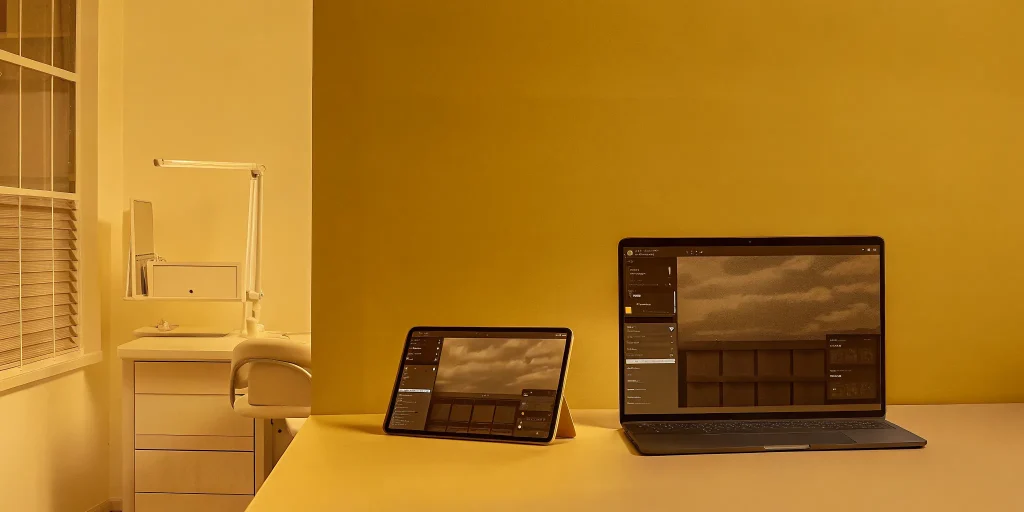
Running an oral surgery practice with a physical server often feels like hitting a paperwork wall. These aging systems require constant maintenance and slow down your team. Choosing the right platform is now a critical move for every modern oral surgeon.
Cloud oral surgery practice management software provides better scalability, security, and clinical work speed compared to old on-premise servers. These digital platforms remove the need for expensive local hardware while showing a real-time practice view through dedicated dashboards. As shown in research published by the National Institutes of Health, cloud systems offer better interoperability for healthcare providers. By moving to the cloud, oral surgeons can reduce office stress, help verify insurance, and access patient records securely. This transition allows surgical teams to focus on clinical documentation instead of managing physical servers. Modern practices use these tools to lower their total cost of ownership by removing the hidden costs tied to local IT hardware and manual software updates.
Oral surgeons often wonder if moving to a digital platform is worth the effort. Why Oral Surgeons are Transitioning to Cloud Oral Surgery Practice Management Software is a vital shift that many modern practices now embrace. The change begins with
Why Oral Surgeons are Transitioning to Cloud Oral Surgery Practice Management Software
Many oral surgery practices still rely on physical servers kept in a back room. While this was once common, local servers often create a paperwork wall that slows down care. These systems trap data in one building and make it hard for staff to work together. Moving to cloud oral surgery practice management software helps remove these blocks by moving data to a secure web space.
Breaking down the paperwork wall
Local servers can limit how fast your team moves. When a surgeon needs to check a record from a different room, they may have to wait for a sync or find a specific computer. This delay creates a gap between the clinical and front office teams. Cloud systems help fix this by giving everyone the same view of the practice in real time. This flow is vital for specialists who must manage complex cases and surgical schedules without pause.
A study found that cloud-based systems offer better flexibility and sharing ability compared to older models. By using the web, staff can access files from any device with a secure link. This setup reduces errors and improves the quality of patient records. If you feel like your office staff spends more time on files than on patients, you may have outgrown your current software and need a more modern tool.
Solving clinical and business silos
In a typical office with a local server, data often sits in silos. The front desk might use one tool for billing while the clinical team uses another for notes. These separate parts do not always talk to each other well. Moving to the cloud allows for better interoperability and mutual performance across the entire practice. It links clinical needs with business tasks in one smooth path.
Surgeons care about clinical speed and want to stop writing the same facts twice. Cloud tools designed for oral surgeons focus on these needs. They help reduce administrative stress by making tasks like insurance checks and fee estimates automatic. Schedule a personalized demo of MaxilloSoft to see how cloud-based practice management streamlines your team’s daily workflow. Because the cloud stays up to date, the practice does not have to worry about old hardware slowing down their growth.
Improving practice flow and scaling
Local servers often reach a limit. As a practice grows or adds new sites, a physical server might fail to keep up. This can lead to slow load times and system crashes that hurt patient trust. Cloud systems provide high scalability and flexibility for growing practices. You can add more users or data without buying new hardware for the office.
Cloud software also lets surgeons work from home or a second site with ease. They can review anesthesia records or prep for a case before they even walk into the office. This freedom is a major reason why many oral surgeons are making the switch. By moving away from local servers, practices gain a modern system that evolves with their needs and keeps patient data safe in a professional data center.
HIPAA Compliance and Security Responsibilities in the Cloud
Protecting patient data is a top goal for oral surgery offices. In the past, many clinics kept their records on local servers. This model puts the full weight of HIPAA rules on the practice. You must secure the server room, manage local backups, and update firewall settings yourself. For many, these tasks create a “paperwork wall” that takes time away from care. Switching to cloud-based disaster recovery shifts much of this work to the software provider.
Managing data security and privacy
Modern cloud systems use strong tools to keep patient files safe. This includes data encryption both while it sits on a server and while it moves over the web. Research shows that cloud computing is a good fit for security and privacy in health records. Unlike a local server that might sit in an unlocked closet, cloud data lives in secure data centers. These sites have guards and advanced fire safety. Using a cloud oral surgery practice management software means your data gets expert protection without the high cost of an IT team.
Reducing the risk of data loss
On-premise servers can fail due to old hardware, theft, or fire. If a local drive fails, a practice may lose years of patient records. This risk is why many surgeons are evaluating practice management software that lives in the cloud. Cloud platforms save data in multiple places at once. If one site has an issue, the system pulls data from a backup site. This setup helps reduce errors and improves the quality of the health record system. It ensures your clinical team has access to the files they need to treat patients safely.
Sharing the compliance burden
HIPAA rules require practices to have strict controls over who can see patient data. In an on-premise setup, you must track every login and update every PC by hand. Cloud systems automate these tasks. They offer clear audit logs and force regular password changes. This automation helps oral surgery offices meet federal rules with less manual work. By moving to the cloud, surgeons can focus on clinical work and less on server care. It is a smart move for any practice looking to modernize its workflow and protect its reputation.
System Updates and Business Continuity: Eliminating Practice Downtime
For an oral surgery clinic, even an hour of downtime can stall patient care and hurt revenue. Old systems often rely on local servers that need manual updates and physical backups. These old methods create many risks. Hardware can fail, or a staff member might forget to run a backup. Modern cloud-based disaster recovery tools remove these human errors by doing the work for you. This move to the cloud keeps your patient records and clinical logs safe and ready at all times.
Automated updates and fewer errors
One big plus of cloud software is how it handles system updates. In the past, you had to stop work to install new patches or fix bugs. Now, updates happen in the back while you focus on surgery. Research shows that cloud systems help with reducing errors and improving the quality of health records. Since every team member always uses the most current version of the tool, there is no risk of data loss from old versions. This keeps your work flow smooth and fast.
Hand-typed data often leads to mistakes that can slow down a busy clinic. Cloud tools use automated checks to find and fix these slips before they become big problems. Because the system lives on the web, it can grow as you add more rooms or staff. You do not need to buy new servers or wait for a tech person to visit your office. This lets your practice grow without the fear of tech limits or long pauses in service.
Protecting data from local disasters
Local servers are weak against threats like fire, floods, or theft. If a server in your office breaks, you could lose years of patient notes. Cloud oral surgery practice management software stores your data in many off-site spots. This means that even if your office has a power cut or a disaster, your records are not lost. You can log in from a new device and start work again. This level of safety is hard to reach with on-site hardware alone.
Beyond simple safety, the cloud offers better data sharing for your team. Doctors and office staff can see the same files at the same time from different spots. This ease of access helps everyone stay on the same page during a busy day. It also means that if one computer fails, it does not stop the whole office. You can switch to a tablet or a laptop and keep seeing patients. By spreading the risk, you ensure that your business stays open no matter what happens to your gear.
Total Cost of Ownership: Comparing Cloud Subscriptions and Hidden On-Premise Costs
Choosing the right evaluating practice management software takes more than looking at monthly fees. Many oral surgery teams focus only on the sticker price of a new system. But the true price of a local server often stays hidden from plain view. These costs include hardware care, IT support, and power needs that add up fast over time for a busy office.
Direct and Hidden Costs
Local systems need a large spend for real servers and complex network tools. You must also pay for skilled IT staff to keep the hardware running day and night. Cloud software moves these tasks to a remote group, which helps oral surgeons focus on clinical work. A study found that cloud systems provide better scalability and link well with other tools in modern medical offices.
Hidden costs are a major risk for teams that rely on local physical servers. These fees often cover things like manual data backups and sudden hardware repairs after a crash. In contrast, cloud options use a flat monthly fee to make it easier to plan your yearly budget. You do not have to worry about a server failure causing a big, new bill for your practice at the wrong time.
The Two-Year Cost Gap
The money gap between these two models is quite large when you look at the long term. Research shows that local solutions can be about $2,000,000 more costly over two years than cloud options. This huge difference often comes from the need to replace and update real parts as they break. While cloud users pay a set fee, local users face rising costs as their hardware gets old and slow.
Managing a local server takes constant time and money that most clinical teams cannot spare. One study found that hidden costs made up 8% of the total price for local setups. This adds up to about $540,000 in extra fees for items like software patches and local security tools. Cloud-based tools had no such hidden costs in the same study, making them a safer money choice.
Long Term Value
For a growing oral surgery practice, these savings can help you spend more on patient care and new clinical tools. Cloud oral surgery practice management software helps your office finances by removing the need for a physical IT room. By choosing a cloud model, you remove the need to manage complex physical networks in your own office. This allows your team to work with more speed and fewer technical blocks in their daily flow.
| Cost Factor. | Cloud Subscriptions. | On-Premise Servers. |
|---|---|---|
| Upfront Price. | Low initial fees. | High hardware costs. |
| IT Maintenance. | Managed by provider. | Requires local staff. |
| Hidden Fees. | No hidden costs. | 8% of total budget. |
| Growth Potential. | Easy to scale up. | Requires new hardware. |
| Update Process. | Automatic and fast. | Manual and slow. |
The move to a digital space also helps your practice stay ready for future growth without high price tags. Digital tools allow you to add new office sites without buying more local servers for each one. This ease of use keeps your costs low while your work grows over time. Choosing a cloud path ensures your practice remains both modern and lean in a tough market.
Transitioning Your OMS Practice: Navigating the Migration Process
Moving to a new system often feels like a risk for oral surgeons. You may worry about losing patient files or facing long downtime. But modern tools make this change easier than it used to be. A smooth move to cloud-based disaster recovery and practice tools helps keep your office running with no gaps.
Moving patient files safely
The first step is moving your data. This includes health records, surgical notes, and imaging files. Experts help you map out where this info goes in the new cloud oral surgery practice management software. They make sure every scan and chart ends up in the right place. This path helps your team find what they need fast once you go live.
Research shows that cloud systems offer better ways to share and scale data than old server models. This is key for oral surgery offices that need to grow. By moving files to the cloud, you gain a setup that handles large image files and detailed notes without slowing down your local network.
Testing for a smooth start
Before the final move, teams run a test. They move some of your data to check for errors. This helps find small bugs early so they do not cause a mess on your first day. Most offices can see patients while this happens. Using a proven transition model ensures that your clinical work stays the main focus.
A good team stays with you through the whole start. They teach your staff how to use the new tools and answer questions. This help stops small issues from becoming big problems. When you have support, the move feels less like a chore and more like a fresh start for your practice.
Protecting your business data
Once you switch, your data is much safer. Cloud systems use high-level tools to lock down files. They also back up your work often. If a local computer breaks, your records stay safe in the cloud. You can get back to work from any other device without missing a beat. This peace of mind lets you focus on your patients and your surgery work.
Selecting the Right Platform: A Vendor-Evaluation Checklist
Choosing a new platform for your practice is a major step. It is about more than just finding a tool. You must find a partner that supports your work and keeps your data safe. Using a clear way to check each vendor helps you avoid costly mistakes. This process is key when evaluating practice management software for your clinic.
Assessing the full cost
Many systems have costs that do not appear on the first bill. For on-site tools, these can make up about 8% of the total price. These extra costs might include local server repairs or IT help. A cloud oral surgery practice management software often has a clear monthly fee with no hidden gaps. Studies show that cloud tools can save big practices millions of dollars over just two years. You should ask for a full list of all fees before you sign any deal.
Check for a total cost of ownership study if the vendor has one. This will help you see the real price of their system. Focus on both the setup fees and the long-term costs of keeping the system running. This data gives you a clear path to a smart choice for your office.
Checking security and support
Your patient data must stay safe and private at all times. A good vendor will show you how they meet HIPAA rules. They should have a plan for backups and a way to get your data back if things go wrong. Cloud systems often lead here by giving better interoperability and data sharing while keeping high safety levels. Ask if they use tools like medical-grade tablets to help your team stay mobile and secure.
- How do you handle data backups? Find out if they back up data every day and where they store it. A cloud system should offer near-live backups to keep your clinic running.
- Is your software made for oral surgeons? Most tools are built for general dentists. You need a system that fits the unique needs of an oral and maxillofacial surgery practice.
- What are the hidden costs of setup? Ask about fees for training, data moves, and new hardware. This helps you plan your budget with no surprises.
- How often do you push system updates? Cloud tools update automatically with no downtime. Make sure the vendor keeps their tech current and secure.
- Do you offer real-time practice visibility? Your system should show you your clinic health at a glance. Look for dashboards that help you track work and office flow.
Frequently Asked Questions
How much can an oral surgery practice save by moving to the cloud?
Oral surgery practices can find big cost savings by choosing cloud systems. According to a study on PubMed, on-premise systems can cost two million dollars more than cloud options over two years. These costs often come from expensive servers and IT help that local systems need to run. Cloud software removes many of these upfront and ongoing fees for the practice. This helps surgeons put more money back into their patient care and office tools.
What are the hidden costs of on-premise oral surgery software?
On-premise systems often have costs that are hard to see at first. Research shows that hidden costs can make up about eight percent of the total price for local software. These fees can reach over five hundred thousand dollars for some large clinics. These costs usually include unplanned repairs and special IT work for the servers. Cloud systems usually avoid these surprise fees because the vendor handles all the main technical work. This helps practice owners plan their yearly spending with more ease.
Can cloud software help oral surgeons reduce duplicate clinical documentation?
Yes, modern cloud software helps oral surgeons work much faster by cutting out extra paperwork. Specialist systems allow clinical staff to enter notes once and share them across the whole office record. According to MaxilloSoft, this focus on office speed helps doctors avoid writing the same details multiple times. This leads to fewer errors in patient files and gives surgeons more time to focus on their patients. It also helps the office team find the data they need without searching through paper files.
Do cloud oral surgery systems work with medical tablets?
Many oral surgery practices now use a mix of cloud software and hardware to manage their daily workflows. Some systems use a unique hybrid model that connects a cloud subscription with medical-grade tablets in the clinic. These tablets allow surgeons to record surgical notes and sedation data right at the chair. This data then syncs to the cloud so that the front office can see it in real time. This plan helps clinical teams stay connected without being tied to a desk.
Ready to request a free personalized demo?
Every day you stay with a local server is a day you risk losing patient records during a sudden hardware crash. Local systems often hide costs that drain your budget and keep your staff tied to a desk with paperwork walls. Making the move to a cloud system now means you can stop these losses right away and stay safe. You do not have to settle for old tools that hold your practice back. When you are evaluating practice management software, look for a system that was built for oral surgeons. Starting today ensures your clinical data remains secure and your surgical workflows stay smooth for years to come.
Ready to start? Call +18173687147 to request a free personalized demo.
For cloud-based OMS software in Massachusetts, explore oral surgery software tailored to local needs.
