

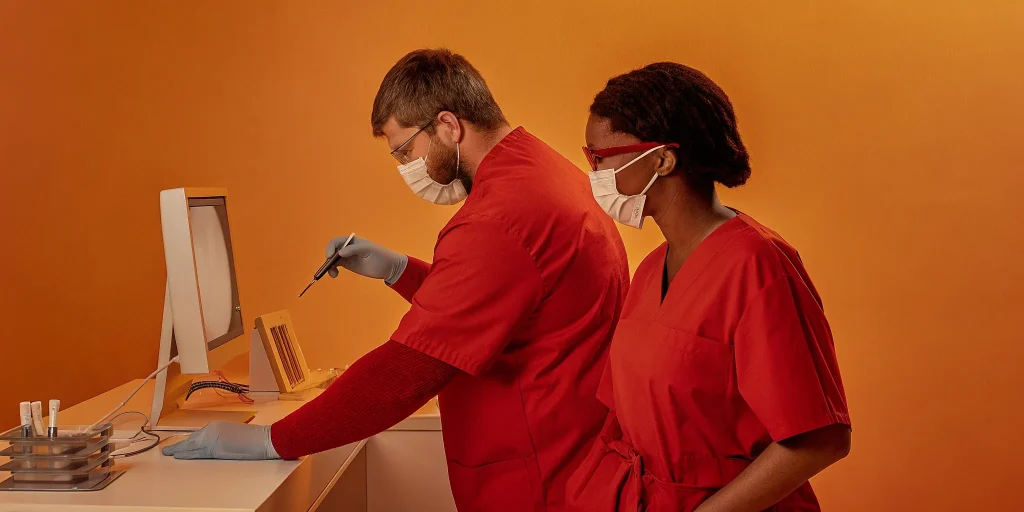
Third molar cases may be routine clinically, but they are rarely simple administratively. A single extraction can require a complete history, examination findings, imaging, treatment plan, informed consent, anesthesia records, and clear post-operative instructions. When those pieces live across paper forms, disconnected systems, and manual phone calls, the work expands around the procedure.
Request a demo to see how MaxilloSoft keeps third molar cases audit-ready.
Key takeaway: A well-designed third molar extraction workflow connects digital records, treatment-plan-based consent, anesthesia documentation, and automated post-op communication. That keeps your OMS team audit-ready without adding unnecessary steps to every case.
That matters in a high-volume procedure where impaction, restricted access, and proximity to important anatomy can make treatment planning more involved. The right system should support the surgeon’s clinical judgment while giving staff a consistent way to move each patient from intake through follow-up. The paperwork burden is the best place to see why that structure matters.
By Dr. Julius Hyatt, DDS, Founder and Oral Surgeon
Why Third Molar Cases Generate the Most Paperwork in Your Practice
Wisdom tooth removal is the highest-volume procedure in many oral and maxillofacial surgery practices. Mandibular third molars alone account for about 18% of dental extractions, and impaction, restricted access, or proximity to the inferior alveolar nerve can make the case more complex than a routine extraction. That clinical complexity creates a documentation trail that begins before the patient enters the operatory and continues through follow-up. NCBI’s clinical reference describes these factors as contributors to the increased complexity of mandibular third molar extraction.
Key takeaway: High-volume third molar cases create a disproportionate paperwork burden, so standardizing each administrative step can protect surgeon time without reducing documentation quality.
Each case may require a current health history, imaging review, diagnosis, treatment plan, informed consent, anesthesia documentation, procedure notes, discharge instructions, and follow-up communication. When those items live in separate systems or depend on manual re-entry, staff spend time locating information and surgeons spend time completing administrative work that should already be organized around the treatment plan.
- Clinical context: Impaction and anatomy can change the surgical approach, making accurate records essential to explain the diagnosis, risks, planned treatment, and care delivered.
- Patient movement: Registration, consent, rooming, and discharge tasks can create delays when staff must repeatedly collect or verify the same information.
- Surgeon capacity: Manual documentation and administrative follow-up can consume 60 to 90 minutes of surgeon time per day, according to MaxilloSoft’s platform data.
- Patient experience: A coordinated dashboard can reduce average waiting room time by 15 to 20 minutes, helping the practice move patients through a predictable process.
The solution is not less documentation. It is a connected process that carries information forward, prompts the next required step, and leaves the surgeon with a clear record to review. A focused oral surgery practice automation strategy can reduce duplicate entry while keeping the clinical record complete, accessible, and ready for review.
What Paperwork Does a Wisdom Tooth Case Actually Require?
A complete wisdom tooth record connects the patient’s history and examination to the diagnosis, consent, procedure, recovery instructions, and billing record. That continuity matters clinically and legally. Dental recordkeeping guidance identifies histories, examination findings, diagnoses, radiographs, treatment plans, consents, and clinical notes as essential documentation for evaluating care and supporting professional standards. Read the evidence on complete dental records.
The exact content varies with the patient’s health, imaging, anesthesia plan, and surgical complexity. The record should nevertheless tell a clear story that another qualified team member can follow without reconstructing decisions from scattered notes. An electronic health record can standardize that process and create a more consistent documentation trail, while keeping the surgeon’s clinical judgment at the center of the treatment plan.
- Medical history: Record conditions, medications, allergies, prior anesthesia concerns, and relevant risk factors.
- Examination findings: Document the oral examination, symptoms, surgical considerations, and pertinent clinical observations.
- Radiographic imaging: Store the applicable images and the interpretation that informs the procedure.
- Diagnosis and treatment plan: Connect the diagnosis to the recommended extraction, alternatives, risks, and planned approach.
- Informed consent: Capture the patient’s understanding, questions, agreement, and signed authorization.
- Anesthesia record: Document the selected technique, medications, monitoring, vital signs, and recovery observations.
- Operative notes: Record the procedure performed, findings, complications, materials, and disposition.
- Post-operative instructions: Provide individualized recovery guidance, restrictions, warning signs, and follow-up details.
- Coding record: Link the documented diagnosis and services to the appropriate billing and insurance information.
Consent forms
Consent should reflect the actual treatment plan rather than function as a generic signature page. It should address the proposed procedure, reasonable alternatives, material risks, and the patient’s opportunity to ask questions. A digital consent workflow can pull case-specific details into the form, capture the signature on a tablet, and keep the completed document with the rest of the chart.
Anesthesia records
Anesthesia documentation should make monitoring and medication events easy to review. Where compatible equipment is available, automated vital-sign capture can reduce transcription and provide a time-linked record of the patient’s status. The clinician remains responsible for reviewing the record and documenting the relevant assessment.
Post-op instructions and coding
Instructions should be clear enough for the patient or caregiver to use after leaving the office, including expected recovery, restrictions, warning signs, and who to contact. Coding should then match the documented diagnosis and services. When these elements remain connected, the chart supports continuity of care, follow-up, and a defensible administrative record without forcing staff to search across separate systems.
How a Third Molar Extraction Workflow Stays Audit-Ready with Digital Records
Digital records make the clinical reasoning and documentation behind a wisdom tooth case easier to follow from consultation through postoperative review. The record should show what the surgeon observed, why treatment was recommended, what the patient understood, and how care was delivered. That continuity matters when a practice must evaluate quality or respond to a legal or clinical question.
An audit-ready third molar extraction workflow connects the treatment plan, consent, clinical findings, imaging, anesthesia record, and operative notes in one accurate record that reflects the surgeon’s judgment.
AAOMS evidence-based guidance states that third molars associated with disease, or at high risk of developing disease, should be surgically managed. The same guidance recognizes the oral and maxillofacial surgeon as the clinician qualified to determine the surgical treatment plan for the individual patient. Digital documentation should support that decision, not replace it. It gives the surgeon a reliable place to record the relevant findings, diagnosis, imaging review, risks, alternatives, and planned approach.
For practices building stronger audit readiness, completeness is as important as convenience. Histories, examination findings, diagnoses, radiographs, treatment plans, consents, and clinical notes form the record set used to evaluate care. A structured EHR can standardize where these elements are captured, while preserving the clinical detail needed for a specific patient and procedure.
Why the audit trail matters
A useful audit trail answers practical questions without forcing staff to reconstruct the case from scattered files or memory:
- Clinical rationale: What condition or risk supported surgical management, and what did the surgeon determine was appropriate for this patient?
- Patient understanding: Which procedure, risks, alternatives, and expected care instructions were presented and acknowledged?
- Procedure record: Which findings, medications, events, and postoperative instructions were documented during and after treatment?
- Record integrity: When was each entry created or updated, and can the practice distinguish contemporaneous documentation from a later clarification?
| Workflow step | Manual approach | Digital approach |
|---|---|---|
| Records | Paper charts and re-entry across separate systems | Connected digital record updated once and shared across the case |
| Consent | Printed forms, manual entry, and filing | Treatment-plan-based form generated and signed on a tablet |
| Anesthesia documentation | Handwritten vitals reconstructed after the case | Real-time capture from integrated monitors |
| Post-op communication | Manual confirmation calls and messages | Automated SMS reminders and follow-up tied to the plan |
Anesthesia documentation is another important part of that sequence. When integrated monitors automatically capture real-time vital signs, the record can be more complete and less dependent on manual transcription. MaxilloSoft’s Criticare integration is designed to capture those data automatically in a manner consistent with AAOMS-recommended clinical standards. Practices can review the details of anesthesia documentation as part of the broader case record, rather than treating it as a disconnected attachment.
The goal is not to create paperwork for its own sake. It is to preserve a clear, accurate account of care that supports the surgeon, the patient, and the practice when the case needs to be reviewed.
Request a demo to see how MaxilloSoft keeps consent, anesthesia, and post-op documentation connected.
How Digital Consent Streamlines the Third Molar Intake Process
Digital consent turns a treatment plan into a ready-to-review patient record, reducing manual documentation and helping the intake process move forward without a paperwork wall at check-in.
Consent is more than a signature. It connects the planned procedure, the patient’s understanding, and the documentation your team may need to review later. When those details are handled on paper, staff may need to print forms, locate the correct version, enter information again, and confirm that every page is complete. That work creates avoidable friction before the patient reaches the operatory.
From treatment plan to signed tablet consent
MaxilloSoft’s digital informed consent forms are automatically generated from the patient’s personalized treatment plan and captured digitally on tablets. The surgeon’s plan remains the clinical source of truth, while the system helps present the relevant consent information in a consistent, trackable format. The result is a cleaner handoff between clinical planning, front-desk intake, and the patient.
- Treatment plan: The surgeon establishes the procedure and patient-specific plan before consent is prepared.
- Form generation: The system uses that plan to populate the relevant informed consent form, reducing repetitive manual entry.
- Patient review: The patient reviews the information on a tablet in the practice, with staff available to answer process questions.
- Digital signature: The completed consent is captured electronically instead of being routed through a printed packet.
- Record continuity: The signed form remains connected to the broader patient record, making it easier for the team to confirm that intake documentation is complete.
This workflow also supports a more predictable patient experience. Staff can spend less time managing forms and more time addressing questions, confirming readiness, and keeping the schedule moving. For practices refining their approach, these digital consent best practices can help clarify what should be presented, captured, and retained.
Digital capture does not replace the surgeon’s discussion or clinical judgment. It gives that discussion a more reliable documentation path. So the consent record reflects the plan that was actually created for the patient rather than a generic form assembled at the last minute.
How Anesthesia Documentation Fits Into the Extraction Workflow
Real-time vitals capture keeps the anesthesia record accurate while the surgical team stays focused on patient care, not manual charting during sedation.
Anesthesia documentation should not be treated as a separate administrative task that begins after the procedure. It belongs inside the clinical workflow, connected to the treatment plan, procedure record, and patient chart. When monitors and the practice’s digital system communicate directly, vital-sign data can be recorded as care occurs rather than reconstructed from handwritten notes or memory.
MaxilloSoft’s integration with Criticare vitals monitors captures real-time data automatically. The resulting record supports documentation consistent with AAOMS-recommended clinical standards, while preserving the surgeon’s role as the clinician responsible for the treatment plan and patient care. That distinction matters: automation improves the record, but it does not replace clinical judgment.
What integrated capture adds to the record
- Real-time accuracy: Monitor data enters the chart as it is generated, reducing the risk of missed values or transcription errors.
- Continuous documentation: The anesthesia record reflects the monitored course of sedation instead of relying on a rushed end-of-case summary.
- Workflow continuity: Vitals documentation stays connected to the extraction record, supporting a complete account of the encounter.
- Less manual charting: Staff can spend less time copying readings and more time monitoring the patient, communicating with the team, and completing essential clinical tasks.
This approach also strengthens the record beyond the operating room. Complete documentation, including histories, examination findings, diagnoses, treatment plans, consents, and clinical notes. Is essential for evaluating care quality and supporting legal and clinical standards, according to research in the dental record-keeping literature. For a deeper look at the operational considerations, review these anesthesia documentation best practices.
For every wisdom tooth case, the goal is a record that is timely, legible, connected, and clinically meaningful. Integrated capture makes that standard easier to maintain without adding another documentation burden to an already demanding extraction day.
Automating Post-Op Communication Closes the Workflow Loop
Automated post-op messaging keeps patients connected to the recovery plan while reducing the manual follow-up work that can strain an oral surgery front office.
The procedure does not end when the patient leaves the practice. Patients still need clear instructions, reminders, and a reliable way to stay oriented during recovery. When those messages depend entirely on staff remembering who needs a call and when, follow-up becomes vulnerable to busy schedules, missed calls, and inconsistent documentation.
Automated SMS communication creates a repeatable sequence tied to the appointment or treatment plan. The practice can send post-operative instructions and follow-up messages at the appropriate points without requiring a team member to make every confirmation call manually. MaxilloSoft’s documented workflow also uses automated SMS appointment reminders to reduce no-shows and replace manual confirmation calls. This gives the front office more time for patients who need direct assistance, rather than routine outreach.
Reducing no-shows and call-backs
A well-timed message can answer common questions before they become a phone call. It can reinforce what the patient should do next, clarify when to contact the practice, and keep the recovery plan visible after discharge. Automation does not replace clinical judgment or personal communication when a concern is reported. It ensures that every patient receives the baseline information consistently, while staff can focus on exceptions and higher-value conversations.
- Consistent instructions: Deliver the same approved post-operative guidance to each patient at the scheduled stage of recovery.
- Fewer missed touchpoints: Send reminders automatically instead of relying on a team member to track every follow-up call.
- Earlier escalation: Give patients a clear route to contact the practice when their recovery does not follow expectations.
- Less front-office pressure: Reserve staff time for scheduling changes, urgent questions, and patients who require individualized support.
For practices building a more connected patient journey, automated post-op communication is the bridge between efficient checkout and dependable follow-up. It closes the workflow loop without adding another manual queue to the front desk.
Request a demo to see how MaxilloSoft can automate your post-op communication workflows.
Frequently Asked Questions
What should a third molar case record include?
A complete record should connect the patient’s history, examination findings, diagnosis, imaging, treatment plan, informed consent, anesthesia documentation, procedure notes, and follow-up instructions. Keeping these elements together gives the surgeon and staff a clear clinical timeline and supports defensible documentation. The importance of complete records is also recognized in the dental recordkeeping literature: histories, findings, diagnoses, radiographs, plans, consents, and clinical notes should be documented.
How does digital consent fit into the extraction process?
Digital consent should follow the personalized treatment plan rather than function as a separate paperwork step. When the form is generated from the plan and completed on a tablet, staff can reduce retyping. Confirm that the relevant procedure information is present, and retain the signed consent with the rest of the case record. The surgeon still leads the clinical discussion and confirms that the patient understands the proposed care.
How can anesthesia documentation be made more reliable?
Connect the anesthesia workflow to an integrated monitor when the practice’s equipment and policies support it. MaxilloSoft’s Criticare integration captures real-time vital-sign data automatically, reducing manual transcription and creating a more consistent anesthesia record. Staff should still follow the practice’s approved protocols and review the captured data for completeness before closing the case.
What should happen after the patient leaves?
Post-operative communication should be scheduled as part of the case, not left to a manual end-of-day call list. Automated SMS reminders and follow-up messages can reinforce instructions, prompt patients about appointments, and reduce the administrative burden of confirmation calls. The practice should define escalation rules so patient questions or concerning symptoms reach the appropriate clinical team promptly.
Who determines the treatment plan for a third molar?
The oral and maxillofacial surgeon determines the treatment plan for the individual patient, using clinical expertise, examination findings, and imaging. Digital records and workflow automation organize and preserve that decision; they do not replace it. AAOMS identifies the oral and maxillofacial surgeon as the clinician qualified to determine the surgical treatment plan and care for the patient: AAOMS third molar guidance.
Ready to Improve Your Third Molar Workflow?
A connected digital workflow can help your team keep records, consent, anesthesia documentation, and post-op communication organized in one process. If you are evaluating ways to make third molar cases more efficient and audit-ready, a focused conversation can help you assess the right next step for your practice.
Request a demo to see how MaxilloSoft can support your oral surgery workflow.
