

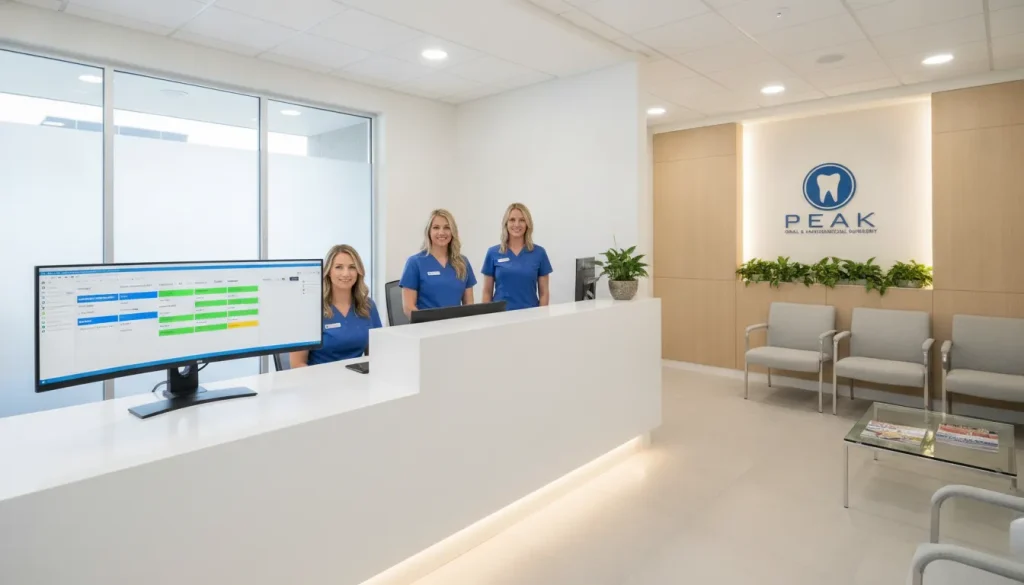
An invisible wall of paperwork often drains staff energy and slows patient check-in and check-out workflows and patient flow in busy oral surgery practices. This heavy office burden does more than cause delays; it leads to doctor burnout. Finding a way to automate these tasks is vital.
Ready to eliminate the paperwork wall? Request a free demo of MaxilloSoft today to see how we automate your front desk.
Modern oral surgery front desk software provides a focused solution to automate the hard office tasks that general dental tools often miss. By using tools for auto insurance checks, surgery tracking, and smooth billing, these systems remove the friction that slows down a practice. According to research by PubMed, high levels of office work lead to doctor burnout and make it harder for patients to get care. Using a system built for your needs lets your team move away from slow paper-style workflows and toward a model that puts patient results first. This change saves up to 90 minutes per surgeon every day. A focused software suite ensures your front office acts as a path to care.
Many offices find that their current software acts more like a hurdle than a help for their special needs. We will begin by looking at Overcoming the Paperwork Wall: Why Traditional Front Office Systems Fail Oral Surgery. This check shows how old ways of working hide the best path to a smooth office. Here is how.
Overcoming the Paperwork Wall: Why Traditional Front Office Systems Fail Oral Surgery
Oral surgery offices move at a fast pace. Every day, the front desk team handles a busy mix of patient and office tasks. They must check patients in, verify insurance, and track surgical steps all at once. This constant flow of data often creates what experts call the “paperwork wall.” This wall stops the office from growing and puts a heavy load on staff. Using basic oral surgery front desk software might seem like enough, but old tools often fail to solve these deep issues.
The heavy cost of staff burnout
The front office is the heart of your practice, but it is often where stress starts. Research shows that administrative complexity is a main cause of burnout in healthcare. When your team spends hours on manual data entry, they have less time for patient care. This burnout does more than just hurt mood. It can lead to more errors and fewer patients being seen each week. A busy surgical office cannot afford these delays. By automating front desk workflows, you give your team the space they need to focus on their main roles.
Staff burnout also hurts patient care. A stressed team may struggle to give the kind help that oral surgery patients need. When the paperwork wall is high, patients may feel like just another file in a drawer. Breaking down this wall with better tools changes the feel of the office. It creates a calm, expert space where both staff and patients feel good. This shift is vital for any practice that wants to keep its best staff and grow its name.
The trap of digitized paper workflows
Many offices try to update by moving paper forms to a computer screen. While this saves on actual paper, it often fails to make the real work better. Experts have found that digitized paper workflows often carry over the same flaws found in old paper systems. These systems simply copy a slow process onto a screen instead of fixing it. This trap leads to a system that can actually make the office slower. Your team might spend more time clicking through tabs than they did writing on a page.
Real speed comes from tools that rethink the process. You need a system that knows the specific steps of an oral surgery visit. This includes everything from the first talk to the final recovery check. If your oral surgery front desk software does not automate these steps, it is just a digital filing box. A smart system should prompt the next step and keep the day on track. This active approach stops small delays from turning into a late day for the surgeon.
Why general dental platforms miss the mark
General dental software is built for many needs, but it lacks the focus needed for oral surgery. These systems often struggle with the complex insurance and clinical cycles that oral surgeons face every day. For example, a general tool might not track a patient through the recovery room phase. It may not handle the detailed medical history needed for surgery with sedation. These gaps force your front desk to use manual logs or extra notes. These extra steps are where the paperwork wall starts to grow again.
Special tools are built for the way an oral surgery office actually works. They include steps and flows that a general dentist would never need but are vital for a surgeon. This focus removes the need for extra work that slows down the office. When your tools match your workflow, everything runs smoother. The front desk can process patients faster, and the clinical team always has the data they need. This match is the key to beating the office hurdles that hold most practices back.

How Does Specialized Oral Surgery Front Desk Software Enhance Practice Production?
Specialized oral surgery front desk software enhances practice production by eliminating manual bottlenecks like insurance verification. Reducing surgeon administrative work by 60 to 90 minutes daily, and driving a 29.5% increase in overall practice throughput. By integrating administrative and clinical tracking in one platform, teams can handle higher patient volumes with less stress.
Most oral surgery offices use general dental software to run their front desk. While these systems work for basic cleanings, they often fail in a surgery setting. General tools force staff to find ways around complex surgery codes and medical billing. This creates a “paper wall” that slows down patient flow and limits how many cases a surgeon can see each day.
The Problem with Common Dental Apps
Using a system that is not built for your niche causes friction. When staff must use common dental apps, they often spend too much time on manual tasks. This includes things like checking health insurance or tracking healing cycles. General systems often lack the fields needed for surgical notes.
Research shows that workflow tools are vital to help improve speed across doctor and office tasks. Without the right tools, your team may scan old paper habits into a screen. This trap keeps staff stuck in slow routines. It forces them to repeat data entry across different forms.
A specialized oral surgery front desk software solves this by matching the way a surgical practice moves. It removes the extra clicks and hard menus found in plain dental apps. This allows the front desk to work in sync with the surgical team.
Real Gains in Time and Output
Specialized software does more than just sort files. It changes how much work your practice can do. For example, doctors using systems built for oral surgery save between 60 and 90 minutes every day. This time comes back to the surgeon because the front desk handles intake and billing much faster with patient intake software for oral surgery.
The software tracks the patient through every stage of the visit. When the front office moves well, the doctor team can stay focused on the patient. The impact on your profits is clear. Practices that switch to specialized tools see a boost in production of about 29.5%.
This happens because the software sets up things like fee quotes and insurance checks. It can find errors in billing before they cause a delay. Your staff spends less time on the phone and more time helping patients. Faster check-ins lead to more surgeries and better use of your chairs and staff time.
Lowering Stress and Keeping Your Team
Burnout is a real risk for both doctors and staff in busy surgery centers. High levels of office work are a leading cause of this stress. Studies prove that too much paperwork leads to doctor burnout. It also makes it harder for patients to get the care they need.
When your front desk team feels stressed by a slow system, they are more likely to make errors or quit. Giving your team the right tools shows that you value their time. Good software makes their jobs easier and more helpful. It allows them to focus on people instead of fighting with a screen.
Specialized apps can handle the hard tasks of surgical billing and scheduling. By lowering the weight of paperwork, you create a better workplace. This leads to a more stable team and a more successful practice. Buying the right tools is the best way to support your staff and grow your office.
What Are the Core Features of Automated Practice Management Workflows for Oral Surgeons?
Running an oral surgery office is a big job. Your team must handle many small tasks each day. This work can lead to stress and slow down your clinic. Using oral surgery front desk software with smart workflows can change how you work. These tools help you move past the “paperwork wall” that often stops progress. Studies show that workflow automation helps care teams work better together. It removes the need for busy work and lets you focus on your patients.
Automating the Intake Phase
The best workflows start the moment a patient asks for help. You should not have to wait for them to arrive to begin your work. By using tools that handle data on their own, you can save hours of time each week. Research shows that heavy office work stress can hurt care teams. Using smart tools keeps your team happy and makes sure you do not miss key facts.
Managing the Treatment Cycle
Once the patient is in the chair, your focus should be on surgery. But the front desk still has a lot to do. Smart tools help bridge the gap between the front office and the back room. This makes the whole day feel smoother for both the staff and the patients. Following a clear set of steps can help you keep your office on track.
-
Digital Intake and Scheduling. Let patients book their visits and fill out forms online. This stops people from crowding the lobby and saves time on the phone. You can use modern oral surgery clinic software to link these visits to your main calendar right away.
-
Automatic Insurance Checks. Checking if a patient has coverage is a slow task. Smart software can do this in seconds. It looks at the patient’s plan and tells you what they will owe. This helps you give a clear price for the care you give. It also helps your office get paid faster with fewer errors.
-
Smart Case Tracking. Managing complex cases needs a good plan. You can use your software to track referrals and scan in needed files. This keeps the whole team on the same page. It also helps you find the right data for each case without searching through paper files.
-
Tracking the Surgery Cycle. It is vital to know where each patient is during their visit. Modern tools track people as they move from the lobby to the surgery room and then to recovery. This helps you manage your time and keeps the office from getting backed up.
-
Real-time Fee Collection. You should not have to chase people for money weeks after their visit. Good software lets you take payments as soon as the work is done. It can show you what is owed and take a payment on the spot. This keeps your cash flow high and reduces the need for late billing calls.
-
Follow-up Care Tasks. After a patient leaves, the job is not over. You can set up your system to send care tips and check-in notes on its own. This helps the patient heal well and shows that you care. It also saves your team from making many short calls throughout the day.
By using these tools, you can build a practice that runs like a clock. You will find that you have more time to talk to patients and solve real problems. These systems are not just about saving time. They are about making your practice a better place to work and a better place to get care.
The Clear Choice: Generic Dental Platforms vs. Specialized OMS Solutions
Choosing the right tools for your office is a big decision. Many practices use general dental software to manage their daily tasks. But these systems often lack the specific features needed for oral surgery. High office stress can lead to clinician burnout and lower patient access. By optimizing your insurance verification workflow, you can help your staff focus more on care and less on paperwork.
The Digitized Paper Trap
Many offices try to go digital by moving paper forms to a screen. Experts call this the “digitized paper trap.” Research shows that simply copying paper tasks onto a computer leads to major waste. These systems do not truly improve how a practice runs. They just move the mess from a desk to a hard drive. For a surgeon, this means more time clicking and less time with patients. A true solution must change how the work happens. It should guide your staff through each step to save time and effort.
Built for the Oral Surgeon’s Workflow
General dental tools are made for simple cleanings and fillings. They do not handle the complex needs of a surgical suite. You need oral surgery front desk software that knows your world. It must track recovery times and surgical notes with high accuracy. The best systems offer structured software training to ensure successful team adoption. These work with your current setup. For example, MaxilloSoft works with WinOMS to keep data safe. This keeps your records in one place without the need for manual data entry.
A specific system saves time by matching your clinical path. It guides the team from the first phone call through post-op care. This focus on specialty needs reduces errors in clinical notes. It also helps the front desk give better fee estimates for complex cases. When the software knows the surgery, the whole team works better together. This is why surgeons should look for tools built just for their field rather than general options. A clear path leads to better results for every person in the office.
| Feature. | General Dental Software. | Specialized OMS Solutions. |
|---|---|---|
| Records. | Broad dental notes. | Detailed surgical records. |
| Tasks. | Standard office tasks. | Surgical and recovery tracking. |
| Links. | Generic API links. | Native links with WinOMS. |
| Focus. | General dentistry. | Oral and maxillofacial surgery. |
| Design. | One size fits all. | Made by oral surgeons. |
Using a system that fits your specialty is a smart move for growth. It clears the path for better patient care and more efficient days. Instead of fighting with a tool that was not made for you, use one that supports your specific work. This change can help reduce stress for your entire team.
Frequently Asked Questions about patient scheduling software
What is the best practice management software for an oral surgeon office?
The best choice is a system built just for the needs of an oral and maxillofacial surgery office. While general dental tools are common, they often lack the features needed to manage complex surgical cases. A specialized system like MaxilloSoft is designed to handle these tasks without adding extra work for your staff. According to MaxilloSoft, using a platform built for your specialty can save your office about 60 to 90 minutes per surgeon every day.
Can cloud-based software help oral surgery offices work more efficiently?
Yes. Cloud tools let your team see patient files from any device at any time. This helps the front desk and the doctors work together without using paper charts. Fast updates make sure everyone sees the current patient status throughout the day. Research in PMC shows that these systems fix the “paperwork wall” by linking office and clinical tasks. This lets your whole team spend more time helping patients and less time on data entry.
How can front desk software improve oral surgery patient collections?
Smart tools make billing clear for both your staff and your patients. The right software checks insurance and finds the cost before the patient walks in. This lets the front desk collect the right payment at the time of the visit. When costs are clear, you spend less time asking for late payments later. MaxilloSoft reports that better billing tools can help grow your practice production by about 29.5 percent. Clear costs also improve the overall experience for your patients.
How does oral surgery software streamline the patient journey?
The right software follows a patient from their first call through surgery and recovery. Tools handle the check-in and keep doctors updated on where the patient is in the office. This helps reduce wait times and makes the visit better for the patient. Specialized systems provide a unified workflow that lets doctors see more patients while still giving the best care and keeping the office on schedule. By replacing general-purpose dental screens with a surgical-specific flow, practice teams can track sedation times, recovery room readiness, and post-op guidelines in real time.
Transform Your Practice with Specialized Front Desk Workflows
Continuing to rely on outdated, general dental platforms or digitized paper workflows limits your growth and burns out your team. The administrative complexity is a constant drain on your energy and productivity. By choosing a dedicated oral surgery practice management solution, you can remove the paperwork wall and reclaim valuable hours every day.
If you are ready to see how specialized workflows can increase your practice production by 29.5 percent and save your team 60 to 90 minutes per surgeon every day. It is time to take the next step. Schedule a free consultation or request your demo today to explore how MaxilloSoft is built by oral surgeons, for oral surgeons.
