

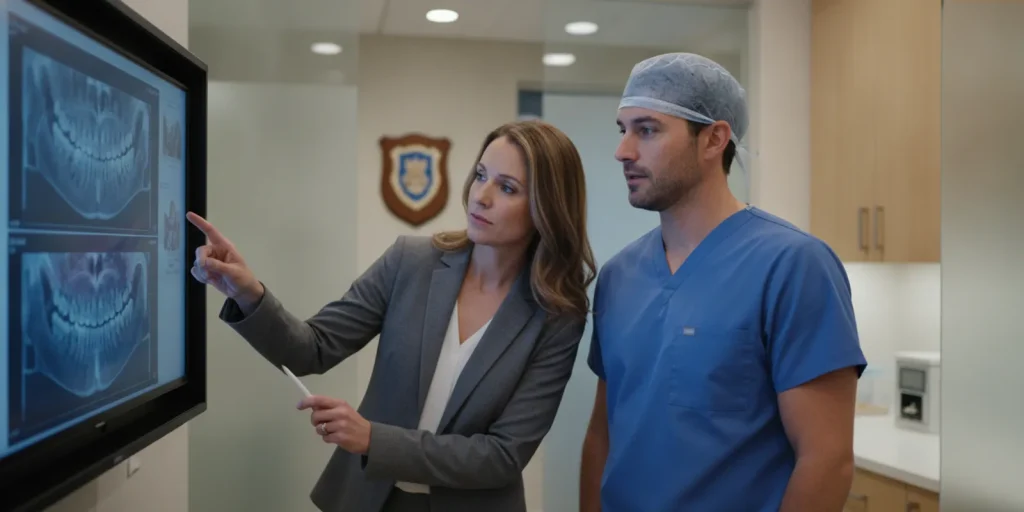
Choosing the best tools for DTX Studio integration starts with a practical question: can the systems your team uses exchange the right information, at the right point in care, without creating extra work? For an oral and maxillofacial surgery (OMS) practice, a useful evaluation follows the entire patient and image workflow, not just a vendor’s feature list. Confirm each connection directly with the vendors and test it with your own processes.
Start by defining the handoffs you need. DTX Studio may sit within an imaging workflow, while scheduling, clinical documentation, billing, and patient communication may be managed elsewhere. The best fit is the combination that keeps those activities coordinated and gives staff a dependable way to verify what happened when information moves between tools.
By Dr. Julius Hyatt, DDS, Founder and Oral Surgeon
What Should an OMS Practice Mean by DTX Studio Integration?
Integration should describe a specific, tested exchange, not a general promise that two products work together. Name the systems, information, direction, and workflow involved. Then ask whether the connection is currently supported for the versions and configurations your practice intends to use.
In practice, the phrase can mean several different things. A team might mean opening an imaging application from another system, attaching a study to the correct patient record, transferring selected data, or simply having staff move between two products during a visit. These are not equivalent. A workflow that requires manual steps may still be usable, but it should not be described as an automated integration.
Start with one representative patient journey. For example, consider a new consultation that requires imaging, clinical review, a treatment plan, and follow-up. Map each step and write down:
- Starting point: Where does staff begin: the schedule, a patient chart, an imaging workstation, or another system?
- Information needed: Which patient identifiers, appointment details, images, notes, or status updates are needed at each step?
- Direction of movement: Does information need to move one way, both ways, or not at all?
- Human action: Does a person launch a program, search for a patient, attach a file, or confirm a match?
- Exception path: What should staff do if a patient cannot be matched, a transfer fails, or the receiving system is unavailable?
Write the requested outcome in plain language, such as the requirement that the imaging study for the scheduled patient should be available to the clinical team without creating a second chart. Treat that as a requirement to verify, not as a statement that a named product already does it. If you need broader context on evaluating clinical record workflows, see this guide to understanding an OMS EMR.
A concrete example helps expose hidden assumptions. A front-desk employee may believe that selecting a patient from today’s schedule will open the correct imaging record. The clinician may instead need to search by a separate identifier, then confirm the study date before review. Neither expectation should be treated as true until it has been demonstrated. Record who starts the action, what identifies the patient, what confirms success, and which step remains manual. This small amount of detail can prevent a broad phrase like “connects with imaging” from masking a workflow gap.
Which Workflow Requirements Should You Put on the Scorecard?
A useful scorecard turns broad goals into observable tasks. Evaluate patient matching, image access, documentation, staff effort, exception handling, and ownership of support. A vendor should be able to explain the workflow and help you verify it, rather than asking your practice to infer compatibility from a product name.
Build the scorecard with representatives from the front desk, clinical team, billing or administration, and the person responsible for technology decisions. Ask each group to describe where imaging information is needed and what a missed handoff would mean for the next person. Keep the initial scorecard focused: a short list of high-impact scenarios is easier to validate than a long inventory of hypothetical features.
| Evaluation area | Question to ask | Evidence to request | Practice test |
|---|---|---|---|
| Patient matching | How does the workflow identify the intended patient? | Written explanation of identifiers and matching steps. | Run a test with a new patient and a record that has similar identifying details. |
| Image access | Where can authorized staff view the required study? | Demonstration of the actual path staff will use. | Have a clinician retrieve the study during a mock consultation. |
| Documentation | What must be recorded in the clinical record after image review? | Example workflow and confirmation of any manual documentation. | Complete a mock visit and check the resulting record for the agreed items. |
| Daily operations | What happens if the connection or a system is unavailable? | Support process, fallback steps, and responsible contact. | Walk through a simulated delay or failed handoff. |
| Implementation | Who configures, tests, and trains the practice? | Scope, prerequisites, roles, and training plan. | Review the plan with the staff who will perform the work. |
Also distinguish between a technical connection and a usable clinical workflow. A data transfer may work while leaving staff unsure which record is current or whether the image was reviewed. A workflow is ready only when the right person can complete the task, recognize success, and know how to recover from an exception.
Make the scorecard measurable enough to guide a decision. For a routine consultation, define the expected starting point, the maximum number of manual handoffs the team can accept, and the evidence that the correct study is available. For a failure case, define the response that keeps the record accurate and tells staff whom to contact. These are practice-defined acceptance criteria, not universal technical standards. If several roles test the same scenario, ask each person to complete it without coaching and note where the steps or labels are unclear.
For an OMS-specific view of how documentation fits into care, compare your scorecard with this overview of digital charting for oral surgery. The purpose is not to assume a particular connection, but to identify which parts of the record and visit should be tested.
How Do You Verify Compatibility Instead of Assuming It?
Ask vendors to confirm the exact product names, versions, connection method, prerequisites, and supported workflow in writing. Then test with representative scenarios and practice users. A live demonstration is useful, but it is not a substitute for confirming your configuration and documenting what happens when a transfer or patient match does not go as expected.
Use a repeatable validation process before making a decision. Do not rely only on a logo, a broad claim of interoperability or a verbal assurance that systems can be used together. The meaning of a connection can vary by product configuration, version, permissions, and implementation choices.
- Describe the use case: Give each vendor the same written workflow, including the people involved and the information that needs to move.
- Request a configuration-specific answer: Ask whether the proposed workflow is supported for your exact products, versions, devices, and intended operating environment. Ask what is not supported.
- Identify the mechanism: Clarify whether the process uses an interface, a launch link, a manual export/import, or another method. Ask who maintains it and what the practice must configure.
- Observe the real steps: Ask for a demonstration using a representative workflow. Track every click, search, copy, confirmation, and manual correction.
- Test exceptions: Check duplicate or incomplete patient details, delayed availability, unavailable systems, and the process for correcting a mistake.
- Record acceptance criteria: Agree in advance on what counts as a successful test, who signs off, and how unresolved issues are handled.
Use test data or an appropriately approved testing process. Do not place real patient information into an unapproved environment. Have the practice’s privacy and security decision-makers review the proposed data flows, access roles, retention, and vendor responsibilities. For general context on the professional environment in which OMS practices work, consult the American Association of Oral and Maxillofacial Surgeons; use the practice’s own compliance process for product-specific decisions.
Make vendor follow-up specific. Instead of asking only whether DTX Studio is compatible, ask the vendor to state which workflow they are confirming, what version and configuration the answer applies to, and whether the confirmation covers the practice’s intended user roles. If an answer depends on a third party, ask that party to confirm its own responsibilities as well. Keep unanswered points on the scorecard rather than converting an informal response into an assumption.

After testing, keep a simple record of the result: scenario, configuration, observed steps, outcome, open issues, owner, and next action. This makes it easier to distinguish a product limitation from a training need or an implementation task. It also gives the team a baseline for later changes.
How Should Imaging Fit with Scheduling, Records, and Patient Flow?
Evaluate the imaging step as part of the whole visit. The relevant question is not only whether a study can be opened, but whether staff can move from appointment preparation to clinical review and documentation with clear responsibilities and minimal duplicate work.
Draw the workflow from the first scheduling touchpoint to the next action after the clinical visit. A basic map might include appointment creation, pre-visit preparation, patient arrival, imaging, clinical review, documentation, and follow-up. At each transition, mark who is responsible and which system is the source of truth for the information they need.
Then look for points where the tools create avoidable repetition. Does staff enter the same details in more than one place? Is the person reviewing the image able to confirm that it belongs to the correct patient? Does the next team member know whether the study is ready? These are questions to test in your environment, not assumed capabilities of any software.
- Scheduling handoff: Define how the team knows which visit or patient needs imaging preparation.
- Clinical review: Specify how the clinician accesses the study and records the relevant action in the chart.
- Team visibility: Decide what status information other staff need and where they should look for it.
- Follow-up: Confirm how the next appointment, treatment discussion, or patient communication is coordinated.
For a deeper look at operational handoffs, review these resources on third molar extraction workflows and reducing patient wait times. Use them to prompt workflow questions, not as proof that any specific imaging connection is available.
Walk through both a routine appointment and a less typical one. For example, a returning patient may have an existing study that needs to be located, while a new consultation may require a different preparation sequence. Have the front desk explain what they can see before the visit; have the clinician describe what they need at review; and ask the next staff member how they know the visit is ready for follow-up. The goal is to surface handoff ambiguity early, not to force every task into one screen or one product.
What Should You Compare Across Tool Options?
Compare options by verified workflow fit, ownership, and total effort, not by the number of advertised features. A more suitable option is one your team can operate and support consistently, with clear evidence for its required tasks and a practical fallback when normal steps fail.
For each option, score the same requirements using a simple scale using the labels verified, partly verified, or not verified. Keep the evidence beside the score. Avoid treating an untested claim as a pass. Your comparison can include imaging access, patient matching, record documentation, number of manual steps, role permissions, implementation scope, training, support, and ongoing maintenance.
Consider the following distinctions when reviewing vendor answers:
- Native workflow: Ask the vendor to show the exact experience and explain its boundaries; do not assume a named feature covers every scenario.
- Manual workflow: Count the staff actions and define how errors are caught. Manual processes may be acceptable when their limits and responsibilities are clear.
- Planned capability: Treat future work as unconfirmed until the vendor provides a scope and the practice has decided whether the timeline is acceptable.
- Third-party connection: Identify each party involved, who provides support, and how the practice reports and tracks a problem.
To make the comparison useful, note both the score and the consequence for daily work. A workflow marked partly verified might require staff to transfer a file manually or confirm a patient match at an additional step. Ask who performs that step during a busy clinic session, how it is recorded, and how the team detects an incomplete handoff. A low number of clicks is not automatically better if a required verification is missing; a manual action is not automatically unacceptable if it is predictable, assigned, and tested.
In an OMS evaluation, the broader practice platform matters because imaging is one part of the daily flow. Review whether the practice management and EMR tools address the team’s own requirements for scheduling, clinical documentation, and administrative visibility. MaxilloSoft describes its focus as software for oral and maxillofacial surgery practices; see its pages for clinical teams and practice administrators for product context, then verify any proposed workflow directly with the relevant vendors.
Additional evaluation references include this oral surgery software comparison guide and the software demo evaluation guide. Use a consistent scorecard across vendors so that the practice compares like with like.
How Can You Plan a Low-Risk Evaluation and Rollout?
Start with a small, representative test, assign owners, and decide how the practice will handle exceptions before expanding use. A clear test plan protects patient flow and helps staff learn the workflow without confusing a demonstration, a technical connection, and a fully adopted process.
Before a pilot or rollout, name one operational owner and one clinical reviewer. Add the relevant technology or privacy decision-maker when appropriate. Give each person a defined responsibility: approve requirements, prepare test cases, observe the workflow, record issues, or authorize the next step.
- Choose representative cases: Include a routine scenario and at least one realistic exception that matters to your team.
- Prepare the environment: Confirm versions, user access, equipment, training materials, and any prerequisites with the vendors.
- Train by role: Show each user the actions they are expected to perform and how to identify a completed or failed handoff.
- Run the test: Observe staff performing the work. Record extra steps, confusing terminology, delays, and workarounds.
- Review and decide: Resolve issues or document accepted limitations before expanding the workflow.
Make the fallback process explicit. If imaging access is delayed, staff should know whom to contact and how to continue the visit safely under the practice’s established procedures. If a chart match is uncertain, define who verifies it rather than asking each team member to improvise. Review the process after initial use and whenever a system, configuration, or role changes.
Close the evaluation with a go, revise, or pause decision for each tested scenario. A go decision means the practice has observed the workflow, assigned ownership, and documented the agreed fallback. A revise decision identifies the missing evidence or change needed before another test. A pause decision records why the unresolved risk or effort is not acceptable at this stage. This gives leadership a reasoned basis for the next step without treating a demonstration as proof of readiness.
A structured implementation plan can help the team prepare for training and adoption. See this 30-day oral surgery software training plan and this overview of technology considerations when scaling an OMS practice as planning references.
Discuss your practice’s workflow requirements
Frequently Asked Questions
Does this guide confirm that DTX Studio connects to a particular OMS platform?
No. Product compatibility depends on specific systems, configurations, and supported workflows. Confirm the proposed connection with the vendors and test it in the practice’s intended environment before relying on it.
What is the first question to ask a vendor?
Describe one concrete task and ask the vendor to show exactly how your team would complete it with the products and versions under consideration. Then ask what information moves, which steps remain manual, and what happens when the normal process fails.
Can a manual process be an acceptable option?
It can be, if the practice understands the staff effort, responsibilities, and error checks involved. Document the manual steps, train the people who perform them, and compare that operating burden with other verified options.
Who should take part in the evaluation?
Include the people who use or support the workflow: clinical staff, front desk or administrative staff, practice leadership, and the appropriate technology or privacy decision-maker. A workflow that works for only one role may create downstream friction.
Plan Your DTX Studio Workflow Evaluation
Take your workflow map, scorecard, and open questions into a product discussion. Focus on what the team needs to verify, who will own each next step, and which outcomes matter before selecting a solution. A documented plan keeps the evaluation grounded in your practice’s actual work.
For additional context, review practice results and decide which outcomes matter to your team before selecting a solution.
Request a demonstration and discuss your OMS workflow
A careful evaluation gives your practice a clear record of what has been verified, what still needs attention, and how staff will handle the work every day.
