

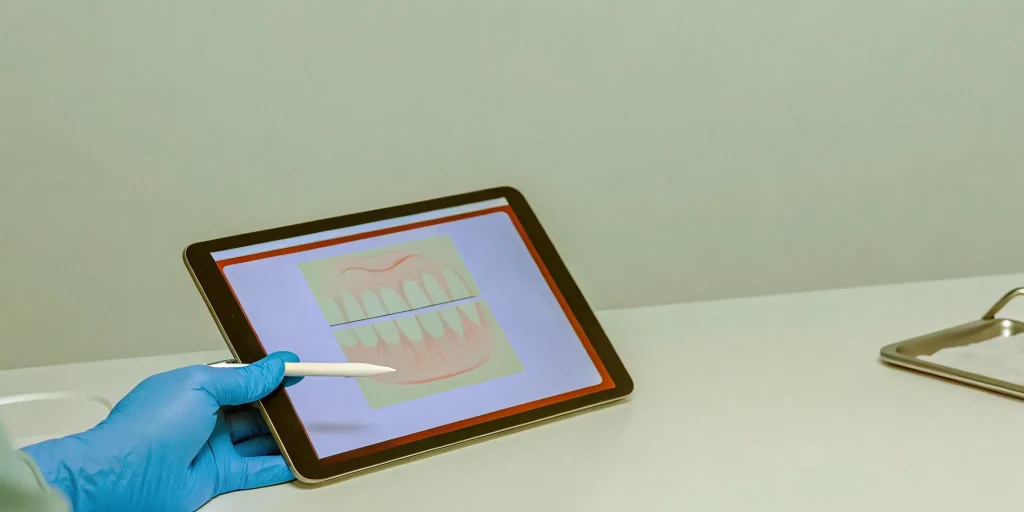
If you’re an oral surgeon, the phrase “charting homework” probably sounds painfully familiar. It’s the stack of patient files that follows you home, stealing hours from your personal life as you try to reconstruct case details from memory. This after-hours administrative drag isn’t just an inconvenience; it’s a significant drain on your energy and a source of potential errors. The solution isn’t working harder, it’s working smarter with a system designed for your specific needs. This is where modern oral surgery digital charting comes in. It’s more than just an electronic record; it’s a purpose-built tool that moves documentation from a time-consuming chore into a seamless part of your clinical workflow, giving you back your evenings.
Key Takeaways
- Reclaim your evenings with real-time charting: Modern, tablet-based software lets you finish documentation during or immediately after a procedure. By using smart templates specific to oral surgery, you can eliminate the pile of charts waiting for you at the end of the day.
- Connect your clinic and front office for better results: The most significant gains come from a unified system where clinical notes automatically inform billing. This integration reduces claim denials, accelerates payments, and eliminates the frustrating data silos that slow your team down. Oral surgery practice automation goes further to connect every workflow across the practice.
- Invest in a tool designed for your specialty: A generic EMR is not built for the complexities of oral surgery. Choosing a platform created specifically for your workflows ensures the software works for you, not against you, providing a much higher return on investment through efficiency gains and reduced risk.
What Is Digital Charting for Oral Surgery?
Digital charting for oral surgery is much more than just an electronic version of your paper files. It’s a specialized software system built to handle the specific, high-stakes environment of an oral and maxillofacial surgery practice. Unlike generic dental or medical EMRs, oral surgery charting software is designed to improve both clinical accuracy and operational efficiency by understanding your unique workflows. Tablet-based EMR workflows put this capability directly in the operatory. It streamlines everything from capturing detailed surgical notes and documenting complex procedures to managing post-operative care and generating referral letters.
The core idea is to move documentation from a time-consuming task that happens after the fact to an integrated part of the clinical encounter. Instead of scribbling notes to be transcribed later, you and your team can capture information in real time, right in the operatory. This approach is built to support the way clinicians actually work, with features and templates tailored for procedures like wisdom teeth extractions, dental implants, and corrective jaw surgery. A great system doesn’t just store information; it helps you use it to run a safer, smarter, and more efficient practice. It becomes the central nervous system for your clinical operations, connecting every piece of patient data into a coherent, accessible record.
Digital vs. Paper Charting
Moving from paper to digital charting is a significant upgrade in how your practice operates. While paper charts are familiar, they are also slow, prone to errors, and difficult to manage. Information can be illegible, files can get misplaced, and sharing records with other doctors is a cumbersome manual process. Digital charting software, on the other hand, makes your entire workflow faster, more accurate, and better organized. It provides a single, secure source of truth for every patient, accessible from anywhere in the office. This shift leads to faster note-taking, fewer mistakes, better communication with referring doctors, and smarter, more accurate billing.
Who Benefits from Digital Charting?
Everyone in your practice benefits when you switch to a modern digital charting system. Surgeons can finish their notes during or immediately after a procedure, using smart templates that eliminate hours of after-hours work. This means less time spent on paperwork and more time focused on patient care or personal life. Your surgical assistants and practice administrators gain a system that helps the entire office run more smoothly, with fewer bottlenecks and clearer communication. Ultimately, your patients receive the greatest benefit: a better, safer experience with shorter wait times and more coordinated care from a team that has all the right information at their fingertips.
The Real Cost of Paper Charting
When we talk about the cost of paper charting, it’s easy to think only of file cabinets and storage rooms. But the true expense isn’t measured in square feet; it’s measured in lost time, unnecessary risk, and daily frustration for you and your team. Paper-based systems, and even a patchwork of disconnected digital tools, create friction that quietly drains your practice’s efficiency and profitability. It’s the administrative drag that follows you home, the stack of charts waiting for your signature, and the nagging feeling that there has to be a better way to run your day.
This system of manual data entry and after-hours catch-up isn’t just inefficient, it’s expensive. Every minute a surgeon spends reconstructing a case from memory is a minute they aren’t consulting with a new patient or planning a complex procedure. Every billing error from a misread note is a delay in reimbursement. These aren’t just minor inconveniences; they are significant operational hurdles that prevent your practice from running as smoothly as it could. Understanding these hidden costs is the first step toward building a more streamlined, secure, and profitable practice with a total practice management system. It’s about recognizing that the way things have always been done is actively holding back your practice’s potential for growth and your team’s job satisfaction.
The Risk of Documentation Errors
In a busy oral surgery practice, small documentation mistakes can lead to big problems. A hastily written note can be misinterpreted, a checkbox can be missed, or a critical detail can be forgotten between the operatory and the front desk. While often unintentional, these gaps create significant risks. Incomplete records can lead to insurance claim denials, delayed payments, and compliance issues. More importantly, they can compromise patient safety and increase your malpractice exposure.
Modern digital charting software helps prevent these issues by creating a structured, guided workflow. Instead of relying on memory, the system prompts clinicians to capture all necessary information for each procedure. This ensures every chart is complete, legible, and standardized, creating a clear and defensible record of care every single time.
Lost Time: Manual Entry and After-Hours Charting
For many surgeons, the day doesn’t end when the last patient leaves. It ends hours later, after they’ve worked through a stack of charts. This “charting homework” is one of the biggest hidden costs of outdated systems. Reconstructing case details from memory or scribbled notes is a slow, draining process that steals time from your family, your personal life, and your ability to rest and recharge. Those 15 minutes spent on each chart quickly add up to hours of unpaid overtime every week.
A purpose-built digital system changes this dynamic entirely. With chairside, tablet-based charting, you can complete notes during or immediately after a procedure, while the details are still fresh. Using smart templates for common cases like wisdom teeth removal or implants, documentation can be finished in a few clicks. This allows you to reclaim your evenings and focus your energy where it matters most.
The Hidden Costs of Disconnected Systems
Even practices that have moved away from paper often struggle with a digital version of the same problem: a collection of disconnected software systems that don’t communicate. When your scheduling software, EMR, and billing platform are all separate, your team is forced to enter the same patient information over and over again. This repetitive data entry is not only a waste of time, but it’s also a major source of errors and staff frustration.
An all-in-one platform eliminates this friction. By integrating scheduling, patient records, billing, and imaging into a single system, you create one source of truth for every patient. This means less juggling of different tools for your administrators, fewer mistakes from manual data transfer, and a more cohesive workflow that connects the front office to the clinical team.
Key Features of Modern Digital Charting Software
When you start looking at digital charting software, you’ll quickly realize that the options are vast. But for a specialty as unique as oral surgery, a generic EMR just won’t cut it. The right software is built with your specific workflows in mind. It’s not just about replacing paper; it’s about making your entire clinical process faster, safer, and more efficient. A modern system should feel less like a data entry tool and more like a capable assistant. It anticipates your needs, automates repetitive tasks, and gives you the information you need, right when you need it. Let’s walk through the key features that separate a truly great oral surgery charting platform from the rest.
Customizable Templates and Surgeon-Specific Shortcuts
The best charting software understands that oral surgeons perform many of the same procedures every day. Instead of writing the same notes for wisdom teeth extractions or implant placements over and over, you should be able to use pre-built templates. With a single click, these templates can populate the entire clinical note, which you can then adjust for the specific patient. A truly great system goes a step further, allowing you to customize these templates and create your own shortcuts based on your personal preferences and techniques. This level of personalization ensures that your documentation is not only fast but also consistently accurate and thorough, reflecting how you actually practice. This is a core part of a surgeon-focused workflow.
Real-Time Chairside Documentation
One of the biggest drains on a surgeon’s time is finishing charts after hours. Modern, tablet-based charting software solves this problem by bringing the process into the operatory. You can document the entire encounter in real time, while the details are still fresh in your mind. This means no more deciphering handwritten notes or trying to recall specifics at the end of a long day. When your notes are completed before you even leave the room, you not only improve accuracy but also reclaim hours of personal time. This immediate documentation creates a more efficient and less stressful day for the entire clinical team, reducing the dreaded “chart pile” to zero.
Voice-to-Text Documentation
Even with templates and shortcuts, sometimes you need to capture a detailed narrative. Voice-to-text technology allows you to dictate your notes directly into the patient’s chart simply by speaking. This hands-free approach is perfect for adding specific observations during a consultation or documenting a complex procedure without having to stop and type. It combines the detail of a dictated note with the efficiency of digital entry. This flexibility is key, as it gives you another powerful tool to complete your documentation quickly and accurately. Good software provides multiple ways to get work done, and voice-to-text is a feature that many surgeons find indispensable once they start using it.
Integrated Imaging Capabilities
How often do you find yourself switching between your charting software and a separate imaging program just to review a CBCT scan with a patient? A modern platform eliminates this friction by integrating imaging directly into the charting workflow. You should be able to pull up X-rays, panoramics, and 3D scans right on your tablet during the consultation. This creates a seamless experience for both you and the patient, allowing for clearer communication and more effective treatment planning. When your imaging and clinical data are in one place, you can make faster, more informed decisions without ever leaving the patient’s side or logging into another system.
ePrescribing and Consent Form Management
Managing prescriptions and consent forms on paper is inefficient and introduces unnecessary risk. Modern charting software includes ePrescribing (eRx) capabilities, allowing you to send prescriptions directly to the pharmacy electronically. This process is not only faster but also safer, as the system can automatically check for potential drug interactions and allergies. At the same time, digital consent forms can be reviewed and signed by patients on a tablet. Review digital consent forms best practices for compliance and workflow guidance. The signed document is then automatically and securely stored in their chart. This completely eliminates the need to print, scan, and shred paper, ensuring your practice remains compliant and organized.
Automated Vitals Capture and Health History Access
Manual data entry is a major source of errors and wasted time. The best digital systems automate this process from the very beginning. When a patient fills out their health history through an online portal, that information should flow directly into their chart without anyone on your team having to re-type it. During a procedure, the software can also connect directly to your vital signs monitors, automatically recording and time-stamping the data in the anesthesia record. This level of automation not only improves accuracy but also frees up your clinical staff to focus on what matters most: the patient.
Time-Stamping and Audit Trails
In today’s world, a secure and legally sound medical record is non-negotiable. A key feature of any reputable charting software is its ability to create an unalterable audit trail. Every single action, from creating a note to viewing a record or making a change, is automatically logged with the user’s name, date, and a precise timestamp. This means you have a complete, verifiable history of the patient’s entire record. This feature is critical for medical-legal protection, providing a definitive account of patient care and protecting both your practice and your patients from disputes.
HIPAA Compliance and Data Security
Protecting patient information is one of your most important responsibilities, and modern charting software is built to help you do just that. Reputable cloud-based platforms use advanced security measures like end-to-end encryption and secure data centers to ensure they meet and exceed HIPAA Security Rule requirements. By choosing a platform with a strong security posture, you are outsourcing the complex work of data protection to experts. This allows you to have confidence that your patients’ sensitive information is safe from unauthorized access, giving you and your patients peace of mind.
Why Tablet-Based Charting Is a Game-Changer
If you’ve ever felt chained to a desktop in a back office, trying to piece together patient notes hours after a procedure, you already know the problem. Traditional charting methods create a frustrating gap between the clinical encounter and the act of documentation. You’re forced to rely on memory, scribbled notes, and a time-consuming process of data entry that pulls you away from patient care and your personal life.
Tablet-based charting isn’t just about replacing paper; it’s about breaking that chain. It brings the chart into the operatory, transforming documentation from an after-hours chore into a seamless part of the clinical workflow. Instead of documenting a memory of the patient visit, you’re creating the record during the visit. This shift fundamentally changes how you and your team work, giving you a level of efficiency and accuracy that simply isn’t possible when you’re tethered to a workstation. It’s about having the right information, in the right place, at the exact moment you need it.
True Mobility in the Operatory
Imagine walking into a consultation with an iPad that holds the patient’s complete history, including their latest CBCT scan. You can show them their imaging, review their health history, and build a treatment plan right there with them. This is true mobility. It means your entire surgical team has access to the same real-time information, whether they are chairside, in the hallway, or preparing the next room. Documentation happens as you work, with smart templates and voice-to-text features capturing details accurately and instantly. This eliminates the risk of forgetting critical information and frees you from the burden of after-hours charting.
See Your Entire Practice at a Glance
Mobility inside the operatory is only half the story. When every tablet is connected to a central system, you gain an unprecedented, real-time view of your entire practice. A clinical dashboard can show you which patients are waiting, how long they’ve been there, and which rooms are ready for turnover. This “air traffic control” view allows you and your practice administrators to make proactive decisions that smooth out patient flow and reduce bottlenecks. Instead of reacting to delays, you can prevent them, leading to shorter wait times, a calmer environment, and a more productive day for everyone.
How to Choose the Right Digital Charting Software
Making the switch to a new digital charting system is a significant decision, but it doesn’t have to be overwhelming. The key is to approach it with a clear understanding of your practice’s unique needs and a focus on long-term value over short-term costs. Instead of getting lost in feature lists, start by identifying the specific problems you want to solve. This simple shift in perspective will guide you toward the platform that truly fits your workflow, your team, and your goals for the future.
Evaluating Different Platforms
The “best” oral surgery software depends on your practice’s size, the kind of surgery you perform, and your technology goals. A system that’s perfect for a solo practitioner might not work for a multi-location group. Before you even look at a demo, map out your current workflow and pinpoint the exact sources of friction. Are surgeons spending too much time on documentation after hours? Is your front desk staff constantly chasing down patient information? Once you know your problems, you can look for a solution. Look for features that directly address your pain points, like voice-to-text for notes or integrated imaging that puts everything on one screen. The goal isn’t to find the software with the most features, but the one with the right features that work together seamlessly for clinicians and staff.
Comparing Pricing Models and True Value
Software pricing can be misleading if you only look at the monthly subscription fee. Many older, server-based systems come with a large upfront cost and require ongoing expenses for hardware, IT support, and maintenance. Modern cloud-based software typically has a predictable monthly fee that often costs less over time. More importantly, you need to look at what’s included. A lower subscription fee might seem appealing, but if you have to pay extra for essential services like eClaims, patient reminders, or a patient portal, your total monthly cost could be much higher. A truly integrated platform may have a higher base price, but it can save you money and administrative headaches by eliminating the need for multiple third-party vendors.
Calculating Your Total Cost of Ownership
The true cost of your software isn’t just the price tag. It includes the hidden costs of inefficiency, errors, and wasted time associated with your current system. Think about the time your surgeons spend on charting each night or the revenue lost from delayed insurance claims. Those are real costs. On the other side, consider the costs of switching, like training and data migration. The good news is you can usually switch without losing patient data. Most modern software companies offer services to move your records, images, and billing information smoothly. Ask yourself: Does my current system save my surgeons time? Does it help us reduce errors? Does it give us a clear view of our practice’s performance? If you find yourself answering “no” or “kind of,” it’s time for a change.
Beyond Charting: Integrating Your Entire Practice
The true value of modern digital charting isn’t just in replacing paper. It’s in creating a single, connected system where every part of your practice works together. When your clinical charting software is also your practice management software, you move beyond simple documentation and start running a truly streamlined operation. This is where you stop juggling different tools and start using one unified platform to manage everything from patient intake to final billing. A system that combines scheduling, patient records, billing, and communication is simply better. It means fewer errors from re-entering data and an easier training process for your team.
An integrated system eliminates the communication gaps and data silos that cause friction in so many practices. Information flows seamlessly from the front desk to the operatory and back again, reducing errors, saving time, and giving your team the information they need, right when they need it. This isn’t just about efficiency; it’s about creating a calmer, more predictable environment for your staff and a better, smoother experience for your patients. When your systems talk to each other, your people can too, without having to chase down information or second-guess a patient’s status.
Connecting the Front Office to the Clinic
The disconnect between the front office and the clinical team is a classic source of inefficiency. An integrated system solves this by creating a direct line of communication. When a patient completes their online forms before their visit, that information instantly populates their chart, ready for the clinical team to review on a tablet. There’s no need for paper handoffs or manual data entry, which means your administrators can focus on the patient in front of them. This connection makes the entire practice run better, ensuring everyone from the front desk to the surgical assistants is perfectly in sync and aware of the patient’s status at all times.
Aligning Clinical Notes with Billing
One of the most significant financial benefits of an integrated system is the direct link between clinical documentation and billing. When your charting software automatically connects the procedures you document to the correct billing codes, you drastically reduce the risk of errors and missed charges. This simple alignment helps prevent insurance claims from being delayed or denied due to incomplete or inaccurate information. Instead of spending hours reconciling clinical notes with billing entries, your team can submit clean claims the first time. This not only makes the billing process smoother but also helps you understand the true value of your investment by accelerating your revenue cycle.
Turning Clinical Data into Practice Insights
When your scheduling, patient records, billing, and clinical notes all live in one system, you gain the ability to see the big picture. You can move beyond just managing daily tasks and start making strategic decisions based on real data. An integrated platform allows you to run comprehensive reports that reveal key insights about your practice’s health. You can track everything from individual provider productivity and procedure profitability to patient wait times and referral sources. This information empowers clinicians and managers to identify opportunities for improvement, optimize workflows, and confidently guide the practice toward future growth.
Common Myths About Going Digital
Making the leap from paper to digital can feel like a monumental step, and it’s natural to have reservations. Many of the common fears surrounding digital charting are based on outdated ideas about technology. Let’s clear the air and look at some of the most persistent myths about going digital in an oral surgery practice. The reality is that modern, purpose-built systems are designed to solve these very problems, not create new ones. By understanding what’s true and what’s not, you can make a more confident decision for your practice’s future.
“It’s too complicated for my team to learn.”
This is probably the number one concern for any practice leader, and it’s a valid one. No one wants to invest in a system that causes frustration and slows the team down. The good news is that today’s best digital charting platforms are designed with the user in mind. Systems created by clinicians for clinicians are built to be intuitive, mirroring the logical flow of an oral surgery workflow. Instead of forcing your team to adapt to clunky software, these systems adapt to you. The goal is efficiency, and a steep, frustrating learning curve is the opposite of efficient. With the right platform, your team will feel empowered, not overwhelmed.
“Digital records are less secure than paper.”
It might feel like a locked filing cabinet is the pinnacle of security, but paper records are surprisingly vulnerable. They can be lost, misfiled, damaged by fire or water, or viewed by unauthorized eyes. In contrast, modern digital charting systems offer robust, multi-layered security. According to SoCalSmiles, digital records can be protected with passwords and encryption, making them significantly safer than paper files. Reputable platforms are built to be HIPAA-compliant, with strict access controls, audit trails, and secure cloud backups that protect your patient data from physical and digital threats. It’s a shift from a physical lock to a digital fortress.
“The upfront cost isn’t worth the investment.”
The initial price tag of a new software system can certainly give you pause. It’s a significant investment, and it’s wise to question the return. However, focusing only on the upfront cost means missing the bigger picture. Think about the hidden costs of your current system: the hours your surgeons spend on after-hours charting, the staff time wasted on manual data entry, and the revenue lost to billing errors from disconnected systems. A review of digital dentistry highlights that while equipment can be expensive, the gains in efficiency and accuracy lead to significant cost savings over time. A truly integrated system pays for itself by reducing these hidden expenses and improving overall productivity.
“It will disrupt my established clinical workflows.”
Change is disruptive by nature, but when it comes to your practice management software, the goal is strategic improvement, not chaos. If your current workflows are already causing friction, mistakes, or delays, then a disruption is exactly what you need. The key is to choose a system that enhances rather than overhauls your core processes for the worse. Before switching, it’s helpful to identify the specific problems in your current setup. A platform designed for oral surgery won’t force a general dentistry workflow on you; instead, it will streamline your existing processes with smart templates, automation, and mobile tools that finally let you work the way you’ve always wanted to.
Making the Switch: What to Expect
Let’s be honest: the thought of changing your practice management software can feel overwhelming. It’s a significant change, and it’s normal to have questions about the transition. The good news is that with the right partner and a clear plan, the process is much smoother than you might think. It’s not about disrupting your practice; it’s about upgrading your operational engine for long-term success. A well-managed switch is a finite project with permanent benefits that begin to pay off almost immediately.
Think of it as moving from an old, familiar house to a new, custom-built one. There’s some packing and unpacking involved, but once you’re settled, everything has its place, and your daily life becomes much more efficient. The key is to understand the steps involved so you and your team feel prepared and confident from day one. The goal is to get you past the temporary adjustment period and into a new reality where your practice runs with less friction and greater clarity. This section will walk you through what the transition looks like, from training your team to migrating your data and seeing the first positive results. It’s about replacing guesswork with a clear roadmap.
Training Your Team for Success
Your team is the heart of your practice, and their buy-in is crucial. The best digital charting platforms are designed with the user in mind, making them intuitive for both clinicians and administrative staff. Unlike generic dental software, a system built for oral surgery uses terminology and workflows your team already understands, which shortens the learning curve considerably.
A great software partner won’t just hand you the keys and walk away. They will provide comprehensive onboarding and training tailored to each role in your office. Your surgical assistants will learn the chairside tablet workflow, while your administrative staff will master the new scheduling and billing tools. Look for a provider that offers ongoing support, so your team always has a resource to turn to with questions. This investment in training empowers your staff, reduces frustration, and ensures everyone can use the new tools to their full potential.
Handling Your Existing Patient Data
One of the biggest questions surgeons have is, “What happens to all my patient records?” You’ve spent years building a patient history, and that data is invaluable. Rest assured, you don’t have to start from scratch. Migrating your existing data is a standard part of the implementation process for any reputable software company.
Most providers offer services to securely transfer your patient charts, billing information, and imaging files from your old system into the new one. This process moves your records from a static, and often clunky, archive into a dynamic and easily searchable database. Instead of digging through old files, you’ll have a patient’s entire history available at your fingertips on a tablet. It’s a critical step that ensures a seamless continuation of care and makes your historical data more useful than ever before.
When Will You See the Results?
While some benefits of digital charting build over time, others are noticeable almost immediately. Many surgeons find they can reclaim hours of their personal time right away. Instead of spending evenings catching up on documentation, you can finish notes quickly, sometimes during or just after a procedure. This is one of the first and most impactful changes you’ll experience.
Within a few weeks, you’ll start to see practice-wide improvements. Your front desk will spend less time on manual data entry, thanks to online patient forms. Your team will coordinate more effectively using a real-time dashboard that shows patient status and room availability. Over the next few months, these efficiencies compound. You’ll notice smoother patient flow, fewer billing errors, and faster insurance reimbursements. The ultimate result is a less stressful environment for your staff and a more professional, streamlined experience for your patients.
Life After Paper: The Benefits of Going Digital
Making the move from paper charts to a digital system can feel like a huge undertaking, but the rewards extend far beyond just having less clutter. A truly digital practice operates on a different level. It’s not just about replacing file cabinets with servers; it’s about fundamentally improving how your team works, how you get paid, and how your patients feel about their care. When your clinical documentation is integrated with your practice management, you create a single source of truth that streamlines everything from the front desk to the operatory. This unified approach eliminates the constant back-and-forth, the duplicate data entry, and the frustrating search for misplaced information that bogs down so many practices. The benefits are immediate and compound over time. You’ll start by saving a few minutes on each chart, but soon you’ll see entire workflows transform. Your team will feel more connected, your patients will notice the smooth and professional experience, and you’ll reclaim valuable time that was once lost to administrative friction. It’s about creating a more efficient, profitable, and less stressful environment for everyone involved.
Faster, More Accurate Documentation
The days of surgeons spending hours on documentation after a long day of procedures are over. With modern digital charting, you can finalize notes in minutes, often right in the operatory. The key is using software built specifically for oral surgery, which comes with customizable templates for common procedures like wisdom teeth extractions or dental implants. Instead of starting from scratch, you begin with a pre-populated plan that reflects your preferences, allowing you to complete a comprehensive record with just a few taps. This not only saves an incredible amount of time for clinicians but also dramatically improves accuracy by ensuring every critical detail is captured consistently, every single time.
Improved Billing and Faster Reimbursements
Clean claims start with clean documentation. When your clinical notes are disconnected from your billing system, it creates opportunities for errors, delays, and denials. An integrated digital platform solves this by linking your clinical documentation directly to the correct billing codes. As you document a procedure, the system automatically captures the necessary information for a claim, reducing the risk of human error and eliminating the need for your billing team to chase down missing details. This seamless connection between the operatory and the front office means your administrators can submit accurate claims faster, leading to quicker reimbursements and a healthier revenue cycle for your practice.
A Better Day for Your Patients and Staff
A well-run digital practice creates a better experience for everyone. For patients, it means shorter wait times, clearer treatment plans, and the confidence that comes from seeing a modern, organized office. For your staff, it means less friction and frustration. Handoffs become smoother when everyone is working from the same real-time information. The system can even automatically generate professional referral letters based on the patient’s chart, strengthening your relationships with referring dentists. When your team has easy access to a complete patient history, they can make better decisions, prevent mistakes, and provide a higher standard of care.
Related Articles
- Clinicians | Oral Surgery Practice Management Software
- Best electronic medical records for oral surgery | MaxilloSoft
- MaxilloSoft gives next-level patient experience for oral surgery
- Be in Control of Your Surgery’s Digital Transition
- Improve Patient Experience for Your Oral Surgery Practice
Frequently Asked Questions
How much time can I realistically expect to save with digital charting? The most significant time savings comes from eliminating after-hours charting. Instead of spending an hour or more each evening finishing notes, you can complete documentation in just a few minutes, right in the operatory. This is possible because a system built for oral surgery uses smart templates for common procedures and allows for real-time, chairside entry on a tablet. That time adds up quickly, giving you back your evenings and weekends.
My team is used to our current system. How difficult is it to get everyone comfortable with a new platform? This is a common and very valid concern. The key is that a modern, well-designed platform should be intuitive, especially one built specifically for your specialty. The workflows and terminology will feel familiar to your team. A good software partner will also provide comprehensive, role-specific training for your surgeons, assistants, and administrators, along with ongoing support. The goal is to make the transition a guided process that empowers your team, not a frustrating one that slows them down.
What happens to all of my existing patient records and images if I switch? You don’t lose your history or start from scratch. Transferring your existing patient data, including clinical notes, billing information, and images, is a standard part of the implementation process. A reputable software provider will manage this data migration for you. Think of it less as moving files and more as making your old records more useful. Your entire patient history becomes instantly accessible and searchable from anywhere, which is a major upgrade from digging through old archives.
I’m concerned about the cost. How do I know if the investment in a new system is actually worth it? It’s smart to look beyond the monthly subscription fee and consider the total cost of ownership. Start by calculating the hidden costs of your current system: the value of your time spent on after-hours charting, the staff hours wasted on manual data entry, and the revenue lost from billing errors or delayed claims. An integrated platform often replaces multiple separate services you’re already paying for, like patient reminders or eClaims vendors. When you weigh the cost against the time saved and the financial gains from improved efficiency, the return on investment becomes very clear.
I already use an EMR. What makes an oral surgery-specific platform so different? A generic EMR is like a general-purpose tool; it can do a lot of things, but it’s not specialized for any one task. An oral surgery platform is a specialized instrument designed for your exact needs. It understands your unique clinical workflows, from consultations and implant planning to anesthesia and post-operative care. The templates, shortcuts, and integrated features are all built to solve the specific challenges of an oral surgery practice, which is something a general system simply cannot do. This specialization is what drives the significant gains in speed, accuracy, and overall efficiency.
