

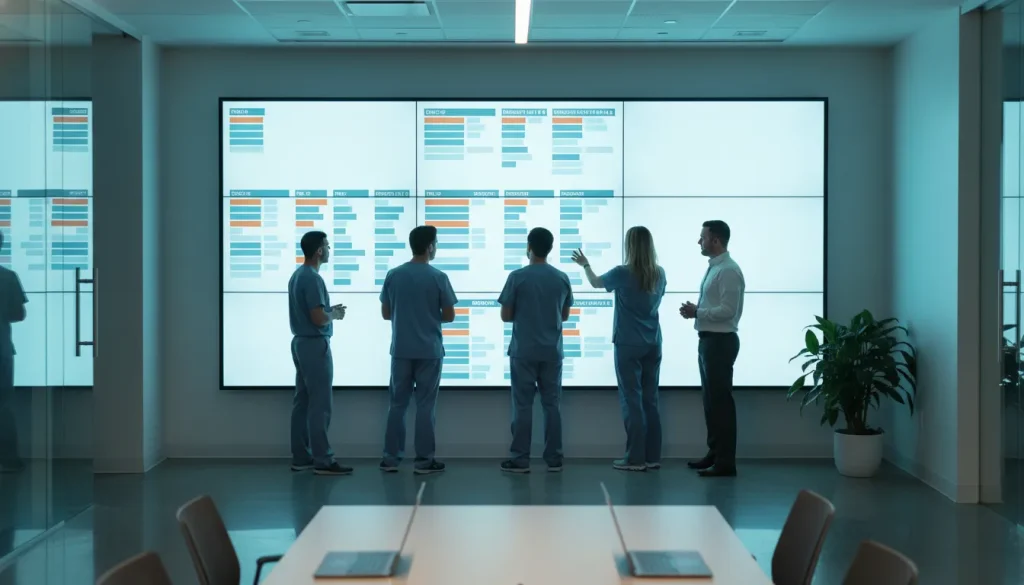
An oral surgery patient flow dashboard gives a busy OMS team a shared view of today’s patient movement, open handoffs, and follow-up needs.
Request a MaxilloSoft demo. Explore a calmer, more visible daily workflow for your practice.
Schema metadata.
A missed status update can leave tomorrow’s surgery schedule short of one ready patient. In a busy OMS practice, invisible delays quickly become phone calls, rework, and unused time.
An oral surgery patient flow dashboard is a shared daily view of each patient’s status, from consult and treatment planning through procedure readiness and handoff. It helps coordinators and clinical teams see missing steps, stalled cases, and ownership gaps before a delay rolls into the rest of the day. That visibility is operational, not merely retrospective reporting: consults needing follow-up, plans awaiting action, procedures nearing readiness gaps, and handoffs without a named owner. Published research on surgical patient pathways shows that process analysis can expose bottlenecks, waiting times, and workflow variation (study). For a busy OMS team, the point is simple: act on today’s exceptions before they disrupt tomorrow’s procedure plan.
The practical question is not whether data matters each day; it is which shared signals help staff move patients forward today. Start by defining the operating view your team can use for each handoff.
What is an oral surgery patient flow dashboard?
An oral surgery patient flow dashboard is a shared operating view of where each patient is in today’s workflow. It helps administrators and coordinators see stages, pending work, and next actions in one place. Unlike a month-end report, it is built for choices during the day.
A live workflow view
The dashboard concept starts with flow, not just totals. A coordinator may need to see which cases are awaiting a consult, documentation, scheduling, or another handoff. For multi-site practices, multi-location practice software provides visibility across every location from a single dashboard. That view supports timely follow-up when a case needs staff attention.
In oral surgery settings, delays can be hard to spot when updates sit in separate work lists. Research on surgical patient pathways notes that process review can reveal bottlenecks, wait times, and changes in care processes. The same issue makes visible patient pathway stages useful for day-to-day coordination.
This focus differs from a retrospective KPI dashboard. A KPI dashboard answers questions such as how volume or cycle time changed over a past period. A patient flow view asks what is waiting now, who owns the next step, and where a stalled case needs review.
What coordinators need to see
A practical view groups patients by clear stages and makes unfinished work easy to notice. The exact stages should match the practice’s own process. For an OMS administrator, useful operational questions include:
- Which patients are moving through a scheduled stage today?
- Which cases are waiting for a documented next step?
- Which handoffs need a staff member to review or act?
- Where do repeated delays suggest a workflow issue?
Stage labels should point to action, not create another report to decode. For example, staff need to know whether the next step sits with scheduling software designed for OMS groups, a clinical team member, or the front office. Clear ownership helps a daily huddle focus on cases that need attention. Patient intake software ensures the huddle starts with accurate, up-to-date records.
This approach does not replace clinical judgment or staff communication. It gives the team a common view for huddles, handoffs, and follow-up. Practices exploring workflow gaps can also review oral surgery software automated workflows and ideas for removing administrative bottlenecks in an OMS setting.
Administrators can assess how a workflow view might fit their practice. To discuss current processes and daily coordination needs, request a MaxilloSoft demo.
What should your OMS team see during the day?

An oral surgery patient flow dashboard should answer one practical question: what needs action now? For a coordinating team, stages matter more than a crowded display of totals. The view should follow work from arrival through the next handoff, so a team member can respond without searching through separate lists.
This is not a list of every field in the record. It is a shared operating view for the team members managing movement and follow-up through a busy session.
Consult readiness and procedure status
At the consult stage, staff need to see whether the patient has arrived and whether required intake steps are ready. This keeps the status view tied to work, not medical judgment. For a procedure visit, the team may need preparation status, room flow, and who owns the next handoff.
Published patient pathway research describes how process mining can show bottlenecks, waits, and process variation. That approach supports a simple display: make stalled work easy to find, then assign the next step.
Questions that prompt action
A flow view should turn a visible stage into an operational question and a team action. The table keeps attention on coordination, rather than judging care or reporting performance.
| Visible stage | Operational question | Team action |
|---|---|---|
| Consult arrival and readiness | Has the patient arrived, and is intake ready? | Confirm readiness or address an open intake step. |
| Procedure preparation | Is the visit ready for the next handoff? | Coordinate the room or assigned team member. |
| Treatment plan next action | What follow-on task is still open? | Assign scheduling, outreach, or documentation follow-up. |
| Checkout and follow-up | Does the patient have a clear next contact? | Complete checkout and route the follow-up task. |
A status label is useful only when the team knows what it means. For example, “ready for consult” should reflect agreed administrative checks. The label “next action needed” should identify an open coordination task.
Clear labels help the front desk, clinical support team, and administrators use the same working view during busy sessions. That makes the board useful as work changes through the day.
From treatment plan to follow-up
Consult and procedure status are only part of the day. After a visit, coordinators may need to see whether a treatment plan has a defined next action, such as scheduling or outreach. At checkout, the useful prompt is whether the next contact or follow-up task has an owner.
Admins who design the daily workflow can review resources for practice administrators while defining which stages staff should see. They can also connect this view with MaxilloSoft’s OMS workflow approach.
The aim is a calm queue for action: arrived, preparing, waiting for a next step, or ready for follow-up. Each label should tell the coordinating team where attention is due, without turning the daily view into a clinical assessment.
How can an oral surgery patient flow dashboard clarify handoffs?
A shared operating view becomes valuable when a coordinator can see the next responsible role before a delay turns into another call or hallway search.

Visible ownership at each stage
In a busy OMS day, a handoff is clearest when the next owner is easy to see. An oral surgery patient flow dashboard can show whether a patient is with the front desk, clinical team, or checkout staff. That shared view keeps a status question from becoming a hallway search.
Each stage needs a named task, not a broad label such as “in progress.” At check-in, staff may need forms and room readiness confirmed. After a visit, checkout may need charges, follow-up steps, or an appointment status. The aim is not to rush a patient; it is to show who owns each open step.
A short list of handoff fields keeps the display easy to scan across roles. Teams can use the same terms at every transition during each shift:
- Current stage, such as arrived, rooming, clinical visit, or checkout.
- Next required action, stated as a task staff can complete.
- Responsible role, so the team knows where an update belongs.
- Time waiting at the current stage, with a clear alert rule.
Front desk to clinical team
The front desk often sees delays first: an incomplete form, an arrival change, or a room that is not ready. Clinical staff need that update where they work, before they ask for the patient. Shared visibility makes the reason for a pause clear without repeat calls.
This is a workflow benefit, not a clinical promise. A shared status view can show pending work and its current owner, so staff begin a handoff with the same operational information.
Clinical team to checkout
When a visit moves toward checkout, the open work changes. Checkout staff may need a cue that documentation, fees, or follow-up instructions are ready for their part of the visit. If one item is pending, the display should mark its owner and waiting time. Staff do not have to guess.
This shared view supports keeping the waiting room empty by showing where attention is due next. It also connects with administrator workflow resources when paperwork pauses a handoff. Both views focus on clear tasks and clear timing, rather than assumptions.
Teams can review repeated holds during a huddle and refine the steps that caused them. During the day, the screen stays simple: current stage, pending item, owner, and elapsed time. Clear status terms help each team act on the next task without implying a clinical result.
Build a daily operating rhythm around the dashboard
The four checkpoints
An oral surgery patient flow dashboard becomes useful when the team checks it at set times. Each check should lead to a named action, an owner, and a time to confirm the result. This rhythm keeps schedule changes, handoffs, and open follow-ups visible during a busy clinical day.
-
Start with a morning huddle. Before the first patient arrives, review today’s consults, procedures, urgent add-ons, room assignments, and missing prerequisites. Assign one person to resolve each issue, then record the next update time in the shared workflow.
-
Run a mid-session exception scan. Check for patients waiting beyond the expected stage, rooms running late, unsigned documentation, or handoffs that are not complete. Address exceptions first, rather than reviewing every case with equal attention.
-
Review checkout and follow-up status. As procedures and consults close, confirm that next steps have an owner. Check pending estimates, referral messages, post-visit instructions, and scheduling actions. Resolve or assign them before the patient leaves the active queue.
-
Reset at the end of the day. Clear resolved flags, carry forward open items with owners, and note recurring delay points for the next huddle. This prevents yesterday’s unfinished work from appearing as an unexplained delay tomorrow.
Exception ownership during the day
The dashboard should support short, focused conversations, not create another meeting. Research on oral surgery pathways shows that process data can reveal bottlenecks, waiting time, and workflow variation. A daily team can apply that principle by reviewing delayed stages and repeated handoff gaps during its patient pathway review.
Use a simple rule: each red or stalled item gets one owner and one next action. For example, the front office may confirm a missing referral item, while clinical staff resolve an incomplete handoff. Readers assessing how these delays arise can review strategies for keeping the waiting room empty.
A reset that improves tomorrow
An end-of-day reset is not just cleanup. It gives the next morning huddle a clean starting point and makes repeated delays easier to spot. Track which stage stalled, what action solved it, and whether the same issue appears again.
Practices planning a more coordinated daily workflow can explore MaxilloSoft for OMS practices. Use that review to define which patient stages, exceptions, and owner updates staff need to see during each checkpoint.
Find daily bottlenecks without turning people into metrics
Review exceptions, not every movement
An oral surgery patient flow dashboard should first show where a patient needs help moving forward. A team does not need another screen that ranks staff by speed. It needs a clear view of stalled work, with enough detail to decide the next step.
This approach is based on exceptions. Review patients waiting for a consult, cases without a documented next step, and delayed clinical-to-front-office handoffs. Review a check-out queue and treatment plans still awaiting follow-up. Research on patient pathways shows that process review can reveal bottlenecks and wait times that may not be obvious during a busy day.
Questions that prompt action
Each alert should lead to a simple question. Who can move this patient forward? What information is missing? Does the patient need an update, a handoff, or a scheduled follow-up? Those questions keep the review tied to service, rather than blame.
- Waiting consult: Has the patient been roomed, and does the clinical team know the wait is growing?
- Missing next step: Is the follow-up action clear after the consult or procedure discussion?
- Delayed handoff: Has the front desk received what it needs for check-out or scheduling?
- Check-out backlog: Can another team member help close visits and answer practical questions?
- Treatment plan follow-up: Is someone assigned to contact the patient and record the outcome?
Patterns may point to forms, routing, or handoff steps that need repair. They do not prove that one person caused the delay. For an OMS practice, administrative workflow planning can begin with finding where staff wait for missing information.
Visibility without a report card
Operational visibility asks, “What needs attention now?” Performance scoring asks, “Who is falling behind?” That difference matters. A delayed check-out may follow a complex care discussion, a fee question, or a patient who needs extra support.
Set the expectation that the dashboard supports shared work. Use it in a short huddle to assign owners and remove barriers. Keep individual evaluation in a separate, fair process with context, not in the daily patient-flow view.
A useful review closes with action. Confirm who will contact waiting patients, clear blocked handoffs, and return to open treatment plan items. The goal is not a perfect queue; it is steady, respectful follow-through for patients and the team serving them.
Choose dashboard visibility that fits a busy OMS practice
An oral surgery patient flow dashboard should help the team see what needs action now. It should not add another screen that staff must check between calls, consults, and procedures. During a demonstration, ask the vendor to show daily work as it occurs in your practice.
Stages, owners, and exceptions
Start with the stages that matter in a normal patient journey: referral, consult, treatment plan, benefits review, scheduling, procedure, and follow-up. Research on patient pathways shows that process mining can reveal bottlenecks, wait times, and process variation in care workflows.
A useful display should make stalled work easy to spot and route. Ask the vendor to show how the dashboard answers these questions:
- Which stages are visible, and can the practice set its own stage names?
- Who owns the next action when a case stops moving?
- How are missing forms, delayed authorizations, or unconfirmed appointments flagged?
- Can managers review patterns without opening each patient record?
Use one recent workflow example in the demonstration. Watch whether staff could move from an alert to the next task without searching across separate screens.
Role access and daily adoption
Visibility should match each team member’s job. A surgeon, treatment coordinator, front desk team member, and administrator may need different views. Ask what patient details appear by role, how access is set, and whether actions are logged for later review.
Training also affects whether a dashboard becomes useful. Ask how new staff learn stages and alerts, how changes are taught, and what support follows launch. Review how guidance on waiting room workflow maps to the screen flow shown in the demo.
Demonstration questions before selection
Do not assume a dashboard connects smoothly with scheduling, clinical notes, referral intake, or financial steps. Ask the vendor to show what information moves into the dashboard, when it updates, and which actions still require manual entry.
- Can the team trace a referral through consult, procedure scheduling, and follow-up?
- Can users filter by location, provider, stage, or overdue action?
- What happens when an integration fails or data is incomplete?
- Which reports support daily huddles and manager review?
Bring a short list of real handoffs and delays to the meeting. To test whether the workflow view fits your OMS practice, request a demo and ask to walk through those cases on screen.
Frequently Asked Questions
What is an oral surgery patient flow dashboard?
An oral surgery patient flow dashboard is a shared operational view of where patients are in the day’s workflow. It may show consults, planned procedures, treatment plan status, check-in or check-out steps, and unresolved follow-ups. Its purpose is visibility for coordination: staff can see which next steps need attention, rather than relying on separate lists or repeated status calls.
What should teams monitor on an oral surgery patient flow dashboard?
Teams should monitor workflow stages that require ownership: consult arrival or completion, procedure readiness, treatment plan status, handoff status, check-out needs, and delayed next steps. The useful measure is not simply volume, but where work waits and who should follow up. Research on patient pathways shows that process analysis can identify bottlenecks and wait times, according to this published review.
How does a patient flow dashboard support handoffs in an oral surgery practice?
A dashboard can support handoffs by giving authorized team members a consistent place to review status, outstanding tasks, and next-step ownership. Before a patient moves from consult coordination to a procedure-related step or check-out, staff can confirm what is pending and who is responsible. The dashboard does not replace communication or documentation; it helps teams begin those conversations with the same operational view.
How should a practice evaluate dashboard integration and privacy workflows?
Start by asking which systems provide scheduling, documentation, treatment plan, and status information, then confirm how updates move between them. Ask who can view or edit each field, how role-based access is managed, and what appears on shared screens. The practice should also review its approved handling procedures for patient information, training needs, and downtime steps before adopting a new operational view.
Ready to coordinate a calmer OMS practice day?
When schedules, handoffs, and room status stay disconnected, daily delays can multiply and staff spend valuable time chasing updates. Those small gaps can compound across packed surgical days, leaving providers and administrators reacting instead of coordinating each next step. Starting now gives your team a clear chance to map bottlenecks early and assess a more organized, practical path forward.
Ready to coordinate a calmer OMS practice day? Request a demo to discuss where visibility breaks down, which roles need faster updates, and what an effective evaluation should cover. You can begin with the workflows that cause the most daily friction and decide on next steps with your team during a busy practice week.
