

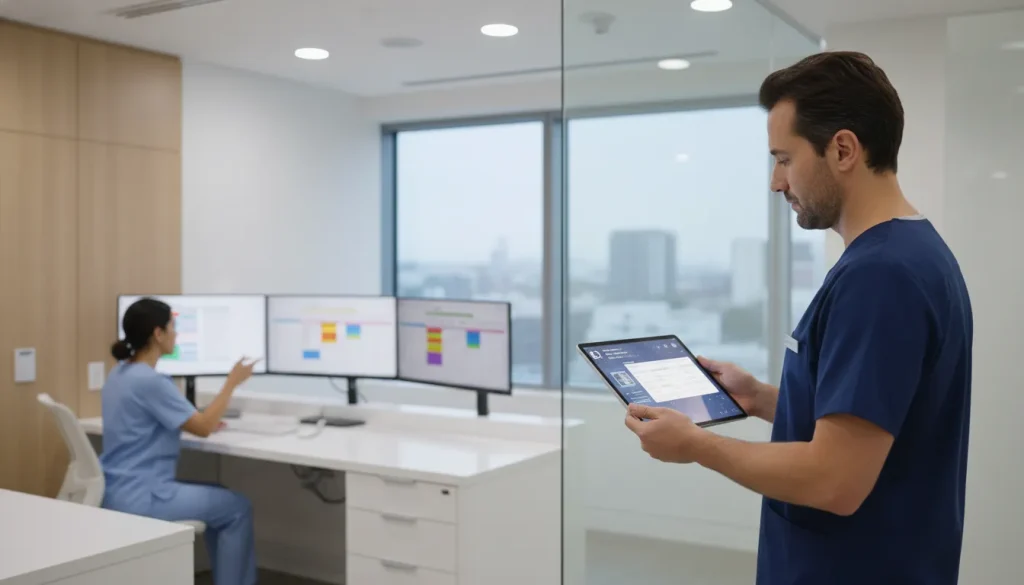
A surgeon should not chase the chart while the next patient waits. In an OMS practice, each tablet must serve the team member holding it.
Planning a role-based OMS workflow? Request a MaxilloSoft demo to discuss the fit for your practice.
A tablet based oral surgery EMR is a role-specific workflow that puts documentation, intake, operational tasks, and visibility on the right screen at the right time. Surgeons can capture procedure notes and images, while clinical staff can gather histories, record vitals, and support the surgical visit without passing paper between rooms. Administrative users can address scheduling and billing steps, while dashboard displays keep the practice aware of current activity. For MaxilloSoft, these tablet roles integrate with WinOMS and can connect Criticare vitals capture, keeping information in the working record rather than on separate forms. Research on point-of-care mobile collection also reports improved data accuracy and management when information is captured near the clinical task.
The real question is not whether tablets belong in oral surgery, but how each role uses one without creating new handoffs or duplicate entry. What is a tablet based oral surgery EMR workflow? The next section sets the baseline before mapping four working views to one patient journey.
What is a tablet based oral surgery EMR workflow?
A tablet based oral surgery EMR workflow is a role-based way to capture and use clinical information during an OMS visit. Each team member uses a tablet view suited to the task at hand. The goal is not to add consumer devices to the office. It is to keep the surgical record moving with the patient and care team.
A workflow defined by roles
In MaxilloSoft’s model, tablet roles match the work of an oral surgery practice. A surgeon role supports documentation and images. A clinical role supports intake and vitals. An administrative role supports scheduling and billing, while a dashboard role gives real-time visibility. These are documented parts of MaxilloSoft’s OMS tablet workflow.
This role-based approach matters because an oral surgery chart passes through several hands. Intake data, procedure notes, images, vitals, and office tasks should support one record. They should not remain in separate work steps. For a broader view, see MaxilloSoft’s electronic medical records overview.
Information flow at the point of care
The tablet is the access point for a clinical job, not the definition of the workflow. A clinical staff member can gather intake information and vitals. The surgeon can then use the needed chart context for documentation and images. The dashboard role helps the practice see activity as work occurs.
This fits the purpose of an electronic health record: managing patient data in clinical practice. The National Center for Biotechnology Information overview of electronic health records describes that core role. In an OMS setting, tablet access is placed near the team members doing each part of care.
Integration with the practice system
A tablet based oral surgery EMR is also an information path between clinical tasks and practice operations. MaxilloSoft requires WinOMS as its core practice management system for integration. Its documented workflow includes connected Criticare monitoring for EKG, SpO2, and NIBP readings. It also includes an Intelligent Learning System that remembers surgeon preferences for procedure documentation.
The point is a linked workflow, not a stand-alone tablet app. Data gathered during intake can support later clinical work. Documentation can follow the surgeon’s role in the visit. Administrative and dashboard views can help the office respond to work already in motion.
That distinction is useful when a practice reviews tablet options. The central question is not screen size or mobile convenience. It is whether each OMS role can capture, review, and pass along information needed for the surgical record and office workflow.
How can surgeons document efficiently at the point of care?
Efficient documentation starts when the chart can follow the surgeon’s work. In an OMS setting, a tablet based oral surgery EMR gives the surgeon role a focused workspace. Records and procedure details remain available where documentation occurs.
Procedure documentation at the chairside
Point-of-care charting keeps the work close to the visit. Research on a PDA-based clinical collection system describes a bridge between clinical activity and central data management. That model helps explain why mobile clinical data collection matters when an oral surgeon is charting away from a fixed workstation.
For Maxillosoft, the surgeon tablet role is centered on documentation and image access. Instead of treating the tablet as general office hardware, the workflow puts the surgeon’s charting tasks in the clinical setting. Practices comparing workflows can review Maxillosoft’s clinician resources for the role-based approach.
This setup supports a practical sequence during a busy day. The surgeon can review needed information, complete procedure documentation, and move to the next task without returning to a separate charting station. The aim is not to add another screen. It is to place the charting tool where the work is performed.
Images and remembered preferences
Images are part of the surgeon’s working record, not a separate administrative step. A surgeon tablet should make relevant images available during review and documentation. This gives the clinician a single work context for information needed at the point of care.
Maxillosoft’s Intelligent Learning System remembers surgeon preferences and uses them to auto-populate procedure documentation. The feature is designed for repeatable workflows while leaving the surgeon responsible for reviewing the record. It fits a specialty practice where procedures may follow familiar patterns, but each completed note still needs clinical judgment.
Preference-based documentation is most useful when it matches the practice’s wider record process. Maxillosoft requires WinOMS as its core practice management integration, so tablet work sits within an existing system. Its overview of tablet-based EMR collection adds context for practices planning this workflow.
For surgeons, efficiency is less about typing faster than reducing avoidable switches in the workday. Documentation, image review, and learned preferences appear in the surgeon workflow. They keep chart completion connected to the place and task that prompted it.
Clinical staff workflows for intake and vitals
In a tablet based oral surgery EMR, the clinical tablet supports the visit steps that begin before treatment. It gives clinical staff a work surface for intake and vital-sign tasks at the point of care. In this workflow, the Clinical tablet role is assigned to intake and vitals. Other tablet roles support surgical, administrative, or dashboard work.
That division sets a clear boundary for staff. During intake, they collect the information needed for the pre-procedure record and prepare it for review. The tablet is not a substitute for clinical observation, identity checks, or required consent steps.
Point-of-care digital entry has a practical purpose in a surgical setting: it links activity near the patient with the central record. An NCBI-indexed study of mobile clinical collection describes this bridge between point-of-care work and central data management. For an OMS team, that is a useful frame for intake: capture first, then verify and hand off.
Clinical intake also depends on role ownership. A staff member should know which fields belong in the intake step and when vital signs are recorded. They should also know when the record is ready for review. Clear ownership leaves clinical judgment with the qualified team member.
Before-procedure intake checkpoints
Vitals are where a defined clinical tablet task is easiest to see. Maxillosoft states that its Criticare connection automates documentation of EKG, SpO2, and NIBP readings in the system workflow. This verified fact concerns documentation; it does not promise a clinical outcome or replace staff review.
An orderly intake sequence helps the next team member understand what is ready and what still needs attention. Before a procedure, a clinical staff workflow may use these checkpoints:
- Confirm patient identity and the scheduled procedure before recording intake information.
- Check that required patient history fields are complete or flagged for follow-up.
- Capture vital-sign documentation through the assigned clinical workflow.
- Review entries for missing data or readings that need clinical attention.
- Record the handoff status before the surgeon begins the next care step.
Each checkpoint supports a usable handoff. If a value requires review, staff can keep that issue visible before care proceeds. If a field is incomplete, staff can address it before the record reaches the surgeon. This supports clarity without making an unsupported claim about speed or outcomes.
A clinical tablet is one role within a larger oral surgery record. Practices planning the broader workflow can review Maxillosoft’s explanation of tablet-based EMR collection for patient history. That context helps teams define who captures intake data and who reviews it next.
The practical question is not whether a tablet is present in the operatory. It is whether the tablet based oral surgery EMR supports a clear task, a review step, and a documented handoff.
How do administrators manage scheduling and insurance handoffs?
The admin tablet role
In a tablet based oral surgery EMR, the administrator needs a work view that matches front-office tasks. MaxilloSoft defines an Admin tablet role for scheduling and billing workflows. It is separate from surgeon and clinical tablet roles. This keeps office work tied to the patient visit without asking staff to chart surgery.
The handoff begins when a visit needs action outside the operatory. An administrator can use the admin workflow to manage schedule steps. The workflow also helps route billing or insurance work for staff review. MaxilloSoft’s resource for practice administrators explains this role within an OMS practice workflow.
WinOMS as the integration base
This workflow has one important requirement: MaxilloSoft requires WinOMS as the core practice management system for integration. Practices should confirm that base before planning a tablet rollout. They should also map front-office steps before use. In this verified setup, the tablet supports the core system; it does not replace it.
That detail matters when a practice maps each handoff. The appointment, chart, and admin follow-up need a clear system of record. Health data exchange relies on systems that can share and use information. This need is reviewed in an NCBI article on digital health interoperability.
Insurance handoffs with clear boundaries
An admin tablet can support an organized insurance handoff without making insurance decisions. Staff can route follow-up and see which visit needs office action. They can then continue work in the approved practice process. This workflow is not a promise of coverage, payment, eligibility, or a billing result.
For implementation, administrators can set a short handoff pattern:
- Confirm that the visit and scheduling action belong to the correct patient workflow.
- Send billing or insurance follow-up to the staff member who owns that office task.
- Use the WinOMS-based workflow as the verified integration path for the next admin action.
This division of roles gives administrators a practical view of office work. It also preserves a clear boundary. Clinical documentation belongs with clinical roles. Scheduling and insurance follow-up remain administrative tasks.
Role-based tablet workflow comparison
Distinct views for OMS work
A tablet based oral surgery EMR is more useful when each role sees work tied to its duties. In MaxilloSoft’s role model, the Surgeon, Clinical, Admin, and Dashboard views address different parts of an OMS visit. Rather than pass paper between stations, a practice can define who records information and who needs it next.
A published report on a PDA-based clinical collection system found better accuracy and data management in its setting. That evidence does not promise the same outcome in every OMS practice. It supports a careful aim: capture information near patient care, then make it available for the record.
Role map at a glance
The table uses the functions documented for MaxilloSoft’s specialized tablet roles. The handoff column names a practical next step for each view. It does not suggest that a tablet replaces staff review or office policy.
| Role. | Primary focus. | Information handled. | Handoff supported. |
|---|---|---|---|
| Surgeon. | Operative documentation. | Notes and images. | Completed clinical record for later office work. |
| Clinical. | Patient intake and monitoring. | Intake details and vitals. | Prepared clinical information for surgeon review. |
| Admin. | Visit operations. | Scheduling and billing information. | Administrative follow-through around the visit. |
| Dashboard. | Shared visibility. | Real-time workflow status. | Team awareness of current activity. |
Handoffs within existing systems
These roles should not be read as four separate records. They are focused views within an OMS workflow, with each team member handling information tied to a task. Defined handoffs can help a practice decide when intake is ready for review, or when documentation is ready for administrative work.
Surgeon and Clinical views center on care-day work, such as intake, vitals, documentation, and images. Admin and Dashboard views can connect that work to scheduling, billing, and shared status. This role-based structure keeps the comparison focused on workflow, rather than on tablet hardware alone.
Implementation also depends on the system already in use. MaxilloSoft states that its integration requires WinOMS as the core practice management system. Teams mapping role access can review its tablet-based practice management overview for added workflow context.
How does a dashboard support real-time visibility?
A shared view of operational status
In a tablet based oral surgery EMR workflow, a dashboard is a shared operational view, not a second clinical record. MaxilloSoft identifies the Dashboard tablet role as supporting real-time visibility, alongside distinct surgeon, clinical, and administrative tablet roles. That boundary matters in a busy OMS practice.
The display can help staff see where work stands and decide who needs to act next. For example, an administrator can prepare for a handoff without interrupting clinical staff for a status check. The dashboard should show only verified workflow status that the practice has chosen to share.
Handoffs without role confusion
A common display is most useful when each role remains clear. Clinical staff may complete intake tasks, surgeons may handle procedure documentation, and administrative staff may manage scheduling or billing work. The dashboard supports coordination among those roles; it should not shift clinical decisions to a screen or to staff without that duty.
This approach fits the purpose of point-of-care digital tools. Research on a handheld clinical collection system found links between care activity and centralized data management. It also found gains in accuracy and data handling. That finding supports careful workflow design, not a claim that every display improves care. See the published clinical systems report for the source context.
Implementation checks before use
Before using a dashboard in daily flow, define each visible status and who may update it. Decide which event starts a handoff, which role confirms completion, and what staff should do when displayed status conflicts with the chart. These rules reduce guesswork during room turnover and follow-up work.
- Limit the display to information needed for coordination.
- Train staff on role boundaries and escalation steps.
- Test handoffs during normal and high-volume clinic periods.
- Review access and screen placement to protect patient information.
A dashboard is therefore one part of workflow design, not proof of analytics, alerts, or performance measures. Practices considering this model can review MaxilloSoft’s overview of tablet-based practice management while mapping their own handoffs and access rules.
A practical rollout checklist for an OMS practice
Start with workflow fit
An OMS practice should treat adoption as a workflow review, not a hardware purchase. A tablet based oral surgery EMR must fit the people, rooms, and records already in daily use. A published study of point-of-care mobile data capture describes the link between clinical activity and central data management.
Before assigning devices, compare the proposed workflow with existing tablet-based practice management tasks, such as intake, surgery notification, and charting. Confirm where staff now re-enter details, wait for updates, or leave a work area to complete a chart.
Six rollout checks
Use the following sequence during planning and workflow review with practice leaders. It keeps product fit tied to staff tasks, existing systems, and the clinical setting.
-
Map each role first. Identify who handles surgeon documentation and images, clinical intake and vitals, administrative scheduling and billing, and dashboard review during a normal day.
-
Confirm the WinOMS context before detailed planning. Maxillosoft requires WinOMS as its core practice management system for integration, so document the current setup and record handoff points.
-
Prepare the tablet workflow by room and task. Note where staff collect history, enter findings, review images, and finish documentation. Then define which device role supports each handoff.
-
Review vitals integration only when it applies to the practice. If Criticare monitoring is in use, assess how EKG, SpO2, and NIBP readings could enter documentation without extra manual steps.
-
Define administrative handoffs between clinical and front-office work. Set ownership for scheduling, billing, record checks, corrections, and follow-up, so a tablet workflow does not leave tasks unassigned.
-
Assess dashboard use with a clear purpose. Decide who needs real-time visibility, what work status matters, and how leaders will use that view during daily operations.
Decision review before rollout
After these checks, ask staff to walk through a typical patient visit and note gaps in access, handoffs, or documentation. A suitable tablet workflow should match the practice’s OMS processes and integration setting, rather than force a generic digital routine.
Practices evaluating fit can request a demo to review tablet roles, WinOMS context, applicable vitals connections, and dashboard needs against their own workflow. Use that discussion to define training needs and decide whether to proceed.
Frequently Asked Questions
What are the benefits of using a tablet-based EMR for oral surgery?
A tablet based oral surgery EMR brings documentation and practice tasks to the point of care. Surgeons can capture notes and images, while clinical staff collect intake information and vitals. Administrators can manage scheduling and billing, and dashboard displays can show current workflow status. Maxillosoft describes these specialized tablet roles as Surgeon, Clinical, Admin, and Dashboard workflows.
Can oral surgery EMR software be used on tablets?
Yes. Tablet use can support distinct workflows in an oral and maxillofacial surgery practice, rather than offering only desktop record access. A surgeon may use a tablet for documentation and images. Clinical team members may use one for intake and vitals. For Maxillosoft, tablet workflows connect with WinOMS as the core practice management system, according to Maxillosoft.
How does a tablet-based EMR improve clinical charting in an OMS practice?
Tablet-based charting places documentation tools where staff and surgeons perform clinical work. It can reduce repeated entry when intake information, vitals, images, and procedure notes flow through defined role-based steps. In Maxillosoft’s workflow, integrated Criticare vitals connections can automate documentation of EKG, SpO2, and NIBP readings, as described by Maxillosoft.
What features should I look for in a tablet-based EMR for oral surgery?
Look for workflows built for oral and maxillofacial surgery roles, not only general chart access. Useful features include surgeon documentation and imaging, clinical intake and vitals capture, administrative scheduling and billing tools, and dashboard visibility. Confirm integration with your existing practice management system before selection. Maxillosoft’s tablet workflow, for example, requires WinOMS integration, according to its product information.
Ready to align every OMS tablet workflow?
Delaying a workflow review can leave daily handoffs exposed to repeated delays, unclear ownership, and avoidable follow-up work. When role boundaries remain vague, staff may spend more time resolving process gaps instead of moving assigned tasks forward. Starting now gives your practice time to map tablet responsibilities, prioritize improvements, and prepare a focused implementation plan.
Ready to align tablet workflows with the people who use them each day? Gather your questions about surgeon, clinical, administrative, and dashboard responsibilities before your next planning conversation. A prepared discussion can help your team focus on operational needs, timelines, and responsible next actions. Request a demo to discuss workflow priorities, integration considerations, and clear next steps for your OMS practice.
