

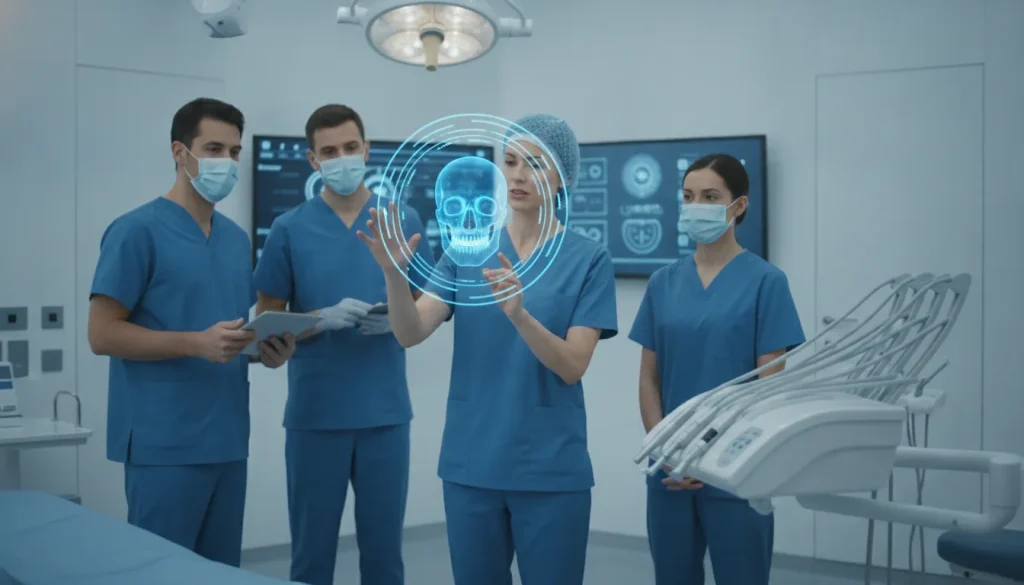
Choosing practice management software for an oral and maxillofacial surgery practice is not the same as choosing a system for a general dental office. A platform may handle appointments, patient records, and routine dental claims well. Yet still create extra work when your team is coordinating third-molar extractions, implant cases, anesthesia documentation, medical benefits, and multiple locations.
Request a free demonstration to see how purpose-built OMS software handles the surgical, medical-billing, and multi-location workflows a general dental platform was never designed to manage.
Dentrix can support general dental practice management, but OMS teams should evaluate whether it covers the surgical, medical-billing, and multi-location workflows they rely on every day.
The right comparison is not simply about which interface feels familiar or which system has the longest feature list. It is about whether the software reflects how an OMS practice actually operates. Start by separating the core functions of a general dental platform from the specialized demands of oral surgery. Then look closely at the workflows that drive outcomes for your team and your patients.
By Dr. Julius Hyatt, DDS, Founder and Oral Surgeon
What Dentrix Software Actually Does
Dentrix is a broad dental practice management platform for coordinating everyday general dentistry, from appointments and imaging to billing, analytics, and patient engagement.
Dentrix is built to connect the operational parts of a dental office in one system. Its core purpose is not to serve as a specialized surgical record, but to help a general dental practice manage patients, schedules, clinical information, financial activity, and communication. The platform describes itself as an all-in-one system that connects scheduling, imaging, billing, analytics, and patient engagement. Those functions make sense for practices centered on preventive care, restorative treatment, and routine patient visits. Dentrix’s product overview provides the platform’s own description of these capabilities.
Historically, Dentrix helped establish the category of Windows-based dental practice management software. According to the Dentrix history summarized by Wikipedia, the product launched in 1989 through Dentrix Dental Systems, a company founded by Larry M. Gibson in 1985 and based in American Fork, Utah. That history matters because it places Dentrix in the general dental practice management tradition, rather than in the narrower category of oral and maxillofacial surgery software.
The operational functions Dentrix brings together
For a general dental office, the value of an integrated platform is consistency. Staff can work from shared patient and practice information instead of moving between disconnected tools for every administrative task. Depending on the office’s configuration and selected modules, the system is intended to support functions such as:
- Scheduling: Organizing appointments, provider availability, operatories, and routine recall activity.
- Imaging: Connecting diagnostic images with the appropriate patient record and treatment context.
- Billing: Managing charges, payments, claims-related activity, and financial follow-up for dental services.
- Analytics: Giving practice leaders visibility into operating and financial performance.
- Patient engagement: Supporting communication and interactions that help patients schedule and remain connected with the practice.
These capabilities can be useful when the practice’s primary workflow is tooth-focused restorative and preventive dentistry. The system’s general-purpose design can help a dental team standardize front-office processes, maintain records, and coordinate care across a typical appointment journey.
That distinction becomes important for oral and maxillofacial surgery practices. An OMS office may also need to coordinate third-molar extractions, implant cases, surgical documentation, medical and dental insurance workflows, and more complex procedure-specific handoffs. General dental platforms such as Dentrix often do not include specialized workflows for those needs. Dentrix can therefore be a capable general dental PMS without being a complete operational fit for every surgical practice. The right evaluation depends less on the number of available modules and more on whether the platform reflects the procedures. Billing pathways, and clinical coordination your surgeons and staff perform every day.
Why General Dental Software Falls Short for Oral Surgeons
A general dental platform can manage routine scheduling, charting, and billing. But oral and maxillofacial surgery requires workflows built around surgery, anesthesia documentation, and medical as well as dental claims.
Software such as Dentrix is designed for the broad needs of a dental practice. That can make it a reasonable fit for preventive and restorative care, yet OMS practices operate in a different clinical and administrative environment. Oral surgeons treat conditions that may involve the jaw, facial structures, trauma, pathology, anesthesia, and medically necessary procedures. The practice therefore needs more than a tooth-focused patient record and a standard dental billing workflow.
The gap becomes visible when a team tries to force surgical care into templates designed for general dentistry. Staff may create workarounds, maintain separate notes, or rely on manual reminders to capture information that should be connected to the patient and procedure. Those workarounds increase the risk of omissions and make it harder for surgeons, surgical assistants, billers, and referring providers to work from the same record.
- Surgical case detail: Third-molar extraction and complex implant cases need procedure-specific planning, clinical documentation, and follow-up workflows rather than generic treatment entries.
- Anesthesia records: Sedation and anesthesia documentation must be captured as part of the surgical encounter, with the right details available to support safe coordination and complete records.
- Medical billing: OMS claims may involve medical diagnoses, medical procedures, coordination with dental benefits, and payer requirements that do not fit neatly into a standard dental claim process.
- Team handoffs: A surgical practice needs connected information for scheduling, intake, clinical preparation, recovery instructions, referrals, and revenue-cycle follow-up.
These needs do not mean every general dental feature is unusable. They mean the platform may become the limiting factor as case complexity, procedure volume, or payer requirements increase. Factoring medical insurance verification and complex medical billing into the workflow is especially important because general dental software often lacks specialized OMS workflows for third-molar extraction. Implants, and medical claims.
A purpose-built oral surgery software approach starts with the specialty’s actual work. Instead of asking the team to adapt a general dental system, it connects surgical documentation and administrative processes around how an OMS practice functions. That distinction can reduce duplicate entry, clarify ownership between departments, and give practice leaders a more reliable view of each case from scheduling through payment.
What Do Oral Surgery Practices Really Need From Their Software?
OMS software should connect the clinical, financial, and operational work of surgery in one purpose-built system. Rather than forcing staff to adapt a general dental platform to workflows it was never designed to manage.
The right question is not whether a practice management system can schedule patients, store records, or send claims. Most established platforms can do those things. The better question is whether the system supports the full path from consultation through surgery, recovery, documentation, and payment without creating duplicate entry or disconnected workarounds.
For an oral and maxillofacial surgery practice, that standard usually includes five connected capabilities:
- Surgical documentation: The system should support procedure-specific clinical notes, treatment plans, and surgical documentation that reflect how OMS teams actually work. Staff should be able to capture the details required for extractions, implants, and other procedures without forcing them into generic dental templates. A platform designed exclusively for OMS, such as modern oral surgery clinic software, starts with those specialty workflows instead of adapting them later.
- Anesthesia records: Anesthesia documentation needs to fit naturally into the patient record and the procedure workflow. When clinical staff must maintain separate tools or re-enter information after the appointment, the risk of delay and inconsistency increases. Specialty software should make anesthesia records part of the same operational process used by the surgeon, assistants, and administrative team.
- Medical billing: OMS practices often navigate both dental and medical insurance, including cases where general dental software lacks the specialized workflow needed for complex medical billing. Verification, documentation, coding support, and claim follow-up should be connected rather than handled as isolated tasks. This is one reason a general dental platform may not be enough for an oral surgery practice with medically complex cases.
- Integrated imaging: Imaging should be accessible where the care team needs it, without unnecessary switching between disconnected applications. Before choosing a platform, evaluate how it handles imaging, patient records, and other systems used across the practice. The OMS software integrations guide and imaging and EMR guide provide useful frameworks for that review.
- Implementation support: Software alone does not create a better workflow. OMS practices also need a practical rollout plan, suitable equipment, training, and responsive implementation support. MaxilloSoft uses an integrated model that combines a software subscription, medical-grade hardware, and professional implementation services. That model recognizes that reliable adoption depends on the complete operating environment, not just an application login.
MaxilloSoft is built exclusively for OMS practices, not adapted from general dental software. That distinction matters when a practice wants its documentation, billing, imaging, and implementation processes to work together. A focused system can reduce the compromises that arise when a tooth-focused platform is stretched across surgical care.
Third-Molar Extractions and Implant Workflows the System Must Support
Third-molar extractions and implant cases require more than a generic appointment and billing record. An OMS system should connect consent, clinical documentation, instructions, tracking, and coding so the care team can follow the case from consultation through follow-up.
General dental platforms such as Dentrix are designed to connect core business functions, including scheduling, imaging, billing, analytics, and patient engagement. That broad foundation can be useful for many dental practices, but it does not automatically provide the workflow depth an oral and maxillofacial surgery practice needs. General dental software often lacks specialized workflows for third-molar extraction and implant cases, as well as the related complexity of OMS documentation and medical billing. MaxilloSoft addresses this gap with software built specifically for OMS practices.
Consent and case documentation
A surgical case should carry its clinical context with it. For a third-molar extraction, that may include the planned procedure, relevant findings, risks discussed, consent status, anesthesia details, and the instructions prepared for recovery. Implant cases may require an even more deliberate sequence of documentation as the practice moves from evaluation and treatment planning to placement and later follow-up.
The goal is not to add paperwork for its own sake. It is to make important information visible to the people who need it, when they need it. A practical OMS workflow should help the team:
- Surgical consent: Record whether consent has been completed and keep the relevant documentation associated with the case.
- Clinical notes: Capture procedure-specific findings and decisions in a consistent, accessible record.
- Post-operative instructions: Deliver recovery guidance tied to the procedure, while giving staff a clear way to confirm that instructions were provided.
- Implant tracking: Follow implant cases across consultations, planned stages, procedures, and follow-up visits rather than treating each appointment as an isolated event.
- Procedure coding: Support accurate coding workflows for the services performed and the payer requirements attached to the case.
From scheduled visit to completed case
These capabilities matter because extraction and implant workflows rarely end when the patient leaves the operatory. Staff may need to verify that a consent document is complete, confirm that instructions were delivered. Coordinate a return visit, or review the case before submitting documentation for payment. When those steps live in disconnected notes, inboxes, or workarounds, omissions become harder to detect and administrative effort increases.
When evaluating an OMS platform, ask whether the workflow reflects how surgeons and teams actually work. Review a representative third-molar case and an implant case from scheduling through follow-up. A purpose-built system should make the next action clear without forcing staff to reconstruct the case from generic dental records. For practices comparing options, the WinOMS integration overview can also help clarify how specialized software fits into an existing technology environment.
Medical vs. Dental Insurance Verification for OMS Practices
OMS insurance verification must account for two payer systems, two sets of coverage rules, and procedure-specific documentation before treatment is scheduled.
Oral and maxillofacial surgery sits between dental and medical care. A third-molar extraction, bone graft, implant-related procedure, or treatment connected to trauma may require medical billing rather than a dental claim. Depending on the procedure, diagnosis, payer policy, and patient coverage. That makes a simple dental eligibility check incomplete for many OMS practices.
General dental software such as Dentrix is designed around broad practice management functions. But it may not provide specialized workflows for third-molar extraction, implants, and complex medical insurance billing. An eClaims workflow built for oral surgery should help staff organize the verification, documentation, and claim steps without forcing every case into a general dentistry process.
Why checking one payer is not enough
A patient may have active dental coverage and separate medical coverage, yet the relevant benefit for an OMS procedure may sit with only one of those plans. Staff need a repeatable way to identify which payer should be checked, what the plan considers medically necessary. Whether authorization is required, and which provider or facility details must appear on the claim.
- Coverage type: Confirm whether the planned service is evaluated under the patient’s medical plan, dental plan, or both.
- Eligibility status: Verify that coverage is active on the expected date of service, including deductibles, benefit limits, and network status where applicable.
- Procedure requirements: Record authorization, referral, documentation, diagnosis, and imaging requirements before the appointment moves forward.
- Claim routing: Preserve the payer-specific information needed for medical coding, dental coding, attachments, and follow-up.
This is more than a front-desk convenience. It affects scheduling, patient estimates, collections, and the time staff spend correcting avoidable denials. A workflow should make the verification result visible to the people who need it, while retaining a clear record of what was checked and when.

Connect verification to patient information management
Insurance work also depends on accurate patient information. The CDC’s MMWR QuickStats reference examines management of patient health information functions among office-based physicians with and without a certified electronic health record system. The broader lesson for OMS operations is practical: the way information is captured and managed influences administrative consistency. So verification should not live in disconnected notes, inboxes, or spreadsheets. Practice management automation can reduce handoffs by connecting intake, eligibility findings, documentation, and billing tasks in one operating process.
When evaluating a general dental platform against purpose-built OMS software, ask to see the complete medical and dental verification workflow, not just a billing screen. The right system should help the team distinguish payer pathways, document decisions, and move a case from consultation to clean claim with fewer manual workarounds.
Scaling Across Locations: DSO and Multi-Site Operations
Multi-location OMS groups need one operational view across every office, not a collection of disconnected practice databases. A system designed for a single general dental office can make each location look efficient in isolation while leaving DSO leaders without a reliable way to compare performance. Standardize processes, or identify gaps in patient and billing workflows.
That fragmentation becomes more costly as a group expands. Each site may maintain its own schedules, provider preferences, reporting habits, and administrative workarounds. Leadership then spends time reconciling information instead of managing capacity, supporting surgeons, and improving the patient experience. The issue is not that a general dental platform cannot store basic practice data. The issue is whether its structure reflects how an OMS organization actually operates across locations.
For multi-site groups, centralized visibility should extend beyond a high-level revenue report. Administrators need a consistent view of the operational details that influence access, throughput, and follow-up. A purpose-built OMS platform can provide a shared framework for those decisions while still allowing each office to manage its daily work.
- Centralized dashboards: Give DSO operators a consolidated view of schedules, workload, cases, and administrative activity across locations, so trends can be reviewed without manually combining separate reports.
- Standardized workflows: Establish common procedures for intake, treatment coordination, insurance tasks, and follow-up while reducing dependence on local spreadsheets or individual staff habits.
- Consistent compliance: Support the same documentation and operational expectations at every site, making it easier to identify exceptions and reinforce accountable processes.
- Scalable oversight: Help leadership manage growth without adding an entirely new reporting and reconciliation process for each office.
This is where the distinction between Dentrix and OMS-specific software matters. Dentrix is positioned as a general dental practice management platform. An OMS group may be able to adapt it to some local needs, but adaptation can leave different locations using different workarounds. Over time, those variations make meaningful comparisons harder and can obscure whether a problem comes from staffing, scheduling, documentation, or the system itself.
By contrast, an OMS-focused system is designed around the specialty’s operating model from the start. MaxilloSoft describes support for groups requiring centralized visibility and scalable practice management across several locations, including an example involving up to 14 surgeons across 8 locations. That scale makes a unified operational model particularly important: leaders can set expectations centrally while preserving the local context each office needs to serve its patients.
Automation does not have to begin with a large, disruptive transformation. Review the repetitive handoffs between locations first, then prioritize the workflows that create the most reconciliation work. This practice management automation guide can help teams identify practical starting points before expanding into broader DSO standardization.
How to Choose Between Dentrix and Purpose-Built OMS Software
The right choice depends on whether your practice needs a general dental platform or workflows designed around oral and maxillofacial surgery. Dentrix can connect scheduling, imaging, billing, analytics, and patient engagement for a broad dental practice. Purpose-built OMS software starts with the different clinical, insurance, anesthesia, and operational demands of surgery.
Use the comparison below as a decision framework, not as a simple feature checklist. A general platform may be familiar to a dental team, but familiarity does not necessarily mean it fits third-molar extraction, implant, sedation, or medical billing workflows. A specialty platform should reduce workarounds while giving administrators and surgeons a clearer view of the entire patient and practice lifecycle.
| Attribute | Dentrix or general dental software | Purpose-built OMS software, such as MaxilloSoft |
|---|---|---|
| Target practice | Designed for broad dental practices, including tooth-focused restorative and preventive care. Dentrix describes its platform as an all-in-one dental practice management system. | Built exclusively for oral and maxillofacial surgery practices, rather than adapted from general dental software. MaxilloSoft states its OMS focus. |
| Clinical workflow fit | May require customization or manual workarounds when the workflow involves surgical consultations, procedures, follow-up, and specialty documentation. | Organizes workflows around OMS encounters and procedures, including third-molar extraction and complex implant cases, which general dental systems often do not support natively. Source |
| Medical billing | General dental billing capabilities may not adequately support the verification and complexity involved in dental-medical claims for OMS procedures. | Prioritizes OMS-specific medical insurance verification and complex billing workflows, helping teams manage requirements that differ from routine dental claims. Source |
| Anesthesia documentation | Evaluate carefully whether the system supports your sedation records, monitoring documentation, consent process, and related handoffs without duplicate entry. | Should be assessed against the practice’s actual anesthesia documentation requirements, including how records connect to the surgical encounter and billing process. |
| Imaging integration | Imaging is part of the broader platform proposition, but confirm compatibility with the imaging systems and clinical handoffs your OMS team uses. | Evaluate whether imaging connects cleanly to OMS-specific workflows and reduces movement between disconnected systems. Review the guidance on software comparison criteria before selecting a platform. |
| Multi-location DSO support | Confirm whether reporting, permissions, scheduling, and operational visibility work consistently across every location and surgeon. | Purpose-built systems can be evaluated for centralized visibility and scalable management across multiple OMS locations, including groups with several surgeons and sites. |
| Implementation model | Implementation may follow a general dental software rollout. Determine who owns specialty workflow configuration, integrations, data migration, and training. | MaxilloSoft describes a hybrid model combining software subscription, medical-grade hardware, and professional implementation services. Source |
Cost should be evaluated alongside the time your team spends correcting mismatches. MaxilloSoft reports that users save 60 to 90 minutes per surgeon per day, and one case study documented a 29.5% production increase. Those figures are customer-reported outcomes, not a guarantee, so ask how the vendor measures them and whether the same workflows exist in your practice.
For a broader evaluation, review this guide to purpose-built oral surgery software. Then map your highest-volume procedures, insurance scenarios, documentation needs, integrations, and locations against each vendor’s live demonstration. The strongest choice is the system your team can use consistently without rebuilding OMS workflows around a general dental template.
Request a free demonstration of purpose-built OMS software and walk through your practice’s actual workflows with our team before making a decision.
Frequently Asked Questions
What is Dentrix software?
Dentrix is a general dental practice management platform that brings together scheduling, imaging, billing, analytics, and patient engagement. It is designed primarily around tooth-focused restorative and preventive dentistry. An OMS practice should confirm whether its workflows for surgery, implants, third-molar cases, and medical billing are supported natively or require workarounds.
Is Dentrix difficult to learn?
The learning curve depends on your team’s familiarity with practice management software, the workflows you need to configure, and the quality of implementation support. A system may feel straightforward for routine dental scheduling and billing while requiring additional adaptation for OMS-specific processes. Evaluate it with real surgical scenarios, not only a standard product demonstration.
How much does Dentrix cost per month?
There is no single monthly price that applies to every practice. Cost can vary with the edition, number of users or locations, included modules, implementation, support, and integrations. Ask for a written quote that separates recurring fees from one-time costs, then compare the total against the administrative work your team must complete outside the system.
Is Dentrix a CRM system?
Dentrix is best understood as a dental practice management platform with patient engagement capabilities, rather than a standalone CRM built for sales teams. It can support patient communications and practice operations, but OMS leaders should separately assess referral tracking, patient follow-up, case coordination, and reporting across locations.
Choosing between a general dental practice management platform and purpose-built OMS software comes down to the workflows your team runs every day. If your practice handles third-molar extractions, implant cases, anesthesia documentation, medical and dental insurance verification, or multiple locations. A system designed for oral and maxillofacial surgery can reduce duplicate entry and give everyone a clearer view of each case.
Request a free demonstration and see how MaxilloSoft is purpose-built for oral and maxillofacial surgery practices. Our team will walk you through the surgical, medical-billing, imaging, and multi-location workflows that a general dental platform may not cover. So you can decide with confidence whether it is the right fit for your practice.
