

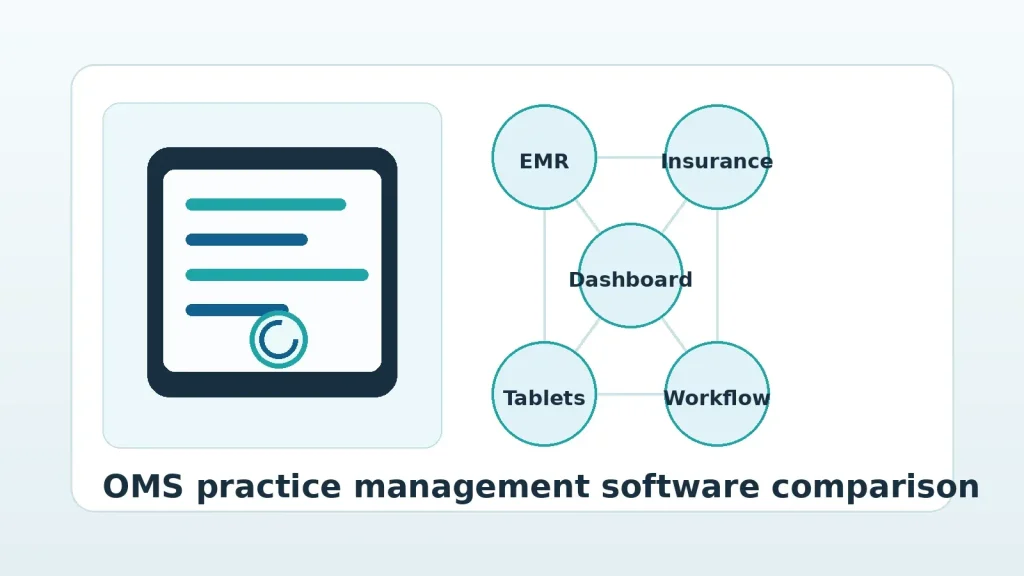
Best Dental Practice Management Software for Oral Surgeons
Choosing the best dental practice management software for oral surgeons is not the same as choosing software for a general dental office. An OMS practice has surgical documentation, anesthesia records, medical and dental insurance coordination, imaging, referrals, treatment estimates, recovery notes, and multiple team members moving around the practice at the same time. If the software cannot support those workflows, the team eventually builds workarounds with paper, spreadsheets, sticky notes, and after-hours charting.
Request a MaxilloSoft demo to see how oral surgery software built by oral surgeons connects clinical documentation, insurance verification, dashboards, and team workflows.
This guide explains what OMS practices should look for, how general dental software differs from specialty oral surgery software, and which features matter most when comparing vendors.
Answer First: What Is the Best Dental Practice Management Software for Oral Surgeons?
The best dental practice management software for oral surgeons is a specialty OMS platform that supports surgical workflows from consult to checkout. It should include oral surgery EMR documentation, treatment planning, insurance verification, imaging access, real-time dashboards, role-specific team workflows, and integration with the systems your practice already uses.
For most OMS practices, the best choice is not the software with the longest feature list. It is the system that removes the most friction from daily work. That means surgeons can complete notes before leaving the operatory, clinical staff can document without chasing paper, administrators can see patient flow and financial bottlenecks, and the front office can generate accurate estimates without rebuilding the treatment plan by hand.
A general dental platform may work for hygiene-heavy practices with simple appointment patterns. Oral and maxillofacial surgery practices need more. They need software that understands consults, extractions, implants, anesthesia, pathology, emergency add-ons, referrals, benefits, consents, and post-op documentation as connected parts of one workflow.
Why Oral Surgery Practices Outgrow General Dental Software
General dental practice management software is usually designed around restorative dentistry, hygiene schedules, perio charting, and recall. Those are important for general dentistry, but they do not reflect the daily pace of an OMS office.
Oral surgery practices often run a mixed schedule of consultations, IV sedation, biopsies, trauma, expose-and-bond cases, extractions, implants, pathology follow-ups, and emergency referrals. Each visit can require different documentation, consent language, imaging, insurance details, prescriptions, anesthesia records, and handoffs between clinical and administrative teams.
When the software is not built for that environment, the practice pays for it in hidden ways:
- Surgeons finish charts after hours because documentation does not match surgical workflows.
- Clinical staff re-enter the same information in multiple places.
- Front desk teams wait for complete treatment plans before they can estimate patient responsibility.
- Insurance verification becomes a manual research project instead of a repeatable process.
- Managers lack a live view of where patients, rooms, and bottlenecks are.
- New employees learn a patchwork of workarounds instead of one reliable system.
That is why OMS software should be evaluated by workflow fit, not by whether it can technically store a patient record. The question is whether it helps the team move the patient through the visit with less delay, less rework, and better visibility.
What Features Matter Most in OMS Practice Management Software?
The strongest oral surgery platforms bring the clinical, administrative, and financial parts of the practice together. When comparing systems, focus on the workflows that directly affect surgeon time, staff workload, collections, and patient experience.
1. Oral Surgery EMR Documentation
Documentation is one of the biggest pain points in an OMS practice. A general note template is not enough. Surgeons need charting that reflects actual case types, preferred language, clinical sequence, anesthesia details, prescriptions, follow-up instructions, and procedure-specific requirements.
A strong oral surgery EMR should let the surgeon and team document naturally during the patient visit. It should reduce repetitive typing, remember preferences, and help complete treatment plans and case records before the patient leaves the office. MaxilloSoft was built around this idea, with EHR software for oral surgeons designed to reduce the daily documentation burden.
2. Insurance Verification and Accurate Estimates
Insurance verification is one of the most important administrative workflows in oral surgery because treatment plans often involve a blend of medical and dental benefits. If estimates are slow or inaccurate, the patient experience suffers and collections become harder.
The right software should connect the treatment plan to the verification process so the front office is not rebuilding information from scratch. It should help the team generate clear, timely fee estimates based on the patient’s own benefits. MaxilloSoft’s oral surgery insurance verification software is designed for this exact handoff between the clinical and administrative sides of the practice.
3. Real-Time Dashboards
OMS practices move quickly. A manager should not have to walk the office or ask three people to know which patients are checked in, which rooms are ready, which consults need estimates, and where the schedule is backing up.
Real-time dashboards give the team a shared operating picture. They help clinical and administrative staff see what is happening now, not what was true 20 minutes ago. For multi-surgeon or multi-location groups, dashboard visibility becomes even more important because small bottlenecks can compound across operatories and offices.
4. Multi-Role Tablet Workflows
Oral surgery is mobile work. Surgeons, assistants, treatment coordinators, and administrators move between rooms, patients, and tasks. Software tied to a desktop station can slow the team down.
Role-specific tablet workflows allow the right person to capture the right information at the right moment. A surgeon may need procedure documentation and imaging access. Clinical staff may need vitals, intake details, and room-status updates. Administrative staff may need insurance, treatment plan, and checkout workflows. MaxilloSoft’s tablet-based approach is built for those different roles rather than forcing everyone into the same interface.
5. Integration With Existing Practice Systems
A new OMS platform should not force a practice to abandon every existing investment at once. Many established oral surgery offices rely on systems such as WinOMS as part of their operating environment. Integration matters because patient demographics, schedules, billing data, and treatment information need to move reliably between systems.
When evaluating software, ask whether the platform can work with your current practice management foundation, what data syncs in each direction, and how the team handles implementation. A workflow system is only useful if it fits the real operational context of the practice.
Comparison: General Dental Software vs. Specialty OMS Software
Comparison pages often list vendors side by side, but the deeper question is category fit. The table below shows where general dental platforms and specialty OMS systems tend to differ.
| Evaluation Area | General Dental Software | Specialty OMS Software |
|---|---|---|
| Core design focus | General dentistry, hygiene, restorative visits, recall | Consults, surgery, anesthesia, referrals, treatment plans |
| Clinical documentation | Generic note templates that often need customization | Procedure-aware documentation built around OMS workflows |
| Insurance workflows | Usually dental-first | Designed for medical and dental coordination |
| Team mobility | Often desktop-centered | Often supports tablets, room-by-room updates, and role-specific tasks |
| Dashboard visibility | May focus on schedule and production reports | Should show patient flow, room status, tasks, and operational bottlenecks |
| Best fit | General dental offices with standard appointment patterns | Oral and maxillofacial surgery practices with complex clinical operations |
If an OMS office chooses a general dental platform, it may still function, but the team may need to compensate with manual work. Over time, that manual work becomes the real cost of the system.
How to Compare Dental Practice Management Software for Oral Surgeons
The buying process should start with your practice’s workflow problems, not with a vendor’s feature page. Before scheduling demos, ask your surgeons, administrators, assistants, and treatment coordinators where work slows down.
Use the software demo to test real OMS scenarios, not just generic feature screens.
A practical evaluation should include these questions:
- Can the surgeon complete consult and surgical documentation before leaving the operatory?
- Does the system support procedure-specific preferences, rather than only static templates?
- Can clinical information flow directly into the insurance and estimate process?
- Does the dashboard show live patient movement and task status?
- Can different staff roles use the system in ways that match their daily responsibilities?
- How does the software handle medical and dental benefit coordination?
- What data migrates from the current system, and what remains integrated?
- What training and implementation support is included?
- How quickly can the practice expect staff adoption?
- What measurable time savings or efficiency gains should the practice track after launch?
These questions keep the comparison grounded in outcomes. You are not buying software because it has a dashboard, tablet app, or automation feature. You are buying it because those tools should help your team save time, reduce errors, improve estimates, and keep the practice moving.
Where MaxilloSoft Fits in the OMS Software Landscape
MaxilloSoft is built exclusively for oral and maxillofacial surgery practices. The company was founded by practicing oral surgeons who built the system to solve the same documentation, insurance, and workflow problems they experienced in their own practice.
That origin matters because OMS software is full of small workflow details that are easy to miss from the outside. The order of a consult matters. The way a treatment plan becomes an estimate matters. The way anesthesia details, prescriptions, vitals, imaging, and post-op instructions appear in the record matters. The way staff move through the office matters.
MaxilloSoft focuses on the connected practice, not just the electronic chart. Its platform includes oral surgery EMR documentation, automated insurance verification, real-time dashboard visibility, and medical-grade tablets configured for different roles in the practice. It also supports practices that have existing infrastructure, including WinOMS environments.
Explore MaxilloSoft features in a live walkthrough and see how the platform connects EMR, insurance verification, and team workflows into one cohesive system.
For a broader overview of how the platform supports clinical and administrative workflows, visit the MaxilloSoft clinicians page and the practice administrators page.
Common Mistakes When Choosing OMS Practice Software
Software selection is a high-stakes decision because the system touches nearly every part of the practice. Avoid these common mistakes during evaluation.
Mistake 1: Comparing Only Monthly Subscription Cost
A low subscription fee can look attractive until the practice adds the cost of manual work, extra tools, IT support, claim delays, training gaps, and surgeon time spent finishing charts. The real comparison is total operating impact.
Mistake 2: Accepting a Generic Dental Demo
A polished demo can hide workflow mismatch. Ask vendors to show an OMS-specific day: referral intake, consult, imaging review, treatment plan, insurance verification, estimate, surgery documentation, prescriptions, checkout, and follow-up.
Mistake 3: Leaving Administrators Out of the Decision
Surgeons feel the charting burden, but administrators feel the insurance, collection, staffing, and reporting burden. The best evaluation includes both clinical and operational decision makers.
Mistake 4: Ignoring Change Management
Even strong software can fail if implementation is treated as a login handoff. Ask about configuration, training, data migration, support, and how the vendor helps the practice redesign daily workflows.
Mistake 5: Choosing Features Instead of Fit
Many systems can claim automation, dashboards, reminders, or templates. The key is whether those features fit oral surgery work without forcing the team into awkward steps.
What Should an OMS Practice Track After Implementation?
The best way to judge software success is to measure operational change after launch. Before implementation, capture a baseline so your team can compare results later.
- Average time surgeons spend on charting after the final patient.
- Time from treatment plan completion to patient estimate.
- Number of insurance verification touchpoints per case.
- Claim delays or rework tied to missing documentation.
- Patient wait time between consult, estimate, and checkout.
- Staff overtime caused by documentation or billing cleanup.
- Number of separate tools needed to manage the patient journey.
- Manager visibility into room status, patient flow, and open tasks.
These metrics make the decision more concrete. A system that saves surgeon time, improves estimate speed, reduces duplicated work, and gives administrators better visibility can change more than the chart. It can change the way the practice runs.
Frequently Asked Questions About OMS Practice Management Software
What is dental practice management software for oral surgeons?
Dental practice management software for oral surgeons is software that helps an OMS practice manage clinical documentation, scheduling, treatment planning, insurance verification, billing workflows, patient communication, and operational visibility. Specialty OMS software is different from general dental software because it is built around surgical workflows, anesthesia documentation, referrals, and complex medical-dental coordination.
Can oral surgeons use general dental software?
Oral surgeons can use general dental software, but it often requires customization and manual workarounds. General dental platforms are usually built for hygiene, restorative care, recall, and standard dental billing. OMS practices often need deeper support for surgical documentation, treatment planning, imaging, anesthesia, insurance estimates, and role-based workflows.
What should oral surgeons look for in a software demo?
Oral surgeons should ask vendors to demonstrate real OMS scenarios. The demo should show consult documentation, surgery notes, treatment plans, insurance verification, patient estimates, imaging access, dashboard visibility, and team handoffs. A demo should prove workflow fit, not just show where features live in a menu.
Why is insurance verification important in oral surgery software?
Insurance verification is important because OMS treatment often involves medical and dental benefits, patient responsibility estimates, and time-sensitive treatment decisions. Better verification workflows help staff create accurate estimates, reduce rework, and improve the patient’s financial experience.
Does MaxilloSoft replace every system in an oral surgery practice?
MaxilloSoft is designed to support oral surgery workflows while working with the practice’s operational environment. Many practices use it as a workflow and EMR layer connected to existing systems such as WinOMS. The best approach depends on the practice’s current setup, goals, and implementation plan.
Bottom Line: Choose the Software That Matches How Oral Surgery Works
The best dental practice management software for oral surgeons is the one that understands OMS work from the inside. It should help the surgeon document faster, help the team move patients through the office, help administrators see what is happening, and help the front office produce accurate estimates with less rework.
If your current software leaves your team dependent on paper, duplicate entry, delayed estimates, and after-hours charting, it may be time to evaluate a purpose-built OMS platform.
Request a MaxilloSoft demo to see how purpose-built oral surgery software can support your practice’s clinical, administrative, and financial workflows.
