

Oral Surgery Billing Software: A Practical Workflow Guide
An oral surgery case can move from consultation to procedure smoothly, yet the claim may stall because eligibility was checked under the wrong plan, an estimate used an outdated fee schedule, or an attachment never reached the payer. Oral surgery billing software should give administrators and surgeons a coordinated process for deciding the claim path, preparing documentation, submitting eClaims, and assigning follow-up. The goal is not to predict reimbursement. It is to make each billing decision visible, traceable, and easier for the team to review.
Answer capsule: Oral surgery billing software connects clinical and administrative information across a case. A practical workflow begins with dental and medical eligibility review, applies the appropriate fee schedules to an estimate, collects supporting documentation, routes an eClaim to the selected payer, records responses, and gives staff a defined follow-up queue. Because coverage and payer rules vary, the software supports informed decisions; it does not determine benefits or promise reimbursement.
That distinction matters in oral and maxillofacial surgery. A general dental workflow may not account for cases that require staff to evaluate both dental and medical coverage, different code sets, medical-necessity documentation, and payer-specific submission rules. An OMS-focused process gives every role a clear handoff while keeping the surgeon involved when clinical judgment or documentation is required.
MaxilloSoft was built with the realities of oral surgery practices in mind. Its oral-surgeon-led perspective informs how the platform approaches complex dental and medical workflows. This guide explains how to evaluate and organize those workflows without treating software as a substitute for payer policies, coding expertise, or clinical documentation.
Why oral surgery billing software must coordinate two claim paths
Oral surgery often sits between dental and medical benefit structures. The correct path depends on the procedure, diagnosis, plan language, medical necessity, coordination-of-benefits rules, and other payer requirements. A patient having one encounter may present both dental and medical coverage, but that does not mean both plans will cover the same service or that the practice can submit the case the same way every time.
This complexity affects the entire office. The scheduling team needs enough information to request the right benefits. The treatment coordinator needs current fee and coverage details and insurance verification workflow to prepare an estimate. The surgeon must document the clinical facts that support the services performed. The billing team must select the appropriate claim form, codes, attachments, and payer route. Finally, someone must review acknowledgments, requests, and adjudication information.
Research discussing the management of an oral and maxillofacial surgery practice describes the broad administrative responsibilities involved in areas such as regulation, records, and billing. That context reinforces why a purpose-built workflow matters for OMS teams. See this overview of oral and maxillofacial surgery practice management.
Keep clinical and administrative decisions connected
A disconnected process invites ambiguity. If the clinical record says one thing, the estimate reflects another, and the claim queue lacks the relevant attachment, the billing team must reconstruct the case after the fact. A connected process gives each person access to the information needed for their role and creates a logical sequence from consultation through follow-up.
The important principle is a single source of current case information, not blind automation. Staff still need to interpret payer responses, confirm coding, and escalate questions. The value of connected oral surgery practice management is that those decisions can happen within a more consistent operational framework.
Define ownership at every handoff
Software alone cannot resolve unclear accountability. Administrators should decide who verifies each plan, who reviews the estimate, who confirms documentation readiness, who releases the claim, and who handles each follow-up category. Named owners and due dates turn a list of open items into a manageable workflow. They also make exceptions easier to identify during daily or weekly reviews.

A practical oral surgery billing software workflow
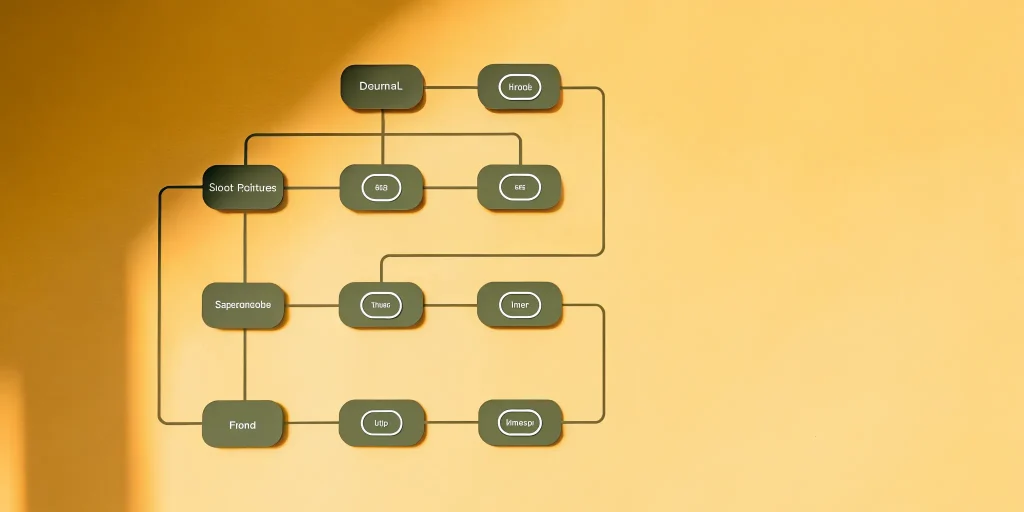
A reliable workflow is a series of reviewable decisions. Each step should record what the team knows, what remains uncertain, and what action comes next. The following model can help administrators map their current process and identify where information is being re-entered, delayed, or separated from the case.
| Workflow stage | Primary question | Useful output | Typical owner |
|---|---|---|---|
| Eligibility | Which plans are active, and what rules need review? | Verified details, source, date, and open questions | Scheduling or verification team |
| Fee schedules | Which contracted or practice fees apply? | Current fees associated with the planned services | Administrator or billing lead |
| Estimate | What can be communicated responsibly before care? | Itemized estimate with assumptions and limitations | Treatment coordinator |
| Documentation | Does the record support the claim being prepared? | Reviewed notes and required attachments | Surgeon and billing team |
| eClaim submission | Is the claim complete and routed appropriately? | Submission record and acknowledgment | Billing team |
| Follow-up | What response or action is due next? | Categorized task, owner, and due date | Billing lead or assigned specialist |
1. Review eligibility before finalizing the financial conversation
Eligibility review establishes whether a plan appears active and provides available benefit information. It may also reveal plan type, deductible status, annual maximums, exclusions, waiting periods, prior authorization requirements, or the need to contact a payer for clarification. Because an eligibility response is not a guarantee of coverage, staff should preserve the source and date of the information and communicate that limitation clearly.
For OMS cases, teams may need to review both dental and medical plans before deciding how to proceed. A documented decision tree can help. For example: confirm the planned service and diagnosis; identify potentially relevant plans; review payer requirements; note any authorization or referral questions; and route unresolved issues to a knowledgeable team member. This gives the treatment coordinator a defensible starting point without overstating what the payer will do.
2. Maintain current fee schedules
A fee schedule is the pricing foundation used when the practice prepares charges and estimates. Depending on the case and contractual relationships, staff may need to distinguish the practice fee from payer-specific contracted amounts. Outdated or inconsistently maintained schedules can affect estimates, claim preparation, and reporting, even when the underlying clinical information is correct. A coordinated approach to revenue cycle management for oral surgery creates a framework for tracking every dollar from eligibility through reimbursement.
Administrators should assign responsibility for entering, reviewing, and approving fee schedule changes. Record the effective date and source, restrict editing permissions appropriately, and test a representative set of procedures after an update. A periodic review is especially important when payer contracts or practice fees change. The Medicare Physician Fee Schedule research literature also illustrates how payment calculations can be affected by multiple factors; practices should rely on their applicable agreements and current payer guidance.
3. Prepare estimates with transparent assumptions
An estimate combines planned services, relevant fees, and the benefit information available at that time. It should help a patient understand the anticipated financial arrangement while plainly stating that the amount may change based on services performed, payer processing, coordination of benefits, or other plan rules. This is where accuracy, clarity, and careful language are more valuable than certainty.
When evaluating workflow tools, ask how staff move from eligibility details and fee schedules into a patient-facing estimate, how assumptions are recorded, and how changes are reviewed. MaxilloSoft explains its approach to oral surgery fee estimates, which can help administrators consider where automation belongs in their own process.
Explore MaxilloSoft resources for practice administrators
4. Confirm documentation before submission
Documentation should reflect the patient’s condition, the services performed, and the clinical reasoning relevant to the record. The billing team then uses that record, along with applicable coding and payer guidance, to prepare the claim. Depending on the payer and service, supporting material may include narratives, radiographs, operative reports, referral information, or other requested records.
A useful readiness check asks: Is the note complete? Do the diagnosis and procedure information align with the record? Are required attachments present and legible? Does the claim route match the team’s documented coverage decision? Are authorizations or referrals recorded where applicable? If anything is missing, the case should move to a defined exception queue rather than remaining in an informal message thread.

Documentation, eClaims, and follow-up in one traceable process
Electronic submission is not the end of the billing workflow. A complete eClaims submission workflow process includes claim preparation, validation, routing, acknowledgment review, payer response review, correction when appropriate, and documented follow-up. The practice should be able to distinguish a claim that was prepared from one that was transmitted, accepted at an initial stage, adjudicated, or returned for action.
Build a disciplined eClaim release process
Before release, billing staff should review the claim against an agreed checklist. The checklist may cover patient and subscriber information, payer selection, claim type, diagnosis and procedure information, dates, provider details, authorization information, and attachments. The specific requirements depend on the payer and case, so the software should support review without implying that every claim follows an identical rule.
After submission, preserve the transmission record and review available acknowledgments. An acknowledgment may confirm receipt at one stage, but it is not a coverage decision or final payer response.
- Confirm that the eClaim was transmitted.
- Review the available acknowledgment and record its meaning.
- Assign any requested correction, attachment, or clarification.
- Document the next action, owner, and due date.
Clear status definitions help staff understand each response and prevent premature closure of the task.
Organize follow-up by reason and next action
A single list of aging claims tells a team that work exists, but not what to do. More useful follow-up queues group cases by status or reason: no acknowledgment, payer request for information, eligibility issue, coding review, coordination-of-benefits question, patient information needed, or adjudication requiring review. Each item should include an owner, next action, due date, and record of prior communication.
Administrators can then review patterns without assuming a single cause. If many claims return for the same missing field, the team can examine its intake or release process. If a specific payer frequently requests a particular attachment, staff can determine whether payer guidance supports adding it earlier. These are workflow improvements, not promises about payer decisions.
Protect clinical judgment and compliance
Automation should support staff judgment, not replace it. Coding decisions must reflect the clinical record and applicable guidance. Access to protected information should follow the practice’s privacy and security policies. Templates should help clinicians document thoroughly without adding statements that are not true for the individual case. When payer or coding rules are uncertain, teams should consult the appropriate authoritative source or qualified professional.
How to choose oral surgery billing software
Choosing software is a workflow decision before it is a feature decision. Begin by mapping the current process, including every application, spreadsheet, paper form, and handoff. Identify where team members duplicate information, wait for clarification, or lack a reliable status. Then use real practice scenarios to evaluate whether a prospective system supports the desired process.
Use a selection checklist built around OMS work
During demonstrations and reference conversations, use a consistent checklist. Ask vendors to show the workflow rather than answer only yes-or-no feature questions.
- Dental and medical workflows: Can the system support the practice’s need to evaluate and manage both paths without treating them as interchangeable?
- Eligibility records: Can staff preserve verification details, dates, sources, limitations, and unresolved questions?
- Fee schedule governance: Can authorized users maintain relevant schedules with effective dates and a review process?
- Estimate preparation: Can the team create understandable estimates based on current information while communicating limitations?
- Documentation readiness: Can staff connect the clinical record and required attachments to the billing workflow?
- eClaims and acknowledgments: Can the team distinguish preparation, transmission, acknowledgment, payer response, and follow-up statuses?
- Actionable follow-up: Can open work be assigned by reason, owner, and due date?
- Permissions and security: Can the practice configure access according to each role and its responsibilities?
- Reporting: Can administrators review workflow patterns without losing access to case-level details?
- Implementation support: Does the rollout plan cover data, configuration, testing, training, and post-launch review?
Ask vendors to demonstrate realistic cases
A polished dashboard is not enough. Give each vendor a small set of de-identified scenarios that reflect the practice’s actual complexity. Ask the presenter to show how the team would record dental and medical plan information, prepare an estimate, identify missing documentation, submit an eClaim, interpret an acknowledgment, and assign a follow-up task. Note where the process depends on manual entry or an outside system.
Also ask what the software does not do. Responsible vendors should be able to explain where payer rules, coding review, staff decisions, or separate services remain necessary. Review MaxilloSoft pricing and plan information alongside workflow fit, implementation needs, and the total operational impact on the practice.
Plan a practical implementation
Implementation is the point at which a promising workflow becomes daily behavior. A phased, role-based plan gives the team time to verify configuration and practice exceptions before relying on the new process broadly. Assign an internal owner who can coordinate decisions between surgeons, administrators, treatment coordinators, and billing staff.
Map, configure, test, and train
Start with a current-state map from scheduling through follow-up. Mark the source of every important data element and the owner of each decision. Next, configure fee schedules, roles, workflow rules, and templates using verified information. Test representative cases, including straightforward and exception scenarios, before launch. Finally, train by role so each person understands both the steps they perform and the handoffs they affect.
Testing should include cases involving dental coverage, medical coverage, both plans under review, missing documentation, payer requests, and corrections. Confirm that staff can find the case history and understand the next action. Record questions that arise during testing and resolve them in written procedures rather than relying on verbal instructions alone.
Monitor workflow quality after launch
Post-launch review should focus on process quality. Useful measures may include the share of cases with eligibility reviewed before the financial discussion, the share of estimates using current schedules, documentation exception categories, acknowledgment status, follow-up queue age, and completion of assigned actions. These measures help administrators see whether the process is being followed; they do not predict reimbursement or clinical outcomes.
Hold brief, recurring reviews during the first weeks. Invite staff to identify unclear statuses, unnecessary steps, and missing guidance. Adjust configuration and training in a controlled way, document the change, and test it. A mature workflow evolves as the practice, payer requirements, and team responsibilities change.
Frequently asked questions
What should oral surgery billing software include?
It should support dental and medical workflow decisions, eligibility records, fee schedules, estimates, documentation readiness, eClaims, acknowledgments, and assigned follow-up.
Does an eligibility response guarantee oral surgery coverage?
No. Eligibility information helps staff understand available plan details at a point in time, but it is not a guarantee of coverage or reimbursement.
How should an OMS practice follow up on eClaims?
The practice should categorize each response or open item, assign an owner and due date, document prior actions, and review the next required step.
How should a practice evaluate oral surgery billing software?
Map the current workflow, identify gaps, and ask vendors to demonstrate realistic OMS scenarios from eligibility and estimating through documentation, submission, and follow-up.
Bring your OMS billing workflow into focus
The right oral surgery billing software gives a practice a coherent process for coverage review, fee schedules, estimates, documentation, eClaims, and follow-up. It helps administrators make work visible and gives surgeons a clearer connection between the clinical record and the administrative process. The strongest approach combines capable software with current payer information, responsible communication, defined ownership, and regular workflow review.
