

WinOMS Integration for Oral Surgery Workflows
For many oral surgery practices, WinOMS is still the operational center of the practice. The challenge is not always replacing it. The challenge is helping the clinical, administrative, and insurance workflows around it work with less friction, less duplicate entry, and better visibility across the day.
Ready to connect documentation, dashboard visibility, and insurance workflows around your existing OMS process? Schedule a MaxilloSoft demo.
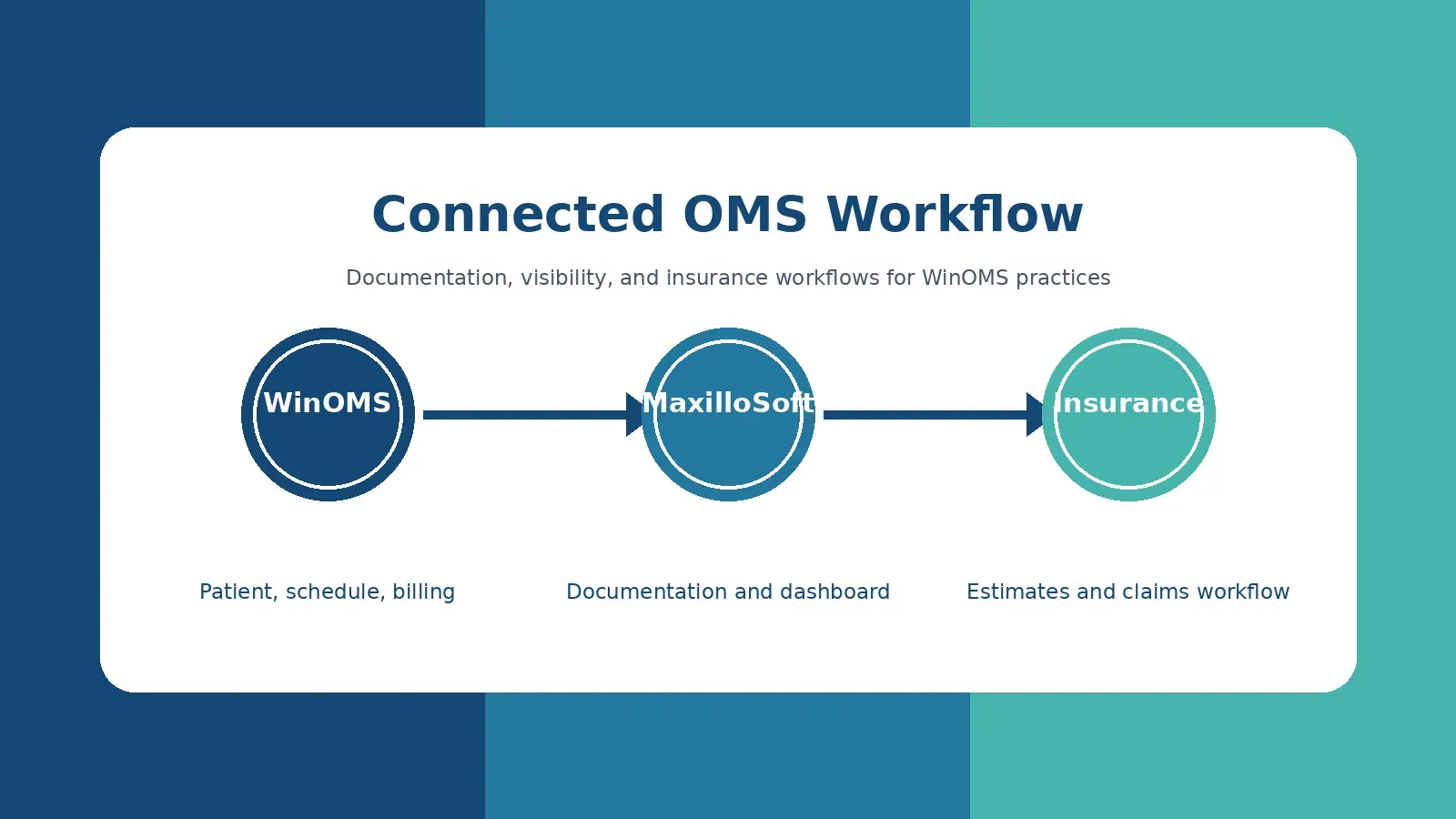
That is where a thoughtful WinOMS integration strategy matters. A connected workflow can preserve the practice management foundation your team already knows while adding stronger documentation support, room-to-room visibility, and more efficient insurance processes. For established practices, that approach is often less disruptive than forcing every team member into an entirely new operating model at once.
This article explains what oral surgery practices should expect from WinOMS integration, where connected workflows create the most value, and how to evaluate whether your current setup supports the next stage of growth.
What does WinOMS integration mean for an oral surgery practice?
WinOMS integration in an oral surgery practice means connecting the practice management system with surrounding clinical and administrative workflows so information can move more reliably between scheduling, patient records, documentation, insurance, and reporting. The goal is not just data transfer. The goal is a more coordinated day.
In many OMS offices, the practice management system holds core operational data such as patients, appointments, billing details, and claims activity. But the work of an oral surgery practice extends far beyond those records. Surgeons need efficient clinical documentation. Assistants need clear patient status. Administrators need visibility into bottlenecks. Treatment coordinators need accurate fee estimates and insurance details. When those pieces sit in separate tools or manual processes, staff spend time bridging gaps by hand.
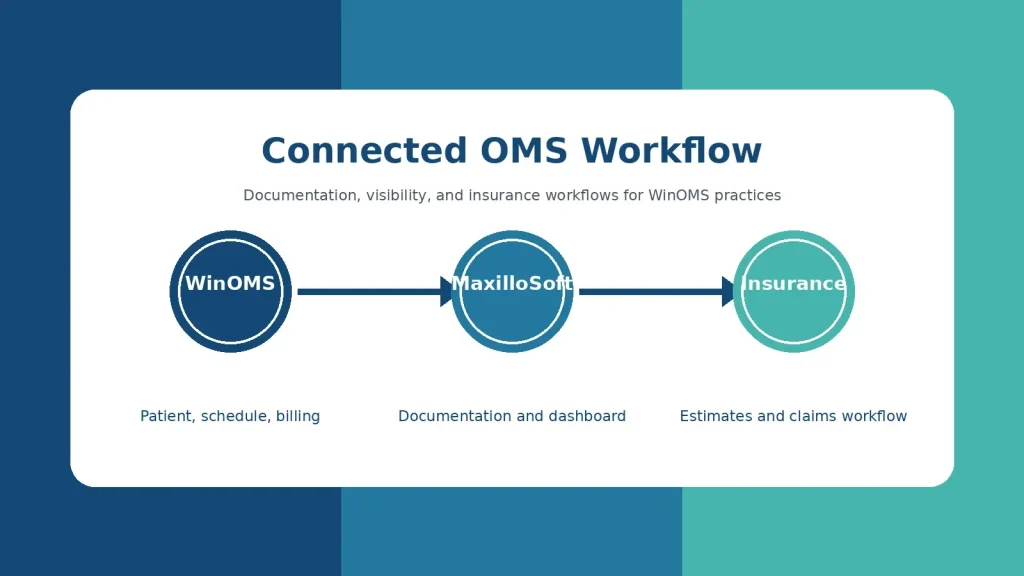
A connected OMS workflow helps reduce those handoffs. Patient and schedule information can support the clinical workflow. Documentation can feed downstream administrative needs. Insurance verification and estimates can happen with fewer missing details. Dashboards can show the team where patients are in the visit rather than forcing everyone to ask, call, or walk the hall for updates.
For practices already using WinOMS, the most practical question is often: how can we improve the workflows around the system without losing the operational structure the practice depends on?
Why existing WinOMS practices look for connected workflows
Oral surgery practices rarely evaluate workflow software because one screen is inconvenient. They start looking when small delays compound across the day. A few extra minutes documenting each consult can become hours by the end of the week. A missing insurance detail can delay an estimate. A patient waiting in the wrong room can throw off the provider schedule. A manager without real-time visibility may not see the problem until the schedule is already behind.
Established WinOMS practices usually have three practical goals when they explore integration support:
- Keep the operational foundation stable. The team may not want to abandon scheduling, billing, or existing patient data workflows that already run through WinOMS.
- Improve the clinical and administrative work around it. Documentation, patient flow, insurance estimates, and dashboards often need more speed and visibility.
- Reduce staff dependence on manual workarounds. Spreadsheets, sticky notes, hallway updates, and repeated data entry create risk as volume grows.
That is why MaxilloSoft positions its platform around an oral surgery workflow rather than a generic dental software model. MaxilloSoft is designed exclusively for oral and maxillofacial surgery practices, with EMR, insurance verification, dashboard workflows, and WinOMS workflow support brought into one practice management experience.
The distinction matters. A general dental office and an OMS practice may both schedule patients and submit claims, but the daily workflow is different. Oral surgery teams manage consults, imaging, sedation cases, anesthesia documentation, referrals, treatment plans, medical and dental billing considerations, and fast clinical handoffs. Integration strategy should reflect that reality.
Where WinOMS integration can reduce friction first
The best integration projects start with the workflows that create the most repeated friction. For most oral surgery teams, those are documentation, dashboard visibility, and insurance workflows.
Clinical documentation
Clinical documentation is one of the biggest time drains in an OMS practice. When surgeons or clinical staff must recreate the same case details repeatedly, documentation becomes a tax on the entire schedule. MaxilloSoft addresses this with an oral surgery digital charting approach that remembers personal preferences for common case types and helps complete treatment plans and case records before the surgeon leaves the operatory.
For a WinOMS practice, the value is not just faster note entry. Better documentation supports downstream work. Treatment plans can be clearer. Insurance teams can work from more complete information. Administrative staff can answer patient questions without chasing missing clinical details. A connected workflow turns documentation from an end-of-day burden into an operational asset.
Dashboard visibility
Patient flow is difficult to manage when status updates live in conversations instead of a shared system. A patient may be waiting for imaging, a consent form, a room, a surgeon, or checkout, but the team cannot respond quickly if that status is not visible.
The MaxilloSoft Dashboard is built for real-time patient flow coordination. It helps show where patients are, what they are waiting on, and how long they have been waiting. For busy oral surgery practices, that visibility can help leaders correct small delays before they affect the entire day.
If your WinOMS practice is growing but visibility has not kept up, see how MaxilloSoft supports practice administrators.
Insurance verification and fee estimates
Insurance workflows are another place where disconnected systems create avoidable delay. A treatment plan may be ready clinically, but the patient conversation can stall if the estimate is not ready, benefits are unclear, or the team needs to manually gather more information.
MaxilloSoft includes oral surgery insurance verification software workflows that support accurate fee estimates based on the patient’s insurance and the doctor’s treatment plan. The practical value is speed and confidence. Patients can receive clearer information sooner, and the business office can spend less time repairing incomplete workflows after the visit.
This is especially important for practices that manage a high volume of claims. When documentation, treatment plans, and insurance workflows are closer together, the team has a better chance of reducing delays before they turn into collections problems.
How a connected OMS workflow changes the patient visit
To understand the value of WinOMS integration for oral surgery, it helps to follow the patient visit from check-in through checkout.
Before the appointment, the practice needs intake information, insurance details, referral context, and schedule readiness. During the visit, the clinical team needs access to the right patient information, images, medical history, consent documents, and procedure-specific documentation. After the visit, the administrative team needs treatment plan details, fee estimates, claims support, follow-up instructions, prescriptions, and patient communications.
In a disconnected workflow, each stage may require staff to re-enter, re-check, or manually transfer information. That creates more chances for errors and more interruptions for the surgeon, assistant, and front desk.
In a connected workflow, information is used closer to where the work happens. Patient status is visible on a dashboard. Clinical documentation is completed while the case is fresh. Treatment plan details can support insurance estimates. The front desk and business office have fewer unknowns when they talk with the patient. The practice still has defined roles, but the handoffs become cleaner.
That cleaner handoff is often the difference between software adoption and software frustration. Staff do not need another system that adds steps. They need technology that removes the unnecessary steps hiding inside the current workflow.
What should an OMS practice evaluate before changing its workflow?
Before choosing any integration path, oral surgery leaders should evaluate the workflows they want to protect and the workflows they need to improve. Replacing a system is not always the right first move. Neither is layering new tools on top of old problems without a plan.
Use these questions to frame the evaluation:
- Where does the team enter the same information more than once? Duplicate entry often reveals poor workflow connection.
- Which delays affect patient conversations? Insurance estimates, treatment plans, and missing documentation can slow acceptance and checkout.
- What information does the surgeon need before entering the room? A workflow should surface relevant patient, referral, complaint, and imaging context quickly.
- Can administrators see patient flow in real time? If the answer depends on walking through the office, dashboard visibility may be a priority.
- Does the system support the way oral surgery teams document care? Generic dental templates may not handle anesthesia, surgical records, consent, and specialty-specific workflows well.
- How much change can the team absorb at once? A phased workflow improvement can be more realistic than an abrupt all-at-once replacement.
A strong evaluation should include surgeons, administrators, insurance staff, surgical assistants, and IT support. Each group sees different friction. The surgeon may feel the documentation burden. The administrator may see bottlenecks across rooms. The insurance team may see missing details. IT may see the risk of fragile workarounds.
WinOMS integration versus full software replacement
Some practices eventually decide to replace major systems. Others get better results by improving the workflow layer around what they already use. The right path depends on the practice’s pain points, technical readiness, data needs, and appetite for change.
For existing WinOMS practices, integration-centered improvement can be attractive because it focuses on practical workflow gains without requiring every operational process to be rebuilt at once. That can help protect staff familiarity while still addressing the biggest sources of wasted time.
| Evaluation area | Integration-centered workflow improvement | Full software replacement |
|---|---|---|
| Operational disruption | Often lower because existing workflows can be preserved where they still work | Often higher because staff may need to relearn many core processes |
| Best fit | Practices that like parts of their current setup but need better documentation, visibility, or insurance workflows | Practices whose current system no longer supports core operations |
| Implementation focus | Connect high-friction workflows first and build adoption around daily use | Move data, rebuild workflows, retrain teams, and stabilize the new system |
| Risk to staff adoption | Lower when the added workflow clearly removes steps | Higher if the new system changes too much too quickly |
The safest decision is not always the smallest change. It is the change that solves the right problem with the least unnecessary disruption. If your practice’s biggest pain is after-hours documentation, poor patient flow visibility, or insurance estimate delays, a connected workflow may be the best first conversation.
How MaxilloSoft supports WinOMS practices
MaxilloSoft was built by oral surgeons for oral surgeons, which shapes how the platform approaches workflow design. The system is not a generic dental tool adapted to specialty care. It is designed around oral surgery documentation, patient flow, insurance workflows, and practice visibility.
For practices using WinOMS, MaxilloSoft can support a connected OMS workflow in several ways:
- Oral surgery EMR support: MaxilloSoft helps reduce repetitive documentation by learning surgeon preferences for common procedures and case types.
- Integrated scheduling and WinOMS workflow support: MaxilloSoft’s public site describes integrated scheduling and WinOMS workflow support as part of one maxillofacial surgery practice management software experience.
- Practice dashboard visibility: The dashboard helps teams monitor patient flow, wait times, and practice activity in real time.
- Insurance verification workflows: Treatment plan details can support accurate fee estimates and more efficient patient financial conversations.
- Tablet-based clinical access: Surgeons and staff can work with patient information closer to the point of care.
- Specialty-specific implementation: MaxilloSoft supports installation, configuration, data migration, and training for OMS workflows.
The most important point is expectation setting. This should be viewed as workflow education, not a blanket technical promise that every integration scenario is identical. Each practice’s setup, data environment, hardware, and workflow needs should be reviewed before implementation decisions are made.
Want to see how MaxilloSoft can support your current oral surgery workflow? Request a demo and discuss your WinOMS environment with the team.
Questions to ask during a WinOMS integration demo
A demo should do more than show screens. It should test whether the workflow makes sense for your practice. Bring real scenarios to the conversation so the team can evaluate fit, implementation steps, and expected change management.
Ask questions such as:
- Which WinOMS-related workflows can be supported in our current environment?
- What data is expected to remain in WinOMS, and what workflow activity happens in MaxilloSoft?
- How does patient schedule information support the clinical workflow?
- How does the dashboard show room status, patient waiting time, and team priorities?
- How are treatment plans used in insurance verification and fee estimate workflows?
- What does implementation look like for a single-location practice compared with a multi-location group?
- How are staff trained by role, including surgeons, assistants, administrators, and insurance staff?
- What should we prepare before installation, configuration, and data migration?
- How does the system support HIPAA-conscious workflows, access controls, and audit trails?
- What metrics should we track after launch to know whether the workflow is improving?
These questions keep the conversation practical. They also help prevent a common software-buying mistake: evaluating feature lists without understanding how the system will change the workday.
What metrics show whether integration is working?
A connected workflow should create measurable operational improvement. The exact metrics will vary by practice, but OMS leaders can usually start with a few core indicators.
- Documentation completion time: Track how much charting is completed before the surgeon leaves the operatory or before the end of the day.
- Patient wait time by workflow stage: Measure where patients spend time waiting and whether dashboard visibility reduces avoidable delays.
- Estimate turnaround time: Track how quickly treatment plans and insurance details become patient-ready estimates.
- Claim support quality: Monitor whether the insurance team has fewer missing documentation requests before claim submission.
- Staff interruptions: Watch for fewer questions, callbacks, and manual status checks during the clinical day.
- Provider capacity: Review whether surgeons can maintain or increase patient volume without adding documentation time.
MaxilloSoft’s broader value proposition includes time savings and practice visibility, but each practice should define its own baseline before changing workflows. Baseline metrics make it easier to separate real improvement from the normal excitement of launching new software.
Frequently asked questions about WinOMS integration for oral surgery
What is WinOMS software?
WinOMS is an oral and maxillofacial surgery practice management system used by many OMS practices for operational workflows such as patient management, scheduling, billing, and related practice functions. Practices that already rely on it often look for ways to connect surrounding clinical and administrative workflows without immediately replacing the system.
Does WinOMS integration mean replacing our current practice management system?
Not necessarily. For many practices, the goal is to preserve the core operational foundation while improving connected workflows around documentation, dashboard visibility, insurance verification, and patient flow. The right approach depends on your current setup and implementation goals.
Why is integration different for oral surgery than general dentistry?
Oral surgery workflows include specialty documentation, anesthesia records, imaging, referrals, consent, treatment plans, medical and dental billing considerations, and room-based patient flow. Integration planning should account for those specialty needs instead of relying on generic dental workflows.
How does MaxilloSoft help with insurance workflows?
MaxilloSoft includes insurance verification workflows designed to support accurate fee estimates from treatment plan information. This can help teams prepare patient financial conversations sooner and reduce manual follow-up tied to missing details.
What should we prepare before evaluating a connected OMS workflow?
Map your current workflow from scheduling through checkout, note where information is entered more than once, identify delays that affect patients, and gather input from surgeons, administrators, assistants, insurance staff, and IT. A clear workflow map makes the demo and implementation conversation more productive.
Build a connected workflow without unnecessary disruption
WinOMS integration for oral surgery should not be treated as a buzzword. It should be treated as a practical workflow strategy. The best approach protects what already works, fixes the handoffs that slow the team down, and gives surgeons, administrators, and insurance staff better information when they need it.
For established OMS practices, that can mean faster documentation, better dashboard visibility, more efficient insurance workflows, and a smoother patient visit without forcing the entire organization into a disruptive replacement project on day one.
If your practice depends on WinOMS but needs a more connected way to manage documentation, patient flow, and insurance workflows, MaxilloSoft can help you evaluate the path forward.
Schedule a demo with MaxilloSoft to discuss your current workflow and see how a connected OMS platform can support your practice.
