

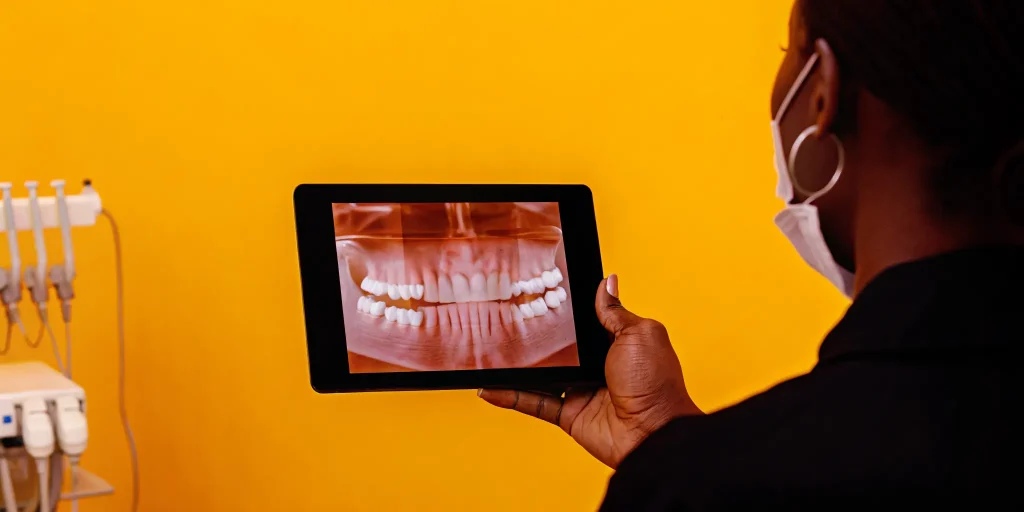
Dental implant workflow software acts as the main hub for clinical plans and patient records in one system. This tool removes the data gaps that often slow down oral surgery teams by linking guide design to office tasks. By grouping patient files and surgical plans, these systems let teams focus on care instead of typing the same data twice. Research in PubMed shows that digital workflows cut procedure time by over four minutes compared to standard methods. For the modern surgeon, using a single system is not just about precision. It is a vital step to boost daily work and cut the time spent on paperwork for every implant case.
Moving from paper logs to a digital system requires a clear view of how each tool fits together. We will start by Understanding the Digital Implant Workflow to see how scanning and planning create a better path for each patient. The way to a more efficient surgical practice begins with.
Dental Implant Workflow Software: Understanding the Digital Implant Workflow
The move to a digital implant workflow changes how oral surgeons plan and finish cases. This process starts with good data and ends with a stable tooth. Digital scans are central to these modern, fast workflows, replacing the messy trays used in older ways. By using high-quality scans, surgeons build a full map of the mouth before the first cut.
From Scans to Surgical Planning
A standard workflow starts with a CBCT scan and a mouth scan. These two files merge to show both bone and soft tissue in one view. This level of detail is key for hard cases. Using dental implant workflow software, surgeons place virtual implants into this map to check bone and nerve paths. This stage lets you find the best spot for the implant without any guess work.
Once the plan is set, the software helps design a surgical guide. These guides act as a map during surgery to make sure the implant goes exactly where it was planned. A study shows that these digital steps help reduce mean procedure time by 4.28 minutes compared to old ways. This time savings lets teams focus more on patient care and less on manual changes during the surgery.
Predictable Results and Long-Term Success
Software ties each part of the process into one smooth path. It tracks data from the first scan to the last visit. This digital thread makes sure the new tooth aligns well with the surgical spot. Using specialized dental implant workflow software helps keep these records clear and easy to reach for the whole team.
Research shows that these tools lead to good results. Studies show that implant survival rates stay higher than 98 percent for digital workflows. By removing the risk of error in scans and planning, oral surgeons give results that are safe and last a long time. This mix of software and skill creates a better path for the surgeon and the patient.
Key Technologies Powering Modern Implant Planning
Modern implant work relies on a set of linked tools to ensure high accuracy. These systems work together to help surgeons find the best spot for every implant. By using these tools, your team can move from a basic plan to a digital guide that fits the patient. This path makes the surgery more exact and easier to repeat.
Advanced Imaging and Scanning
The process starts with clear views of the bone and tissue. Cone Beam Computed Tomography (CBCT) gives a 3D view of the site. This allows you to check bone density and find nerve paths before the case starts. Intraoral scanners then take a digital map of the teeth and gums. These two files combine to create a full model of the mouth. This step replaces old physical molds that can take a long time to dry and ship.
Integration and Automated Design
Modern dental implant workflow software takes these files and helps you place the implant in a virtual space. Systems like 3Shape Implant Studio offer automated visualization for better implant placement. This tech helps ensure that the final crown and the implant screw line up well. Using these tools supports more predictable treatment outcomes for your patients. It also allows for implant inventory management to happen early in the case.
Guided Surgery and Software Platforms
The link between planning tools and surgical guides is a core part of the digital path. Pure surgical guide software focuses on making the physical guide for the day of surgery. Integrated platforms do more by linking the clinical data with the rest of the practice. High-quality guided surgery software helps make surgical results more certain. By using a single system to plan and guide, you reduce errors and save time in the room.
Bridging the Gap: Practice Management Meets Clinical Workflow
Most implant planning software stops at the surgical guide. It handles the clinical plan but leaves the business side to a separate system. This split means your front desk types data into one tool while the surgical team works in another. The result is duplicate work, lost time, and higher risk of errors.
Where planning software falls short
Pure planning tools like 3Shape or DTX Studio focus on guide design and implant placement. They do not handle treatment plans, insurance checks, or patient billing. Your team has to move data from the planning tool into a separate practice management system. Each move is a chance for mistakes. Studies show that digital implant workflows can cut procedure time by over four minutes per case. But those gains vanish when the office side still runs on manual data entry.
Oral surgery practices average 60 to 90 minutes of lost surgeon time per day on non-clinical tasks. Staff time is also lost to duplicate data entry. MaxilloSoft targets this waste by linking the clinical plan with the office workflow.
One system from consult to billing
Dental implant workflow software should do more than plan a guide. It should connect every stage of the patient journey. MaxilloSoft brings insurance verification and fee estimation directly into the surgical workflow. Your front desk can check benefits before the patient arrives. The system shows estimated costs right inside the patient record.
This link removes the need to switch between tools. Treatment plans built in the EMR flow directly into patient communication and consent forms. Implant workflow optimization tools in MaxilloSoft let your team create, send, and sign treatment plans in minutes instead of hours. The same data that drives the clinical plan also feeds the billing and scheduling workflows.
Real results from integrated workflows
Practices using integrated platforms see real gains. Surgeon time saved per day ranges from 60 to 90 minutes. Production increases reach up to 29.5 percent. The reason is simple: when your team does not retype data, they have more time for patients. Cloud-based practice management gives office managers real-time views of case volume, revenue, and patient flow. This data helps practices grow without adding more staff.
By choosing a platform that links clinical and administrative data, your practice gets a single source of truth for every implant case. The planning software guides the surgery. The practice management system handles the business. When they work together, your team runs faster and your patients get better care.
What Sets MaxilloSoft Apart for Implant Workflows
Most offices use tools to plan implant cases. You might use 3Shape, Planmeca, or DTX Studio to design surgical guides. These tools work well for the technical plan. But they often live in a silo. They do not talk to your practice management system or your patient records. MaxilloSoft provides a full clinical and business platform that connects the entire implant workflow in one place. This link removes the extra work that split systems create for your team.
MaxilloSoft is a comprehensive dental implant management software built for oral surgeons. It handles everything from the first visit to final billing. This link helps you keep your focus on the patient instead of the screen. Instead of using five other tools, you use one platform to manage your whole office.
Specialized tools for oral surgery
Generic dental software does not have the tools that an oral surgeon needs. MaxilloSoft was built for this focus from the start. It includes specific areas that other tools miss, such as:
- Full anesthesia records and tracking.
- Linked surgical records and notes.
- Quick insurance and fee checks.
By using one system for practice management and EMR, you avoid the risks of split data. This setup makes your office run faster and keeps your records safe. When you use a digital implant workflow, you can see real gains. Studies show that these systems lead to high comfort for patients and help keep implant survival rates high.
Workflow tool comparison
Pure planning tools focus on the surgery itself. They are great for guides but stop at the door of the business office. MaxilloSoft covers the whole path of the patient. The table below shows how these systems differ in a modern practice.
| Feature | Pure Planning Software | MaxilloSoft EMR + PM |
|---|---|---|
| Surgical Guide Planning | Yes | Integrates |
| Practice Management | No | Yes |
| Surgical Records | No | Yes |
| Anesthesia Records | No | Yes |
| Insurance Checks | No | Yes |
| Surgeon Preferences | No | Yes |
| Treatment Planning | Yes | Yes |
| Live Data Analytics | No | Yes |
Smart tools that learn case needs
Every surgeon has a way they like to work. MaxilloSoft learns your case needs for every implant. It tracks the tools you use and the steps you take. This means your team knows exactly how to set up for each case. They do not need to be told each time. This smart system saves you time and reduces errors in the room.
Using these tools can save a surgeon 60 to 90 minutes every day. You spend less time on paperwork and more time with patients. This leads to a boost in how much work your office can do. When you use comprehensive dental implant management software, you give your team the best tools. You can see your practice data in real time to make better choices for your business.
Frequently Asked Questions
How does digital software improve implant treatment accuracy?
Digital software allows for careful planning before the first cut. Surgeons use guided tools to place implants with exact results. This reduces risks for the patient. Based on research on PubMed, these workflows offer strong results that match or exceed old methods. This technology also helps keep implant survival rates high. It makes the whole process more sure for the surgical team and the patient.
What software do most oral surgeons use for guided surgery?
Many oral surgeons use special tools like 3Shape Implant Studio for surgical guide design. However, the best results come from systems that link planning with practice management. Platforms built for oral and maxillofacial surgery (OMS), such as MaxilloSoft, handle unique needs like pain relief records. This link ensures that medical data flows into patient records without manual entry. It helps the whole team focus on patient care instead of paperwork.
Is there free software for dental implant planning?
Some basic tools offer free implant planning features. While these can help for learning, professional oral surgery practices need strong and safe systems. Advanced platforms provide full support and regular updates for patient safety. They work with CBCT data to ensure surgical accuracy. Professional software also handles complex tasks like insurance checks and cost estimates. Free tools cannot manage these office needs, which are vital for a modern and fast practice.
What are the core components of a digital implant workflow?
A digital workflow starts with CBCT scans and digital impressions. Next, the surgeon uses software to plan the implant placement and design a surgical guide. The final steps include the surgery and the repair of the teeth. Research in medical papers shows that this approach supports sure outcomes. It also reduces total procedure time for modern practices. This helps surgeons see more patients while keeping a high level of care.
Ready to optimize your dental implant workflow?
Broken systems slow down your surgical team and lead to mistakes. When your clinical and office tools do not work together, you lose good time on typing in data. Moving to a linked system now helps you get back hours each day so you can focus on your patients. You can treat more cases with less strain on your staff while making every implant placement more precise. If you wait, you will still have to deal with the stress of too much paperwork that stops your practice from growing. High surgical volume needs a workflow that runs without hitches or delays. You have worked hard to build your skill, and your software should support that work instead of getting in the way.
Ready to book? Contact our team to schedule a personalized demo of MaxilloSoft’s integrated implant workflow software.
